Preview

This is your website preview.

Currently it only shows your basic business info. Start adding relevant business details such as description, images and products or services to gain your customers attention by using Boost 360 android app / iOS App / web portal.

CIRCUITSYSTEMS 6a4cbc45ef04f5ce77f9b855 Products https://www.circuitsystems.co.in
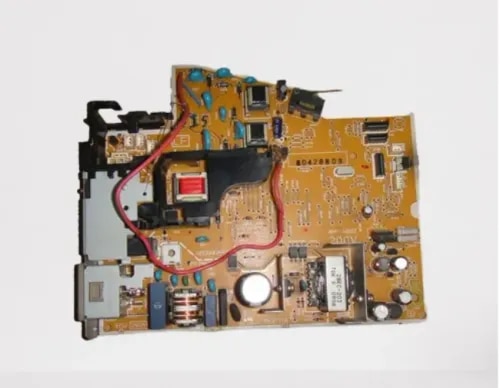
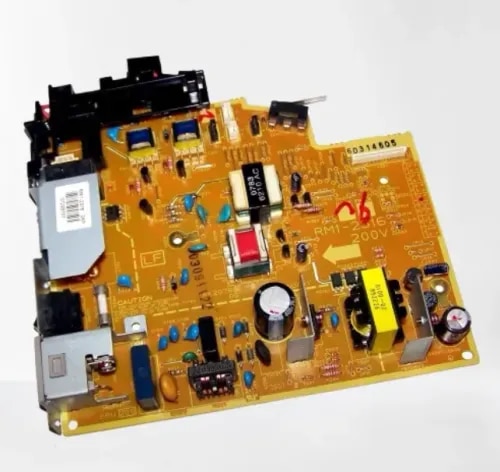
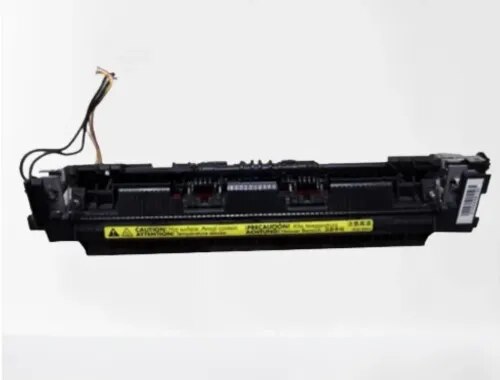
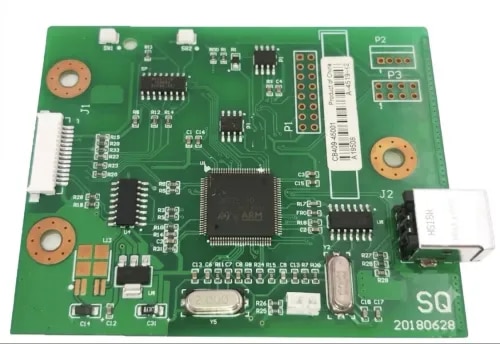
{ "products": [ { "_id": "6a9d60a44a6d7e6d1dc2e793", "fptag": "CIRCUITSYSTEMS", "merchantname": null, "customwidgets": null, "externalsourceid": null, "name": "Power Supply Board for HP LaserJet P1108 / P1106 / Canon LBP6030 Original Imported", "description": "Original Power Supply Board for HP LaserJet P1108 / P1106 / Canon LBP6030 — Imported\n\nGet your printer back to life with the PRM Original Power Supply Board. This is a genuine original board — not a compatible copy — sourced from original equipment and imported directly. One board fits the HP P1108, P1106, and Canon LBP6030.\n\nLooking for an HP P1108 power supply, HP P1106 power board, or Canon LBP6030 power supply? This is the correct power supply board for all three printers.\n\nWhen Do You Need a New Power Supply Board?\nThe power supply board converts mains AC power into the regulated DC voltages that run every component inside your printer — the formatter, fuser, and motor. When it fails, the entire printer is affected. Replace your power supply when you see:\n- Printer completely dead — no lights, no response when pressing the power button\n- Printer turns on briefly then shuts off immediately\n- Random shutdowns during printing — printer dies mid-job\n- Fuser error or 50.x error — the power supply feeds the fuser heater; a weak supply causes temperature errors\n- Burning smell from the power supply area (not from the fuser)\n- Printer takes unusually long to warm up or never reaches ready state\n- Error lights blinking in a pattern that indicates a power fault\n- Tripping your office power switch when the printer turns on\n\nIf you've checked the power cable, tried a different wall socket, and the printer still won't power on or keeps shutting down — the power supply board is almost certainly the cause.\n\n1. One Board Fits Three Printers: This power supply board is compatible across the HP LaserJet P1108, P1106, and Canon LBP6030 / LBP6030B / LBP6030W. Same board, same connectors — works in all of these printers.\n\n2. Original, Not Compatible: This is a genuine original power supply board — the same board that came inside your printer from the factory. Original boards offer exact voltage regulation and long-term reliability that compatible copies cannot match. For a critical component like the power supply that feeds every part of your printer, original is the right choice.\n\n3. Fixes the “Dead Printer” Problem: The most common power supply failure symptom is a completely dead printer — no lights, no response. The P1108 and Canon LBP6030 are among the most popular budget laser printers in India. Before you discard a perfectly good printer, a power supply replacement brings it back to life for a fraction of the cost of a new printer.\n\n4. Resolves Fuser Errors Without Replacing the Fuser: Many fuser errors on these printers are actually power supply problems — the board can't deliver enough power to heat the fuser properly. If you've already replaced the fuser and still get temperature errors, the power supply is the fix.\n\n5. Cross-Brand Compatibility: The HP P1108/P1106 and Canon LBP6030 share the same power supply design. Many internal components are identical across these printers. One board covers all of them — no need to search for brand-specific parts.\n\n6. Easy Installation: Disconnect the printer from mains power, remove the side panel, unplug the connectors from the old power supply board, swap in the new one, reconnect all cables, and reassemble. 20-30 minutes for any printer technician. Basic screwdriver needed.\n\n7. Tested Before Shipping: Every PRM power supply board is tested for correct voltage output before dispatch. Backed by our testing warranty.\n\nCompatible Printers:\nHP: LaserJet P1108, LaserJet P1106\nCanon: LBP6030, LBP6030B, LBP6030W\n\nAlso known as: HP P1108 Power Supply, HP P1106 Power Board, Canon LBP6030 Power Supply, HP P1108 SMPS Board, Canon 6030 Power Board, HP P1106 Power Supply Board, Canon LBP6030 SMPS", "price": 2400.0, "discountamount": 400.0, "currencycode": "INR", "priority": 1000000, "isfreeshipmentavailable": false, "shipmentduration": 1, "_keywords": null, "isarchived": false, "isavailable": true, "applicationid": null, "productindex": 135, "imageuri": "https://productimages.withfloats.com/actual/6a9d60a6510dcf8c66308a6b.png", "tileimageuri": "https://productimages.withfloats.com/tile/6a9d60a6510dcf8c66308a6b.png", "images": null, "totalqueries": 0, "gpid": null, "groupproductid": null, "createdon": "2026-09-06T12:46:28.816Z", "updatedon": "2026-09-06T12:46:28.816Z", "buyonlinelink": null, "producturl": "https://WWW.CIRCUITSYSTEMS.CO.IN/products/power-supply-board-for-hp-laserjet-p1108-p1106-canon-lbp6030-original-imported/135", "availableunits": -1.0, "iscodavailable": false, "isprepaidonlineavailable": false, "maxcodorders": 0, "maxprepaidonlineorders": 0, "uniquepaymenturl": null, "brandname": "", "category": "Power Supply", "tags": [], "variants": false, "keyspecification": null, "otherspecifications": null, "pickupaddressreferenceid": null, "paymenttype": "None", "producttype": "products", "hsncode": null, "gstslab": 0.0, "isnotforsale": false }, { "_id": "6a9d59d4a67f7439232efcb8", "fptag": "CIRCUITSYSTEMS", "merchantname": null, "customwidgets": null, "externalsourceid": null, "name": "Power Supply Board for HP LaserJet 1020 / Canon LBP 2900 Original Imported", "description": "Original Power Supply Board for HP LaserJet 1020 / Canon LBP 2900 — Imported\n\nGet your printer back to life with the PRM Original Power Supply Board. This is a genuine original board — not a compatible copy — sourced from original equipment and imported directly. One board fits both the HP LaserJet 1020 and Canon LBP 2900.\n\nLooking for an HP 1020 power supply or Canon LBP 2900 power board? This is the correct power supply board for both printers.\n\nWhen Do You Need a New Power Supply Board?\nThe power supply board converts mains AC power into the regulated DC voltages that run every component inside your printer — the formatter, fuser, and motor. When it fails, the entire printer is affected. Replace your power supply when you see:\n- Printer completely dead — no lights, no response when pressing the power button\n- Printer turns on briefly then shuts off immediately\n- Random shutdowns during printing — printer dies mid-job\n- Fuser error or 50.x error — the power supply feeds the fuser heater; a weak supply causes temperature errors\n- Burning smell from the power supply area (not from the fuser)\n- Printer takes unusually long to warm up or never reaches ready state\n- Error lights blinking in a pattern that indicates a power fault\n- Tripping your office power switch when the printer turns on\n\nIf you've checked the power cable, tried a different wall socket, and the printer still won't power on or keeps shutting down — the power supply board is almost certainly the cause.\n\n1. Fits Both HP 1020 and Canon LBP 2900: One power supply board works across both the HP LaserJet 1020 (including 1020 Plus) and Canon LBP 2900 / 2900B. Same board, same connectors — works in all of these printers.\n\n2. Original, Not Compatible: This is a genuine original power supply board — the same board that came inside your printer from the factory. Original boards offer exact voltage regulation and long-term reliability that compatible copies cannot match. For a critical component like the power supply that feeds every part of your printer, original is the right choice.\n\n3. Fixes the “Dead Printer” Problem: The most common power supply failure symptom is a completely dead printer — no lights, no response. The HP 1020 and Canon LBP 2900 are legendary workhorses that often run for 10+ years. Before you discard a perfectly good printer, a power supply replacement brings it back to life for a fraction of the cost of a new printer.\n\n4. Resolves Fuser Errors Without Replacing the Fuser: Many fuser errors on the 1020/LBP 2900 are actually power supply problems — the board can't deliver enough power to heat the fuser properly. If you've already replaced the fuser and still get temperature errors, the power supply is the fix.\n\n5. Cross-Brand Compatibility: The HP LaserJet 1020 and Canon LBP 2900 share the same power supply design. Many internal components are identical across these printers. One board covers both — no need to search for brand-specific parts.\n\n6. Easy Installation: Disconnect the printer from mains power, remove the side panel, unplug the connectors from the old power supply board, swap in the new one, reconnect all cables, and reassemble. 20-30 minutes for any printer technician. Basic screwdriver needed.\n\n7. Tested Before Shipping: Every PRM power supply board is tested for correct voltage output before dispatch. Backed by our testing warranty.\n\nCompatible Printers:\nHP: LaserJet 1020, LaserJet 1020 Plus, LaserJet 1018\nCanon: LBP 2900, LBP 2900B\n\nAlso known as: HP 1020 Power Supply, Canon LBP 2900 Power Board, HP 1020 Power Supply Board, Canon 2900 Power Board, HP 1020 SMPS Board, Canon LBP 2900 SMPS, RM1-2316\n\n", "price": 1900.0, "discountamount": 500.0, "currencycode": "INR", "priority": 1000000, "isfreeshipmentavailable": false, "shipmentduration": 1, "_keywords": null, "isarchived": false, "isavailable": true, "applicationid": null, "productindex": 126, "imageuri": "https://productimages.withfloats.com/actual/6a9d59d61c3b9e4249d358f6.png", "tileimageuri": "https://productimages.withfloats.com/tile/6a9d59d61c3b9e4249d358f6.png", "images": null, "totalqueries": 0, "gpid": null, "groupproductid": null, "createdon": "2026-09-06T12:17:24.42Z", "updatedon": "2026-09-06T12:17:24.42Z", "buyonlinelink": null, "producturl": "https://WWW.CIRCUITSYSTEMS.CO.IN//power-supply-board-for-hp-laserjet-1020-canon-lbp-2900-original-imported/126", "availableunits": -1.0, "iscodavailable": false, "isprepaidonlineavailable": false, "maxcodorders": 0, "maxprepaidonlineorders": 0, "uniquepaymenturl": null, "brandname": "", "category": "Power Supply", "tags": [], "variants": false, "keyspecification": null, "otherspecifications": null, "pickupaddressreferenceid": null, "paymenttype": "None", "producttype": "products", "hsncode": null, "gstslab": 0.0, "isnotforsale": false }, { "_id": "6a992a82ee6ee5d516492fe3", "fptag": "CIRCUITSYSTEMS", "merchantname": null, "customwidgets": null, "externalsourceid": null, "name": "HP Fuser Assembly for HP LaserJet M1136 / P1108 / M1213nf / Canon MF3010 Compatible Imported", "description": "Compatible Fuser Assembly for HP LaserJet M1136 / P1108 / M1213nf / Canon imageCLASS MF3010 — Imported\n\nGet your printer back to life with the PRM Compatible Fuser Assembly. This imported fuser unit is a direct replacement for the original fuser — restoring clean, jam-free printing when the original fuser wears out. One fuser fits across HP and Canon printers.\n\nLooking for an HP M1136 fuser unit, HP P1108 fuser assembly, HP M1213nf fuser, or Canon MF3010 fuser assembly? This is the correct fuser for all of these printers.\n\nWhen Do You Need a New Fuser Assembly?\nThe fuser assembly is the part of your printer that uses heat and pressure to bond toner powder permanently onto the paper. It contains a heating element (fuser film) and a pressure roller that work together. Over time, these components wear out. Replace your fuser when you see:\n- Paper jamming inside the printer, especially at the rear exit\n- Wrinkled, crumpled, or curled pages coming out\n- Toner smudging or rubbing off the page — prints smear when you touch them\n- Ghosting — faint repeated images or text appearing down the page\n- Burning smell coming from the printer during printing\n- Error lights blinking or fuser error message\n- Slow printing — printer pauses between pages to let the fuser cool down\n- Wavy or distorted prints, especially on the edges\n\nIf you've already replaced the toner (HP 88A for HP printers / Canon 325 for MF3010) and prints still smudge, jam, or come out wrinkled — the fuser assembly is almost certainly the cause. Toner issues affect print darkness; fuser issues affect how the toner sticks to the paper.\n\n1. One Fuser Fits Across HP and Canon: This fuser assembly is compatible across the HP LaserJet P1108, M1136 MFP, M1213nf MFP, and Canon imageCLASS MF3010. Same fuser design across both brands — one fuser covers all of them.\n\n2. Restores All MFP Functions (M1136/M1213nf/MF3010): The HP M1136, M1213nf, and Canon MF3010 are multifunction printers — print, scan, and copy (M1213nf also includes fax). While the fuser only handles the print/copy output, a jamming or smudging fuser disrupts every function that puts toner on paper. A new fuser restores clean output across all functions.\n\n3. Fixes Paper Jams at the Source: Most recurring paper jams in these printers are caused by a worn fuser film or a hardened pressure roller. A new fuser assembly eliminates the jam point completely — no more pulling crumpled paper out of the back of the printer.\n\n4. Stops Toner Smudging: If your prints look fine but the toner rubs off when you touch the page, the fuser isn't reaching the correct temperature to bond toner to paper. A new fuser restores proper heat and pressure, giving you smudge-proof prints.\n\n5. Eliminates Ghosting: Ghost images happen when the fuser film retains toner residue from previous prints. A fresh fuser film eliminates this problem immediately.\n\n6. Cross-Brand Compatibility: The HP P1108/M1136/M1213nf and Canon MF3010 share the same fuser design. Many internal components are identical across these printers. One fuser covers all of them — no need to search for brand-specific parts.\n\n7. Compatible Imported Quality: China-manufactured compatible fuser delivering reliable performance at a fraction of the original fuser cost. Ideal for extending the life of your printer affordably — especially for budget printers where the original fuser can cost almost as much as a new printer.\n\n8. Easy Installation: Slide out the old fuser from the rear of the printer, slide in the new one, and reconnect the power cable. 10-15 minutes for any printer technician. No special tools needed.\n\n9. Tested Before Shipping: Every PRM fuser assembly is heat-tested before dispatch to ensure the heating element and pressure roller are working. Backed by our testing warranty.\n\nAlso known as: HP M1136 Fuser Assembly, HP P1108 Fuser Unit, HP M1213nf Fuser Assembly, Canon MF3010 Fuser Unit, HP M1136 Fixing Assembly, Canon MF3010 Fuser Kit, HP M1213 Fuser Assembly, RM1-7734\n\nCompatible models:\n\nHP LJ P1102\nHP LJ P1106\nHP LJ P1108\nHP LJ M1130\nHP LJ M1132\nHP LJ M1136\nHP LJ M1212\nHP LJ M1213\nHP LJ M1218\nCanon MF 3010\nCanon LBP 6018B\nCanon LBP 6030B\nCanon LBP 6030W\n\n Part Number: RM1-7734-000", "price": 2400.0, "discountamount": 600.0, "currencycode": "INR", "priority": 1000000, "isfreeshipmentavailable": false, "shipmentduration": 1, "_keywords": null, "isarchived": false, "isavailable": true, "applicationid": null, "productindex": 59, "imageuri": "https://productimages.withfloats.com/actual/6a992a84571d97464fa42aca.png", "tileimageuri": "https://productimages.withfloats.com/tile/6a992a84571d97464fa42aca.png", "images": null, "totalqueries": 0, "gpid": null, "groupproductid": null, "createdon": "2026-09-03T08:06:26.001Z", "updatedon": "2026-09-03T08:06:26.001Z", "buyonlinelink": null, "producturl": "https://WWW.CIRCUITSYSTEMS.CO.IN//hp-fuser-assembly-for-hp-laserjet-m1136-p1108-m1213nf-canon-mf3010-compatible-imported/59", "availableunits": -1.0, "iscodavailable": false, "isprepaidonlineavailable": false, "maxcodorders": 0, "maxprepaidonlineorders": 0, "uniquepaymenturl": null, "brandname": "", "category": "Fusers", "tags": [], "variants": false, "keyspecification": null, "otherspecifications": null, "pickupaddressreferenceid": null, "paymenttype": "None", "producttype": "products", "hsncode": null, "gstslab": 0.0, "isnotforsale": false }, { "_id": "6a96bb615445c1feea0ed1f2", "fptag": "CIRCUITSYSTEMS", "merchantname": null, "customwidgets": null, "externalsourceid": null, "name": "HP Compatible Formatter Board", "description": "\nCompatible Formatter Board / Logic Card for HP LaserJet 1020 / 1020 Plus (CB409-60001)\n\nGet your HP LaserJet 1020 back to life with the PRM Compatible Formatter Board. This is a genuine original logic card — not a compatible — ensuring 100% compatibility and reliable performance with your HP printer.\n\nLooking for an HP 1020 logic card or HP LaserJet 1020 formatter board price? The CB409-60001 is the correct formatter board for HP LaserJet 1020 and 1020 Plus printers.\n\nWhen Do You Need a New Formatter Board?\nThe formatter board is your printer's brain — it processes print data from the computer, manages USB communication, and controls all printer operations. Replace it when you see:\n- Printer not detected by computer (USB not recognised)\n- Orange/red error light blinking continuously\n- Printer turns on but won't print\n- Paper feeds but pages come out blank\n- Printer freezes or hangs during printing\n- \"USB device not recognised\" error on computer\n\nIf you've already replaced the toner (HP 12A), tried a new USB cable, and reinstalled drivers with no improvement — the formatter board is the most likely culprit.\n\n1. Genuine Original Board: This is an original HP formatter board — same chipset, same components as what came with your printer. Zero compatibility issues, guaranteed to work. No firmware mismatches, no driver problems.\n\n2. India's Most Iconic Laser Printer: The HP LaserJet 1020 is arguably the most iconic laser printer in Indian history. Launched over 15 years ago, millions of units are still running perfectly in offices, shops, schools, banks, and homes across the country. A new formatter board gives them more years of reliable service.\n\n3. Tested Before Shipping: Every PRM original formatter board is power-tested and function-verified before dispatch. We confirm USB detection and print command processing. Backed by our testing warranty.\n\n4. Easy Installation: Remove the side panel (2-3 screws), unplug the cable connectors from the old board, swap in the new board, reconnect cables, and close. Any printer technician can do it in 10 minutes. No firmware updates needed — the printer recognises the original board instantly.\n\n5. Far Cheaper Than a New Printer: A formatter board costs a fraction of a new printer. If your HP 1020's mechanical parts are still good — motor, fuser, rollers all working — the formatter replacement brings it back to 100%.\n\nCompatible Printers:\nHP: LaserJet 1020, 1020 Plus\n\nPart Numbers: CB409-60001\n\nAlso known as: HP 1020 Formatter Board, HP LaserJet 1020 Logic Card, HP 1020 Main Board, HP 1020 Motherboard, HP 1020 USB Board, HP 1020 Plus Formatter Card, HP 1020 Logic Card Price", "price": 1700.0, "discountamount": 0.0, "currencycode": "INR", "priority": 1000000, "isfreeshipmentavailable": false, "shipmentduration": 0, "_keywords": null, "isarchived": false, "isavailable": true, "applicationid": null, "productindex": 26, "imageuri": "https://productimages.withfloats.com/actual/6a96bb64032dccf25cae8410.jpg", "tileimageuri": "https://productimages.withfloats.com/tile/6a96bb64032dccf25cae8410.jpg", "images": null, "totalqueries": 0, "gpid": null, "groupproductid": null, "createdon": "2026-09-01T11:47:45.541Z", "updatedon": "2026-09-01T11:47:45.541Z", "buyonlinelink": null, "producturl": "https://WWW.CIRCUITSYSTEMS.CO.IN//hp-compatible-formatter-board/26", "availableunits": -1.0, "iscodavailable": true, "isprepaidonlineavailable": true, "maxcodorders": 0, "maxprepaidonlineorders": 0, "uniquepaymenturl": null, "brandname": "", "category": "Formatters ", "tags": [], "variants": false, "keyspecification": null, "otherspecifications": null, "pickupaddressreferenceid": "", "paymenttype": "AssuredPurchase", "producttype": "products", "hsncode": null, "gstslab": 0.0, "isnotforsale": false }, { "_id": "6a9e3adbb43a6050348d8228", "fptag": "CIRCUITSYSTEMS", "merchantname": null, "customwidgets": null, "externalsourceid": null, "name": "Epson S2100 / SC13MB Maintenance Box Compatible for SureColor SC-T2100 / SC-T3100 / SC-T5100 / SC-F5", "description": "Compatible Maintenance Box for Epson S2100 / SC13MB (C13S210100)\n\nGet your Epson SureColor back to printing with the PRM Compatible Maintenance Box. This is a direct replacement for the original Epson S2100 (also known as SC13MB) — clearing the “Maintenance Box Full” error and restoring normal printing immediately.\n\nLooking for an Epson SC-T3100 maintenance box, Epson SC-F570 maintenance box, or Epson SC-T5100 maintenance box? The S2100 is the correct maintenance box for all Epson SureColor T-series technical printers and F-series dye-sublimation printers listed below.\n\nS2100 vs T6193 vs T6997 — Which One Do I Need?\nEpson uses different maintenance boxes for different SureColor generations. The S2100 fits the newer T2100/T3100/T5100 technical printers and the compact F500/F570 sublimation printers. The T6193 fits the older T3000/T5000/T7000, and the T6997 fits the P6000/P7000/P9000 photo printers. Check your printer model below to confirm.\n\nWhat is a Maintenance Box?\nThe maintenance box is a small absorbent pad container that collects excess ink during printing, head cleaning, and nozzle checks. Over time, this pad fills up with waste ink. When it's full, your printer displays a “Maintenance Box Full” or “Maintenance Box End of Service Life” error and stops printing completely — even if your ink tanks are full.\n\nThis is not a malfunction. It's a routine consumable replacement, just like replacing ink cartridges. Large-format printers consume maintenance box capacity faster than desktop printers due to larger print heads, more frequent automatic head cleaning cycles, and higher ink volumes per print.\n\nWhen Do You Need a New Maintenance Box?\nReplace your maintenance box when you see:\n- “Maintenance Box is Full” error on the printer display\n- “Maintenance Box End of Service Life” message\n- Printer stops printing completely and refuses all print jobs\n- Warning message that the maintenance box is “nearly full”\n- Ink pad counter reached 100% in the printer utility software\n\nFor large-format printers used in production environments, a full maintenance box can halt an entire workflow. Keep a spare S2100 in stock at all times — once the error appears, the printer will not print a single page until the maintenance box is replaced.\n\n1. Instant Fix — Clear the Error, Start Printing: Remove the full maintenance box, insert the new one, and the error clears automatically. Your printer resets the ink pad counter and is ready to print immediately. The entire swap takes under 5 minutes.\n\n2. Fits Both Technical and Dye-Sublimation Printers: The S2100 covers two SureColor families — the T-series technical/CAD printers (T2100 through T5170) and the compact F-series dye-sublimation printers (F500 through F571). One maintenance box works across both families.\n\n3. Built for the Latest SureColor T-Series: The SC-T2100, T3100, T3100x, and T5100 are Epson's current generation technical printers used for architectural drawings, engineering blueprints, GIS maps, posters, and CAD output. Available in 24-inch and 36-inch widths, these printers are workhorses in design offices and print shops. The S2100 is their dedicated maintenance box.\n\n4. Critical for Compact Sublimation Printers (F-Series): The SC-F500, F530, F540, F560, F570, and F571 are Epson's compact 24-inch dye-sublimation printers — popular for custom merchandise, sportswear printing, signage, and promotional items. These printers run continuously during production and consume maintenance box capacity quickly. A spare S2100 is essential for any sublimation business.\n\n5. Covers All Variants: Whether you have the standard T3100, the wireless T3170, the multifunction T3170M, the bulk-ink T3100x, or any regional F-series variant — the same S2100 maintenance box fits all of them.\n\n6. Compatible Quality, Same Function: The maintenance box is an absorbent pad in a plastic housing — there is no electronic component or print quality difference between original and compatible. It collects waste ink. A compatible box does this identically to the original at a fraction of the price.\n\n7. No Chip Issues: This compatible maintenance box comes with the chip pre-installed. Your printer will recognise it immediately — no error messages, no workarounds needed.\n\n8. Easy Installation: Open the maintenance box compartment, slide out the old box, slide in the new one, and close. Under 5 minutes. No tools needed. Handle the old box carefully — large-format maintenance boxes hold significantly more waste ink than desktop printer boxes.\n\n9. Tested Before Shipping: Every PRM maintenance box is checked for proper fit and chip function before dispatch. Backed by our testing warranty.\n\nCompatible Printers:\nEpson SureColor T-Series: SC-T2100, SC-T2140, SC-T2170, SC-T3100, SC-T3100x, SC-T3130, SC-T3140, SC-T3170, SC-T3170M, SC-T3170X, SC-T5100, SC-T5130, SC-T5140, SC-T5170\nEpson SureColor F-Series: SC-F500, SC-F530, SC-F531, SC-F540, SC-F541, SC-F560, SC-F570, SC-F571\n\nAlso known as: Epson S2100 Maintenance Box, Epson SC13MB, Epson C13S210100, Epson SC-T3100 Maintenance Box, Epson SC-T5100 Maintenance Box, Epson SC-F570 Maintenance Box, Epson SC-F500 Waste Ink Box, Epson SC-T3170 Maintenance Tank, Epson SC-T2100 Maintenance Box, Epson S2100 Waste Ink Pad, Epson SureColor T-Series Maintenance Box", "price": 700.0, "discountamount": 300.0, "currencycode": "INR", "priority": 1000000, "isfreeshipmentavailable": false, "shipmentduration": 1, "_keywords": null, "isarchived": false, "isavailable": true, "applicationid": null, "productindex": 195, "imageuri": "https://productimages.withfloats.com/actual/6a9e3ae1ca268b7c1e199f26.png", "tileimageuri": "https://productimages.withfloats.com/tile/6a9e3ae1ca268b7c1e199f26.png", "images": null, "totalqueries": 0, "gpid": null, "groupproductid": null, "createdon": "2026-09-07T04:17:31.242Z", "updatedon": "2026-09-07T04:17:31.242Z", "buyonlinelink": null, "producturl": "https://WWW.CIRCUITSYSTEMS.CO.IN//epson-s2100-sc13mb-maintenance-box-compatible-for-surecolor-sc-t2100-sc-t3100-sc-t5100-sc-f5/195", "availableunits": -1.0, "iscodavailable": false, "isprepaidonlineavailable": false, "maxcodorders": 0, "maxprepaidonlineorders": 0, "uniquepaymenturl": null, "brandname": "", "category": "Ink Tank Spares", "tags": [], "variants": false, "keyspecification": null, "otherspecifications": null, "pickupaddressreferenceid": null, "paymenttype": "None", "producttype": "products", "hsncode": null, "gstslab": 0.0, "isnotforsale": false }, { "_id": "6a9e3828c660c5df28e43f40", "fptag": "CIRCUITSYSTEMS", "merchantname": null, "customwidgets": null, "externalsourceid": null, "name": "Canon MC-G01 Maintenance Cartridge Compatible for PIXMA GX6070 / GX7070 / GX5070 / GX4070 / GX3070", "description": "Compatible Maintenance Cartridge for Canon MC-G01\n\nGet your Canon PIXMA GX-series back to printing with the PRM Compatible Maintenance Cartridge. This is a direct replacement for the original Canon MC-G01 — clearing the “Maintenance Cartridge Full” error and restoring normal printing immediately.\n\nLooking for a Canon GX6070 maintenance cartridge, Canon GX7070 maintenance cartridge, or Canon GX5070 maintenance cartridge? The MC-G01 is the correct maintenance cartridge for all Canon PIXMA GX-series business ink tank printers listed below.\n\nMC-G01 vs MC-G02 — Which One Do I Need?\nCanon uses different maintenance cartridges for different printer families. The MC-G01 fits the PIXMA GX-series business ink tank printers listed below. The MC-G02 fits the PIXMA G-series home ink tank printers (G1020, G2020, G3020 etc.). They are NOT interchangeable — check your printer model to confirm.\n\nWhat is a Maintenance Cartridge?\nThe maintenance cartridge is a small absorbent pad that collects excess ink during printing, head cleaning, and borderless printing. Over time, this pad fills up with waste ink. When it's full, your printer displays a “Maintenance Cartridge Full” or “Absorber Full” error and stops printing completely — even if your ink tanks are full.\n\nThis is not a malfunction. It's a routine consumable replacement, just like refilling ink. The maintenance cartridge is designed to be swapped out when full. Business-class GX printers consume maintenance cartridge capacity faster due to higher print volumes and more frequent automatic head cleaning cycles.\n\nWhen Do You Need a New Maintenance Cartridge?\nReplace your maintenance cartridge when you see:\n- “Maintenance Cartridge Full” or “Absorber Full” error on the printer display\n- Support code 1496 or 1497 on the printer screen\n- Printer stops printing completely and refuses all print jobs\n- Warning message that the maintenance cartridge is “nearly full”\n\nDon't wait for the cartridge to reach 100% — once the error appears, the printer will not print a single page until the maintenance cartridge is replaced. For busy offices, keeping a spare MC-G01 in stock avoids unexpected downtime.\n\n1. Instant Fix — Clear the Error, Start Printing: Remove the full maintenance cartridge, insert the new one, and the error clears automatically. Your printer is ready to print immediately. The entire swap takes under 2 minutes.\n\n2. Fits the Entire Canon PIXMA GX Business Range: The MC-G01 covers Canon's entire GX-series business ink tank lineup — from the compact GX3070 to the high-speed GX7070 with fax, ADF, and dual paper trays. One maintenance cartridge covers all of them.\n\n3. Built for Business Ink Tank Printers: The PIXMA GX-series are Canon's business-grade ink tank printers — faster, more durable, and higher-capacity than the home G-series. The GX5070/GX6070/GX7070 are designed for offices that print thousands of pages per month. With that kind of volume, the maintenance cartridge fills up faster. Plan for regular replacement.\n\n4. Supports Canon's MegaTank Business Range: The GX-series uses Canon's MegaTank ink system with high-capacity ink bottles. While the ink lasts for thousands of pages, the maintenance cartridge is the one consumable that still needs periodic replacement — and it's the part most offices forget about until the error appears.\n\n5. Compatible Quality, Same Function: The maintenance cartridge is an absorbent pad in a plastic housing — there is no electronic component or print quality difference between original and compatible. It collects waste ink. A compatible cartridge does this identically to the original at a fraction of the price.\n\n6. Easy Installation: Open the maintenance cartridge cover (usually at the rear or bottom of the printer), slide out the old cartridge, slide in the new one, and close. Under 2 minutes. No tools needed. Handle the old cartridge carefully — it's full of waste ink.\n\n7. Tested Before Shipping: Every PRM maintenance cartridge is checked for proper fit before dispatch. Backed by our testing warranty.\n\nCompatible Printers:\nCanon PIXMA GX3000 Series: GX3070, GX4070\nCanon PIXMA GX5000/GX6000 Series: GX5020, GX5050, GX5070, GX5570, GX6010, GX6020, GX6050, GX6070\nCanon PIXMA GX7000 Series: GX7010, GX7020, GX7040, GX7050, GX7070\n\nAlso known as: Canon MC-G01 Maintenance Cartridge, Canon MCG01, Canon GX6070 Maintenance Cartridge, Canon GX7070 Maintenance Cartridge, Canon GX5070 Maintenance Cartridge, Canon GX4070 Waste Ink Box, Canon GX3070 Maintenance Cartridge, Canon GX7070 Absorber, Canon MC-G01 Waste Ink Pad, Canon PIXMA GX Maintenance Cartridge", "price": 450.0, "discountamount": 150.0, "currencycode": "INR", "priority": 1000000, "isfreeshipmentavailable": false, "shipmentduration": 1, "_keywords": null, "isarchived": false, "isavailable": true, "applicationid": null, "productindex": 188, "imageuri": "https://productimages.withfloats.com/actual/6a9e38291424b21d8a6813d8.png", "tileimageuri": "https://productimages.withfloats.com/tile/6a9e38291424b21d8a6813d8.png", "images": null, "totalqueries": 0, "gpid": null, "groupproductid": null, "createdon": "2026-09-07T04:06:00.448Z", "updatedon": "2026-09-07T04:06:00.448Z", "buyonlinelink": null, "producturl": "https://WWW.CIRCUITSYSTEMS.CO.IN//canon-mc-g01-maintenance-cartridge-compatible-for-pixma-gx6070-gx7070-gx5070-gx4070-gx3070/188", "availableunits": -1.0, "iscodavailable": false, "isprepaidonlineavailable": false, "maxcodorders": 0, "maxprepaidonlineorders": 0, "uniquepaymenturl": null, "brandname": "", "category": "Ink Tank Spares", "tags": [], "variants": false, "keyspecification": null, "otherspecifications": null, "pickupaddressreferenceid": null, "paymenttype": "None", "producttype": "products", "hsncode": null, "gstslab": 0.0, "isnotforsale": false }, { "_id": "6a9e37b1257867935076a1dc", "fptag": "CIRCUITSYSTEMS", "merchantname": null, "customwidgets": null, "externalsourceid": null, "name": "Ink Tube for HP GT5810", "description": "GT5810 Ink Pipe\n\nBuy Ink Pipe/ Ink Tube for HP GT5810 at best price with shipping all across India. We import compatible new and refurbished original HP printer spares directly from the top manufacturers to offer the best prices for bulk buyers.\n\n", "price": 75.0, "discountamount": 0.0, "currencycode": "INR", "priority": 1000000, "isfreeshipmentavailable": false, "shipmentduration": 1, "_keywords": null, "isarchived": false, "isavailable": true, "applicationid": null, "productindex": 187, "imageuri": "https://productimages.withfloats.com/actual/6a9e37b37b3b0420df55bb7f.png", "tileimageuri": "https://productimages.withfloats.com/tile/6a9e37b37b3b0420df55bb7f.png", "images": null, "totalqueries": 0, "gpid": null, "groupproductid": null, "createdon": "2026-09-07T04:04:01.458Z", "updatedon": "2026-09-07T04:04:01.458Z", "buyonlinelink": null, "producturl": "https://WWW.CIRCUITSYSTEMS.CO.IN//ink-tube-for-hp-gt5810/187", "availableunits": -1.0, "iscodavailable": false, "isprepaidonlineavailable": false, "maxcodorders": 0, "maxprepaidonlineorders": 0, "uniquepaymenturl": null, "brandname": "", "category": "Ink Tank Spares", "tags": [], "variants": false, "keyspecification": null, "otherspecifications": null, "pickupaddressreferenceid": null, "paymenttype": "None", "producttype": "products", "hsncode": null, "gstslab": 0.0, "isnotforsale": false }, { "_id": "6a9e36a54e30a776abe65917", "fptag": "CIRCUITSYSTEMS", "merchantname": null, "customwidgets": null, "externalsourceid": null, "name": "Canon MC-G02 Maintenance Cartridge Compatible for PIXMA G1020 / G2020 / G3020 / G2060 / G3060", "description": "Compatible Maintenance Cartridge for Canon MC-G02\n\nGet your Canon PIXMA G-series back to printing with the PRM Compatible Maintenance Cartridge. This is a direct replacement for the original Canon MC-G02 — clearing the “Maintenance Cartridge Full” error and restoring normal printing immediately.\n\nLooking for a Canon G1020 maintenance cartridge, Canon G2020 maintenance cartridge, or Canon G3020 maintenance cartridge? The MC-G02 is the correct maintenance cartridge for all Canon PIXMA G-series ink tank printers listed below.\n\nMC-G02 vs MC-G01 — Which One Do I Need?\nCanon uses different maintenance cartridges for different PIXMA G-series generations. The MC-G02 fits the newer G-series models (G1020, G2020, G3020 and above). The MC-G01 fits the older G-series (G1010, G2010, G3010 etc.). Check your printer model below to confirm.\n\nWhat is a Maintenance Cartridge?\nThe maintenance cartridge is a small absorbent pad that collects excess ink during printing, head cleaning, and borderless printing. Over time, this pad fills up with waste ink. When it's full, your printer displays a “Maintenance Cartridge Full” or “Absorber Full” error and stops printing completely — even if your ink tanks are full.\n\nThis is not a malfunction. It's a routine consumable replacement, just like refilling ink. The maintenance cartridge is designed to be swapped out when full.\n\nWhen Do You Need a New Maintenance Cartridge?\nReplace your maintenance cartridge when you see:\n- “Maintenance Cartridge Full” or “Absorber Full” error on the printer display\n- Support code 1496 or 1497 on the printer screen\n- Printer stops printing completely and refuses all print jobs\n- Warning message that the maintenance cartridge is “nearly full”\n\nDon't wait for the cartridge to reach 100% — once the error appears, the printer will not print a single page until the maintenance cartridge is replaced. If you see a “nearly full” warning, order a replacement now so you have it ready.\n\n1. Instant Fix — Clear the Error, Start Printing: Remove the full maintenance cartridge, insert the new one, and the error clears automatically. Your printer is ready to print immediately. The entire swap takes under 2 minutes.\n\n2. Fits the Entire Canon PIXMA G-Series Range: The MC-G02 is used across Canon's entire current PIXMA G-series ink tank lineup — from the single-function G1020 to the multifunction G3060, the wireless G3820, and the high-volume G2960/G3960. One maintenance cartridge covers all of them.\n\n3. India's Most Popular Ink Tank Printers: The Canon PIXMA G-series are among the best-selling ink tank printers in India — found in homes, schools, offices, photo studios, and cyber cafes everywhere. The MC-G02 is the one consumable besides ink that every G-series owner will eventually need.\n\n4. Fills Faster with Heavy Use: If you print high volumes daily, use borderless photo printing frequently, or run head cleaning cycles often, the maintenance cartridge fills up faster. Cyber cafes, photo printing shops, and offices that print hundreds of pages daily should keep a spare MC-G02 on hand.\n\n5. Compatible Quality, Same Function: The maintenance cartridge is an absorbent pad in a plastic housing — there is no electronic component or print quality difference between original and compatible. It collects waste ink. A compatible cartridge does this identically to the original at a fraction of the price.\n\n6. Easy Installation: Open the maintenance cartridge cover (usually at the rear or bottom of the printer), slide out the old cartridge, slide in the new one, and close. Under 2 minutes. No tools needed. Handle the old cartridge carefully — it's full of waste ink.\n\n7. Tested Before Shipping: Every PRM maintenance cartridge is checked for proper fit before dispatch. Backed by our testing warranty.\n\nCompatible Printers:\nCanon PIXMA: G1020, G1220, G1420, G1820, G2020, G2160, G2420, G2460, G2520, G2560, G2620, G2860, G2960, G3020, G3060, G3360, G3820, G3960\n\nAlso known as: Canon MC-G02 Maintenance Cartridge, Canon MCG02, Canon G1020 Maintenance Cartridge, Canon G2020 Maintenance Cartridge, Canon G3020 Maintenance Cartridge, Canon G3060 Waste Ink Box, Canon G3820 Maintenance Cartridge, Canon G2960 Waste Ink Pad, Canon MC-G02 Absorber, Canon PIXMA G-Series Maintenance Cartridge", "price": 240.0, "discountamount": 40.0, "currencycode": "INR", "priority": 1000000, "isfreeshipmentavailable": false, "shipmentduration": 1, "_keywords": null, "isarchived": false, "isavailable": true, "applicationid": null, "productindex": 184, "imageuri": "https://productimages.withfloats.com/actual/6a9e36a74136d8827456acc0.png", "tileimageuri": "https://productimages.withfloats.com/tile/6a9e36a74136d8827456acc0.png", "images": null, "totalqueries": 0, "gpid": null, "groupproductid": null, "createdon": "2026-09-07T03:59:33.071Z", "updatedon": "2026-09-07T03:59:33.071Z", "buyonlinelink": null, "producturl": "https://WWW.CIRCUITSYSTEMS.CO.IN//canon-mc-g02-maintenance-cartridge-compatible-for-pixma-g1020-g2020-g3020-g2060-g3060/184", "availableunits": -1.0, "iscodavailable": false, "isprepaidonlineavailable": false, "maxcodorders": 0, "maxprepaidonlineorders": 0, "uniquepaymenturl": null, "brandname": "", "category": "Ink Tank Spares", "tags": [], "variants": false, "keyspecification": null, "otherspecifications": null, "pickupaddressreferenceid": null, "paymenttype": "None", "producttype": "products", "hsncode": null, "gstslab": 0.0, "isnotforsale": false }, { "_id": "6a9e36550f7939c8561c7059", "fptag": "CIRCUITSYSTEMS", "merchantname": null, "customwidgets": null, "externalsourceid": null, "name": "Epson C9387 Maintenance Box Compatible for M1050 / M2050 / XP-4100 / PXMB11 / WF-2850", "description": "Compatible Maintenance Box for Epson C9387\n\nGet your Epson printer back to printing with the PRM Compatible Maintenance Box. This is a direct replacement for the original Epson C9387 — clearing the “Maintenance Box Full” error and restoring normal printing immediately.\n\nLooking for an Epson M1050 maintenance box, Epson M2050 maintenance box, or Epson WF-2830 maintenance box? The C9387 is the correct maintenance box for all Epson EcoTank, Expression Home, and WorkForce printers listed below.\n\nC9387 vs C9344 — What's the Difference?\nThe C9387 and C9344 are used across overlapping printer families but are different parts. Check your printer model below and order the correct one. If you're unsure, WhatsApp us on 9004403030 with your printer model — we'll confirm the right maintenance box for you.\n\nWhat is a Maintenance Box?\nThe maintenance box is a small absorbent pad container that collects excess ink during printing, head cleaning, and borderless printing. Over time, this pad fills up with waste ink. When it's full, your printer displays a “Maintenance Box Full” or “Maintenance Box End of Service Life” error and stops printing completely — even if your ink tanks are full.\n\nThis is not a malfunction. It's a routine consumable replacement, just like replacing ink. The maintenance box is designed to be swapped out when full.\n\nWhen Do You Need a New Maintenance Box?\nReplace your maintenance box when you see:\n- “Maintenance Box is Full” error on the printer display\n- “Maintenance Box End of Service Life” message\n- Printer stops printing completely and refuses all print jobs\n- Warning message that the maintenance box is “nearly full”\n- Ink pad counter reached 100% in the printer utility software\n\nDon't wait for the box to reach 100% — once the error appears, the printer will not print a single page until the maintenance box is replaced. If you see a “nearly full” warning, order a replacement now so you have it ready.\n\n1. Instant Fix — Clear the Error, Start Printing: Remove the full maintenance box, insert the new one, and the error clears automatically. Your printer resets the ink pad counter and is ready to print immediately. The entire swap takes under 2 minutes.\n\n2. Fits Across EcoTank, Expression Home, and WorkForce: The C9387 is used across three Epson printer families — the EcoTank M-series mono printers, Expression Home XP-series, and WorkForce WF-series MFPs. One maintenance box covers all of them.\n\n3. Supports Epson's Mono EcoTank Printers: The M1050 and M2050 are Epson's popular monochrome EcoTank printers designed for high-volume, low-cost black and white printing. These printers are workhorses in offices, schools, and shops across India — and they consume maintenance box capacity steadily with regular use.\n\n4. Compatible Quality, Same Function: The maintenance box is an absorbent pad in a plastic housing — there is no electronic component or print quality difference between original and compatible. It collects waste ink. A compatible box does this identically to the original at a fraction of the price.\n\n5. No Chip Issues: This compatible maintenance box comes with the chip pre-installed. Your printer will recognise it immediately — no error messages, no workarounds needed.\n\n6. Easy Installation: Open the maintenance box cover (usually on the right side or rear of the printer), slide out the old box, slide in the new one, and close. Under 2 minutes. No tools needed. Handle the old box carefully — it's full of waste ink.\n\n7. Tested Before Shipping: Every PRM maintenance box is checked for proper fit and chip function before dispatch. Backed by our testing warranty.\n\nCompatible Printers:\nEpson: EcoTank M1050, M1058, M2050, M2058, PXMB11, PX-M161T, PX-S161T, Expression Home XP-3100, XP-4100, XP-4101, XP-4105, WorkForce WF-2810DWF, WF-2830DWF, WF-2850DWF, WF-2830, WF-2850, WF-2851, EW-452A\n\nAlso known as: Epson C9387 Maintenance Box, Epson M1050 Maintenance Box, Epson M2050 Maintenance Box, Epson M1058 Waste Ink Box, Epson M2058 Maintenance Tank, Epson XP-4100 Maintenance Box, Epson WF-2830 Waste Ink Pad, Epson WF-2850 Maintenance Box, Epson C9387 Waste Ink Pad", "price": 300.0, "discountamount": 100.0, "currencycode": "INR", "priority": 1000000, "isfreeshipmentavailable": false, "shipmentduration": 1, "_keywords": null, "isarchived": false, "isavailable": true, "applicationid": null, "productindex": 183, "imageuri": "https://productimages.withfloats.com/actual/6a9e365a9a262a0c7af8553c.png", "tileimageuri": "https://productimages.withfloats.com/tile/6a9e365a9a262a0c7af8553c.png", "images": null, "totalqueries": 0, "gpid": null, "groupproductid": null, "createdon": "2026-09-07T03:58:13.006Z", "updatedon": "2026-09-07T03:58:13.006Z", "buyonlinelink": null, "producturl": "https://WWW.CIRCUITSYSTEMS.CO.IN//epson-c9387-maintenance-box-compatible-for-m1050-m2050-xp-4100-pxmb11-wf-2850/183", "availableunits": -1.0, "iscodavailable": false, "isprepaidonlineavailable": false, "maxcodorders": 0, "maxprepaidonlineorders": 0, "uniquepaymenturl": null, "brandname": "", "category": "Ink Tank Spares", "tags": [], "variants": false, "keyspecification": null, "otherspecifications": null, "pickupaddressreferenceid": null, "paymenttype": "None", "producttype": "products", "hsncode": null, "gstslab": 0.0, "isnotforsale": false } ], "hasmoreitems": false, "isapirequest": false, "totalresults": 27, "query": null, "floatingpoint": null }

Still searching for
printer spare parts components?

Still searching for
printer spare parts components?

Chat with us