Currently it only shows your basic business info. Start adding relevant business details such as description, images and products or services to gain your customers attention by using Boost 360
android app
/
iOS App/ web portal.
{
"products": [
{
"_id": "6a9e3adbb43a6050348d8228",
"fptag": "CIRCUITSYSTEMS",
"merchantname": null,
"customwidgets": null,
"externalsourceid": null,
"name": "Epson S2100 / SC13MB Maintenance Box Compatible for SureColor SC-T2100 / SC-T3100 / SC-T5100 / SC-F5",
"description": "Compatible Maintenance Box for Epson S2100 / SC13MB (C13S210100)\n\nGet your Epson SureColor back to printing with the PRM Compatible Maintenance Box. This is a direct replacement for the original Epson S2100 (also known as SC13MB) — clearing the “Maintenance Box Full” error and restoring normal printing immediately.\n\nLooking for an Epson SC-T3100 maintenance box, Epson SC-F570 maintenance box, or Epson SC-T5100 maintenance box? The S2100 is the correct maintenance box for all Epson SureColor T-series technical printers and F-series dye-sublimation printers listed below.\n\nS2100 vs T6193 vs T6997 — Which One Do I Need?\nEpson uses different maintenance boxes for different SureColor generations. The S2100 fits the newer T2100/T3100/T5100 technical printers and the compact F500/F570 sublimation printers. The T6193 fits the older T3000/T5000/T7000, and the T6997 fits the P6000/P7000/P9000 photo printers. Check your printer model below to confirm.\n\nWhat is a Maintenance Box?\nThe maintenance box is a small absorbent pad container that collects excess ink during printing, head cleaning, and nozzle checks. Over time, this pad fills up with waste ink. When it's full, your printer displays a “Maintenance Box Full” or “Maintenance Box End of Service Life” error and stops printing completely — even if your ink tanks are full.\n\nThis is not a malfunction. It's a routine consumable replacement, just like replacing ink cartridges. Large-format printers consume maintenance box capacity faster than desktop printers due to larger print heads, more frequent automatic head cleaning cycles, and higher ink volumes per print.\n\nWhen Do You Need a New Maintenance Box?\nReplace your maintenance box when you see:\n- “Maintenance Box is Full” error on the printer display\n- “Maintenance Box End of Service Life” message\n- Printer stops printing completely and refuses all print jobs\n- Warning message that the maintenance box is “nearly full”\n- Ink pad counter reached 100% in the printer utility software\n\nFor large-format printers used in production environments, a full maintenance box can halt an entire workflow. Keep a spare S2100 in stock at all times — once the error appears, the printer will not print a single page until the maintenance box is replaced.\n\n1. Instant Fix — Clear the Error, Start Printing: Remove the full maintenance box, insert the new one, and the error clears automatically. Your printer resets the ink pad counter and is ready to print immediately. The entire swap takes under 5 minutes.\n\n2. Fits Both Technical and Dye-Sublimation Printers: The S2100 covers two SureColor families — the T-series technical/CAD printers (T2100 through T5170) and the compact F-series dye-sublimation printers (F500 through F571). One maintenance box works across both families.\n\n3. Built for the Latest SureColor T-Series: The SC-T2100, T3100, T3100x, and T5100 are Epson's current generation technical printers used for architectural drawings, engineering blueprints, GIS maps, posters, and CAD output. Available in 24-inch and 36-inch widths, these printers are workhorses in design offices and print shops. The S2100 is their dedicated maintenance box.\n\n4. Critical for Compact Sublimation Printers (F-Series): The SC-F500, F530, F540, F560, F570, and F571 are Epson's compact 24-inch dye-sublimation printers — popular for custom merchandise, sportswear printing, signage, and promotional items. These printers run continuously during production and consume maintenance box capacity quickly. A spare S2100 is essential for any sublimation business.\n\n5. Covers All Variants: Whether you have the standard T3100, the wireless T3170, the multifunction T3170M, the bulk-ink T3100x, or any regional F-series variant — the same S2100 maintenance box fits all of them.\n\n6. Compatible Quality, Same Function: The maintenance box is an absorbent pad in a plastic housing — there is no electronic component or print quality difference between original and compatible. It collects waste ink. A compatible box does this identically to the original at a fraction of the price.\n\n7. No Chip Issues: This compatible maintenance box comes with the chip pre-installed. Your printer will recognise it immediately — no error messages, no workarounds needed.\n\n8. Easy Installation: Open the maintenance box compartment, slide out the old box, slide in the new one, and close. Under 5 minutes. No tools needed. Handle the old box carefully — large-format maintenance boxes hold significantly more waste ink than desktop printer boxes.\n\n9. Tested Before Shipping: Every PRM maintenance box is checked for proper fit and chip function before dispatch. Backed by our testing warranty.\n\nCompatible Printers:\nEpson SureColor T-Series: SC-T2100, SC-T2140, SC-T2170, SC-T3100, SC-T3100x, SC-T3130, SC-T3140, SC-T3170, SC-T3170M, SC-T3170X, SC-T5100, SC-T5130, SC-T5140, SC-T5170\nEpson SureColor F-Series: SC-F500, SC-F530, SC-F531, SC-F540, SC-F541, SC-F560, SC-F570, SC-F571\n\nAlso known as: Epson S2100 Maintenance Box, Epson SC13MB, Epson C13S210100, Epson SC-T3100 Maintenance Box, Epson SC-T5100 Maintenance Box, Epson SC-F570 Maintenance Box, Epson SC-F500 Waste Ink Box, Epson SC-T3170 Maintenance Tank, Epson SC-T2100 Maintenance Box, Epson S2100 Waste Ink Pad, Epson SureColor T-Series Maintenance Box",
"price": 700.0,
"discountamount": 300.0,
"currencycode": "INR",
"priority": 1000000,
"isfreeshipmentavailable": false,
"shipmentduration": 1,
"_keywords": null,
"isarchived": false,
"isavailable": true,
"applicationid": null,
"productindex": 195,
"imageuri": "https://productimages.withfloats.com/actual/6a9e3ae1ca268b7c1e199f26.png",
"tileimageuri": "https://productimages.withfloats.com/tile/6a9e3ae1ca268b7c1e199f26.png",
"images": null,
"totalqueries": 0,
"gpid": null,
"groupproductid": null,
"createdon": "2026-09-07T04:17:31.242Z",
"updatedon": "2026-09-07T04:17:31.242Z",
"buyonlinelink": null,
"producturl": "https://WWW.CIRCUITSYSTEMS.CO.IN/products/epson-s2100-sc13mb-maintenance-box-compatible-for-surecolor-sc-t2100-sc-t3100-sc-t5100-sc-f5/195",
"availableunits": -1.0,
"iscodavailable": false,
"isprepaidonlineavailable": false,
"maxcodorders": 0,
"maxprepaidonlineorders": 0,
"uniquepaymenturl": null,
"brandname": "",
"category": "Ink Tank Spares",
"tags": [],
"variants": false,
"keyspecification": null,
"otherspecifications": null,
"pickupaddressreferenceid": null,
"paymenttype": "None",
"producttype": "products",
"hsncode": null,
"gstslab": 0.0,
"isnotforsale": false
},
{
"_id": "6a9e3828c660c5df28e43f40",
"fptag": "CIRCUITSYSTEMS",
"merchantname": null,
"customwidgets": null,
"externalsourceid": null,
"name": "Canon MC-G01 Maintenance Cartridge Compatible for PIXMA GX6070 / GX7070 / GX5070 / GX4070 / GX3070",
"description": "Compatible Maintenance Cartridge for Canon MC-G01\n\nGet your Canon PIXMA GX-series back to printing with the PRM Compatible Maintenance Cartridge. This is a direct replacement for the original Canon MC-G01 — clearing the “Maintenance Cartridge Full” error and restoring normal printing immediately.\n\nLooking for a Canon GX6070 maintenance cartridge, Canon GX7070 maintenance cartridge, or Canon GX5070 maintenance cartridge? The MC-G01 is the correct maintenance cartridge for all Canon PIXMA GX-series business ink tank printers listed below.\n\nMC-G01 vs MC-G02 — Which One Do I Need?\nCanon uses different maintenance cartridges for different printer families. The MC-G01 fits the PIXMA GX-series business ink tank printers listed below. The MC-G02 fits the PIXMA G-series home ink tank printers (G1020, G2020, G3020 etc.). They are NOT interchangeable — check your printer model to confirm.\n\nWhat is a Maintenance Cartridge?\nThe maintenance cartridge is a small absorbent pad that collects excess ink during printing, head cleaning, and borderless printing. Over time, this pad fills up with waste ink. When it's full, your printer displays a “Maintenance Cartridge Full” or “Absorber Full” error and stops printing completely — even if your ink tanks are full.\n\nThis is not a malfunction. It's a routine consumable replacement, just like refilling ink. The maintenance cartridge is designed to be swapped out when full. Business-class GX printers consume maintenance cartridge capacity faster due to higher print volumes and more frequent automatic head cleaning cycles.\n\nWhen Do You Need a New Maintenance Cartridge?\nReplace your maintenance cartridge when you see:\n- “Maintenance Cartridge Full” or “Absorber Full” error on the printer display\n- Support code 1496 or 1497 on the printer screen\n- Printer stops printing completely and refuses all print jobs\n- Warning message that the maintenance cartridge is “nearly full”\n\nDon't wait for the cartridge to reach 100% — once the error appears, the printer will not print a single page until the maintenance cartridge is replaced. For busy offices, keeping a spare MC-G01 in stock avoids unexpected downtime.\n\n1. Instant Fix — Clear the Error, Start Printing: Remove the full maintenance cartridge, insert the new one, and the error clears automatically. Your printer is ready to print immediately. The entire swap takes under 2 minutes.\n\n2. Fits the Entire Canon PIXMA GX Business Range: The MC-G01 covers Canon's entire GX-series business ink tank lineup — from the compact GX3070 to the high-speed GX7070 with fax, ADF, and dual paper trays. One maintenance cartridge covers all of them.\n\n3. Built for Business Ink Tank Printers: The PIXMA GX-series are Canon's business-grade ink tank printers — faster, more durable, and higher-capacity than the home G-series. The GX5070/GX6070/GX7070 are designed for offices that print thousands of pages per month. With that kind of volume, the maintenance cartridge fills up faster. Plan for regular replacement.\n\n4. Supports Canon's MegaTank Business Range: The GX-series uses Canon's MegaTank ink system with high-capacity ink bottles. While the ink lasts for thousands of pages, the maintenance cartridge is the one consumable that still needs periodic replacement — and it's the part most offices forget about until the error appears.\n\n5. Compatible Quality, Same Function: The maintenance cartridge is an absorbent pad in a plastic housing — there is no electronic component or print quality difference between original and compatible. It collects waste ink. A compatible cartridge does this identically to the original at a fraction of the price.\n\n6. Easy Installation: Open the maintenance cartridge cover (usually at the rear or bottom of the printer), slide out the old cartridge, slide in the new one, and close. Under 2 minutes. No tools needed. Handle the old cartridge carefully — it's full of waste ink.\n\n7. Tested Before Shipping: Every PRM maintenance cartridge is checked for proper fit before dispatch. Backed by our testing warranty.\n\nCompatible Printers:\nCanon PIXMA GX3000 Series: GX3070, GX4070\nCanon PIXMA GX5000/GX6000 Series: GX5020, GX5050, GX5070, GX5570, GX6010, GX6020, GX6050, GX6070\nCanon PIXMA GX7000 Series: GX7010, GX7020, GX7040, GX7050, GX7070\n\nAlso known as: Canon MC-G01 Maintenance Cartridge, Canon MCG01, Canon GX6070 Maintenance Cartridge, Canon GX7070 Maintenance Cartridge, Canon GX5070 Maintenance Cartridge, Canon GX4070 Waste Ink Box, Canon GX3070 Maintenance Cartridge, Canon GX7070 Absorber, Canon MC-G01 Waste Ink Pad, Canon PIXMA GX Maintenance Cartridge",
"price": 450.0,
"discountamount": 150.0,
"currencycode": "INR",
"priority": 1000000,
"isfreeshipmentavailable": false,
"shipmentduration": 1,
"_keywords": null,
"isarchived": false,
"isavailable": true,
"applicationid": null,
"productindex": 188,
"imageuri": "https://productimages.withfloats.com/actual/6a9e38291424b21d8a6813d8.png",
"tileimageuri": "https://productimages.withfloats.com/tile/6a9e38291424b21d8a6813d8.png",
"images": null,
"totalqueries": 0,
"gpid": null,
"groupproductid": null,
"createdon": "2026-09-07T04:06:00.448Z",
"updatedon": "2026-09-07T04:06:00.448Z",
"buyonlinelink": null,
"producturl": "https://WWW.CIRCUITSYSTEMS.CO.IN//canon-mc-g01-maintenance-cartridge-compatible-for-pixma-gx6070-gx7070-gx5070-gx4070-gx3070/188",
"availableunits": -1.0,
"iscodavailable": false,
"isprepaidonlineavailable": false,
"maxcodorders": 0,
"maxprepaidonlineorders": 0,
"uniquepaymenturl": null,
"brandname": "",
"category": "Ink Tank Spares",
"tags": [],
"variants": false,
"keyspecification": null,
"otherspecifications": null,
"pickupaddressreferenceid": null,
"paymenttype": "None",
"producttype": "products",
"hsncode": null,
"gstslab": 0.0,
"isnotforsale": false
},
{
"_id": "6a9e37b1257867935076a1dc",
"fptag": "CIRCUITSYSTEMS",
"merchantname": null,
"customwidgets": null,
"externalsourceid": null,
"name": "Ink Tube for HP GT5810",
"description": "GT5810 Ink Pipe\n\nBuy Ink Pipe/ Ink Tube for HP GT5810 at best price with shipping all across India. We import compatible new and refurbished original HP printer spares directly from the top manufacturers to offer the best prices for bulk buyers.\n\n",
"price": 75.0,
"discountamount": 0.0,
"currencycode": "INR",
"priority": 1000000,
"isfreeshipmentavailable": false,
"shipmentduration": 1,
"_keywords": null,
"isarchived": false,
"isavailable": true,
"applicationid": null,
"productindex": 187,
"imageuri": "https://productimages.withfloats.com/actual/6a9e37b37b3b0420df55bb7f.png",
"tileimageuri": "https://productimages.withfloats.com/tile/6a9e37b37b3b0420df55bb7f.png",
"images": null,
"totalqueries": 0,
"gpid": null,
"groupproductid": null,
"createdon": "2026-09-07T04:04:01.458Z",
"updatedon": "2026-09-07T04:04:01.458Z",
"buyonlinelink": null,
"producturl": "https://WWW.CIRCUITSYSTEMS.CO.IN//ink-tube-for-hp-gt5810/187",
"availableunits": -1.0,
"iscodavailable": false,
"isprepaidonlineavailable": false,
"maxcodorders": 0,
"maxprepaidonlineorders": 0,
"uniquepaymenturl": null,
"brandname": "",
"category": "Ink Tank Spares",
"tags": [],
"variants": false,
"keyspecification": null,
"otherspecifications": null,
"pickupaddressreferenceid": null,
"paymenttype": "None",
"producttype": "products",
"hsncode": null,
"gstslab": 0.0,
"isnotforsale": false
},
{
"_id": "6a9e36a54e30a776abe65917",
"fptag": "CIRCUITSYSTEMS",
"merchantname": null,
"customwidgets": null,
"externalsourceid": null,
"name": "Canon MC-G02 Maintenance Cartridge Compatible for PIXMA G1020 / G2020 / G3020 / G2060 / G3060",
"description": "Compatible Maintenance Cartridge for Canon MC-G02\n\nGet your Canon PIXMA G-series back to printing with the PRM Compatible Maintenance Cartridge. This is a direct replacement for the original Canon MC-G02 — clearing the “Maintenance Cartridge Full” error and restoring normal printing immediately.\n\nLooking for a Canon G1020 maintenance cartridge, Canon G2020 maintenance cartridge, or Canon G3020 maintenance cartridge? The MC-G02 is the correct maintenance cartridge for all Canon PIXMA G-series ink tank printers listed below.\n\nMC-G02 vs MC-G01 — Which One Do I Need?\nCanon uses different maintenance cartridges for different PIXMA G-series generations. The MC-G02 fits the newer G-series models (G1020, G2020, G3020 and above). The MC-G01 fits the older G-series (G1010, G2010, G3010 etc.). Check your printer model below to confirm.\n\nWhat is a Maintenance Cartridge?\nThe maintenance cartridge is a small absorbent pad that collects excess ink during printing, head cleaning, and borderless printing. Over time, this pad fills up with waste ink. When it's full, your printer displays a “Maintenance Cartridge Full” or “Absorber Full” error and stops printing completely — even if your ink tanks are full.\n\nThis is not a malfunction. It's a routine consumable replacement, just like refilling ink. The maintenance cartridge is designed to be swapped out when full.\n\nWhen Do You Need a New Maintenance Cartridge?\nReplace your maintenance cartridge when you see:\n- “Maintenance Cartridge Full” or “Absorber Full” error on the printer display\n- Support code 1496 or 1497 on the printer screen\n- Printer stops printing completely and refuses all print jobs\n- Warning message that the maintenance cartridge is “nearly full”\n\nDon't wait for the cartridge to reach 100% — once the error appears, the printer will not print a single page until the maintenance cartridge is replaced. If you see a “nearly full” warning, order a replacement now so you have it ready.\n\n1. Instant Fix — Clear the Error, Start Printing: Remove the full maintenance cartridge, insert the new one, and the error clears automatically. Your printer is ready to print immediately. The entire swap takes under 2 minutes.\n\n2. Fits the Entire Canon PIXMA G-Series Range: The MC-G02 is used across Canon's entire current PIXMA G-series ink tank lineup — from the single-function G1020 to the multifunction G3060, the wireless G3820, and the high-volume G2960/G3960. One maintenance cartridge covers all of them.\n\n3. India's Most Popular Ink Tank Printers: The Canon PIXMA G-series are among the best-selling ink tank printers in India — found in homes, schools, offices, photo studios, and cyber cafes everywhere. The MC-G02 is the one consumable besides ink that every G-series owner will eventually need.\n\n4. Fills Faster with Heavy Use: If you print high volumes daily, use borderless photo printing frequently, or run head cleaning cycles often, the maintenance cartridge fills up faster. Cyber cafes, photo printing shops, and offices that print hundreds of pages daily should keep a spare MC-G02 on hand.\n\n5. Compatible Quality, Same Function: The maintenance cartridge is an absorbent pad in a plastic housing — there is no electronic component or print quality difference between original and compatible. It collects waste ink. A compatible cartridge does this identically to the original at a fraction of the price.\n\n6. Easy Installation: Open the maintenance cartridge cover (usually at the rear or bottom of the printer), slide out the old cartridge, slide in the new one, and close. Under 2 minutes. No tools needed. Handle the old cartridge carefully — it's full of waste ink.\n\n7. Tested Before Shipping: Every PRM maintenance cartridge is checked for proper fit before dispatch. Backed by our testing warranty.\n\nCompatible Printers:\nCanon PIXMA: G1020, G1220, G1420, G1820, G2020, G2160, G2420, G2460, G2520, G2560, G2620, G2860, G2960, G3020, G3060, G3360, G3820, G3960\n\nAlso known as: Canon MC-G02 Maintenance Cartridge, Canon MCG02, Canon G1020 Maintenance Cartridge, Canon G2020 Maintenance Cartridge, Canon G3020 Maintenance Cartridge, Canon G3060 Waste Ink Box, Canon G3820 Maintenance Cartridge, Canon G2960 Waste Ink Pad, Canon MC-G02 Absorber, Canon PIXMA G-Series Maintenance Cartridge",
"price": 240.0,
"discountamount": 40.0,
"currencycode": "INR",
"priority": 1000000,
"isfreeshipmentavailable": false,
"shipmentduration": 1,
"_keywords": null,
"isarchived": false,
"isavailable": true,
"applicationid": null,
"productindex": 184,
"imageuri": "https://productimages.withfloats.com/actual/6a9e36a74136d8827456acc0.png",
"tileimageuri": "https://productimages.withfloats.com/tile/6a9e36a74136d8827456acc0.png",
"images": null,
"totalqueries": 0,
"gpid": null,
"groupproductid": null,
"createdon": "2026-09-07T03:59:33.071Z",
"updatedon": "2026-09-07T03:59:33.071Z",
"buyonlinelink": null,
"producturl": "https://WWW.CIRCUITSYSTEMS.CO.IN//canon-mc-g02-maintenance-cartridge-compatible-for-pixma-g1020-g2020-g3020-g2060-g3060/184",
"availableunits": -1.0,
"iscodavailable": false,
"isprepaidonlineavailable": false,
"maxcodorders": 0,
"maxprepaidonlineorders": 0,
"uniquepaymenturl": null,
"brandname": "",
"category": "Ink Tank Spares",
"tags": [],
"variants": false,
"keyspecification": null,
"otherspecifications": null,
"pickupaddressreferenceid": null,
"paymenttype": "None",
"producttype": "products",
"hsncode": null,
"gstslab": 0.0,
"isnotforsale": false
},
{
"_id": "6a9e36550f7939c8561c7059",
"fptag": "CIRCUITSYSTEMS",
"merchantname": null,
"customwidgets": null,
"externalsourceid": null,
"name": "Epson C9387 Maintenance Box Compatible for M1050 / M2050 / XP-4100 / PXMB11 / WF-2850",
"description": "Compatible Maintenance Box for Epson C9387\n\nGet your Epson printer back to printing with the PRM Compatible Maintenance Box. This is a direct replacement for the original Epson C9387 — clearing the “Maintenance Box Full” error and restoring normal printing immediately.\n\nLooking for an Epson M1050 maintenance box, Epson M2050 maintenance box, or Epson WF-2830 maintenance box? The C9387 is the correct maintenance box for all Epson EcoTank, Expression Home, and WorkForce printers listed below.\n\nC9387 vs C9344 — What's the Difference?\nThe C9387 and C9344 are used across overlapping printer families but are different parts. Check your printer model below and order the correct one. If you're unsure, WhatsApp us on 9004403030 with your printer model — we'll confirm the right maintenance box for you.\n\nWhat is a Maintenance Box?\nThe maintenance box is a small absorbent pad container that collects excess ink during printing, head cleaning, and borderless printing. Over time, this pad fills up with waste ink. When it's full, your printer displays a “Maintenance Box Full” or “Maintenance Box End of Service Life” error and stops printing completely — even if your ink tanks are full.\n\nThis is not a malfunction. It's a routine consumable replacement, just like replacing ink. The maintenance box is designed to be swapped out when full.\n\nWhen Do You Need a New Maintenance Box?\nReplace your maintenance box when you see:\n- “Maintenance Box is Full” error on the printer display\n- “Maintenance Box End of Service Life” message\n- Printer stops printing completely and refuses all print jobs\n- Warning message that the maintenance box is “nearly full”\n- Ink pad counter reached 100% in the printer utility software\n\nDon't wait for the box to reach 100% — once the error appears, the printer will not print a single page until the maintenance box is replaced. If you see a “nearly full” warning, order a replacement now so you have it ready.\n\n1. Instant Fix — Clear the Error, Start Printing: Remove the full maintenance box, insert the new one, and the error clears automatically. Your printer resets the ink pad counter and is ready to print immediately. The entire swap takes under 2 minutes.\n\n2. Fits Across EcoTank, Expression Home, and WorkForce: The C9387 is used across three Epson printer families — the EcoTank M-series mono printers, Expression Home XP-series, and WorkForce WF-series MFPs. One maintenance box covers all of them.\n\n3. Supports Epson's Mono EcoTank Printers: The M1050 and M2050 are Epson's popular monochrome EcoTank printers designed for high-volume, low-cost black and white printing. These printers are workhorses in offices, schools, and shops across India — and they consume maintenance box capacity steadily with regular use.\n\n4. Compatible Quality, Same Function: The maintenance box is an absorbent pad in a plastic housing — there is no electronic component or print quality difference between original and compatible. It collects waste ink. A compatible box does this identically to the original at a fraction of the price.\n\n5. No Chip Issues: This compatible maintenance box comes with the chip pre-installed. Your printer will recognise it immediately — no error messages, no workarounds needed.\n\n6. Easy Installation: Open the maintenance box cover (usually on the right side or rear of the printer), slide out the old box, slide in the new one, and close. Under 2 minutes. No tools needed. Handle the old box carefully — it's full of waste ink.\n\n7. Tested Before Shipping: Every PRM maintenance box is checked for proper fit and chip function before dispatch. Backed by our testing warranty.\n\nCompatible Printers:\nEpson: EcoTank M1050, M1058, M2050, M2058, PXMB11, PX-M161T, PX-S161T, Expression Home XP-3100, XP-4100, XP-4101, XP-4105, WorkForce WF-2810DWF, WF-2830DWF, WF-2850DWF, WF-2830, WF-2850, WF-2851, EW-452A\n\nAlso known as: Epson C9387 Maintenance Box, Epson M1050 Maintenance Box, Epson M2050 Maintenance Box, Epson M1058 Waste Ink Box, Epson M2058 Maintenance Tank, Epson XP-4100 Maintenance Box, Epson WF-2830 Waste Ink Pad, Epson WF-2850 Maintenance Box, Epson C9387 Waste Ink Pad",
"price": 300.0,
"discountamount": 100.0,
"currencycode": "INR",
"priority": 1000000,
"isfreeshipmentavailable": false,
"shipmentduration": 1,
"_keywords": null,
"isarchived": false,
"isavailable": true,
"applicationid": null,
"productindex": 183,
"imageuri": "https://productimages.withfloats.com/actual/6a9e365a9a262a0c7af8553c.png",
"tileimageuri": "https://productimages.withfloats.com/tile/6a9e365a9a262a0c7af8553c.png",
"images": null,
"totalqueries": 0,
"gpid": null,
"groupproductid": null,
"createdon": "2026-09-07T03:58:13.006Z",
"updatedon": "2026-09-07T03:58:13.006Z",
"buyonlinelink": null,
"producturl": "https://WWW.CIRCUITSYSTEMS.CO.IN//epson-c9387-maintenance-box-compatible-for-m1050-m2050-xp-4100-pxmb11-wf-2850/183",
"availableunits": -1.0,
"iscodavailable": false,
"isprepaidonlineavailable": false,
"maxcodorders": 0,
"maxprepaidonlineorders": 0,
"uniquepaymenturl": null,
"brandname": "",
"category": "Ink Tank Spares",
"tags": [],
"variants": false,
"keyspecification": null,
"otherspecifications": null,
"pickupaddressreferenceid": null,
"paymenttype": "None",
"producttype": "products",
"hsncode": null,
"gstslab": 0.0,
"isnotforsale": false
},
{
"_id": "6a9e0d8b0f7939c8561c7048",
"fptag": "CIRCUITSYSTEMS",
"merchantname": null,
"customwidgets": null,
"externalsourceid": null,
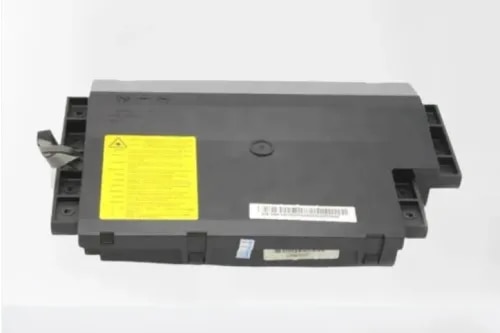
"name": "Laser Scanner Unit for Samsung ML 2850 (JC96-04733A)",
"description": "Samsung 2850 2851 4824 4826 Xerox 3210 3220 Printer Laser Scanner (LSU)\n\n \n\nBuy lower scanner/ laser scanner unit for Samsung ML 2850 at best price with shipping all across India. We import compatible new and refurbished original Samsung printer spares directly from the top manufacturers to offer the best prices for bulk buyers.\n\n\nCompatible models:\n\nML 2850\nML 2851\nSCX 4826\nSCX 4828\nXerox 3210\nXerox 3220\n\n \n\nPart Number: JC96-04733A",
"price": 1200.0,
"discountamount": 300.0,
"currencycode": "INR",
"priority": 1000000,
"isfreeshipmentavailable": false,
"shipmentduration": 1,
"_keywords": null,
"isarchived": false,
"isavailable": true,
"applicationid": null,
"productindex": 165,
"imageuri": "https://productimages.withfloats.com/actual/6a9e0d8e4136d8827456abb0.png",
"tileimageuri": "https://productimages.withfloats.com/tile/6a9e0d8e4136d8827456abb0.png",
"images": null,
"totalqueries": 0,
"gpid": null,
"groupproductid": null,
"createdon": "2026-09-07T01:04:11.787Z",
"updatedon": "2026-09-07T01:04:11.787Z",
"buyonlinelink": null,
"producturl": "https://WWW.CIRCUITSYSTEMS.CO.IN//laser-scanner-unit-for-samsung-ml-2850-jc96-04733a-/165",
"availableunits": -1.0,
"iscodavailable": false,
"isprepaidonlineavailable": false,
"maxcodorders": 0,
"maxprepaidonlineorders": 0,
"uniquepaymenturl": null,
"brandname": "",
"category": "Scanners",
"tags": [],
"variants": false,
"keyspecification": null,
"otherspecifications": null,
"pickupaddressreferenceid": null,
"paymenttype": "None",
"producttype": "products",
"hsncode": null,
"gstslab": 0.0,
"isnotforsale": false
},
{
"_id": "6a9e0d17311c499a9cb84f65",
"fptag": "CIRCUITSYSTEMS",
"merchantname": null,
"customwidgets": null,
"externalsourceid": null,
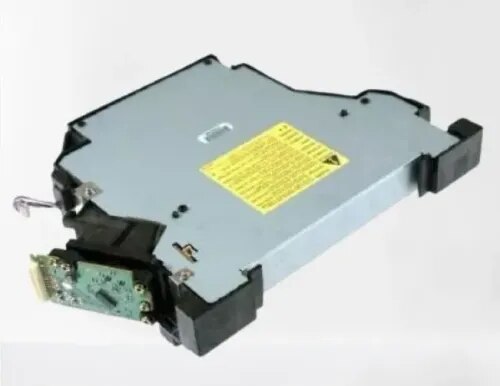
"name": "Laser Scanner Unit for HP LaserJet 9000 9040 9050 Imported (RG5-5826)",
"description": "HP 9000 9040 9050 Printer Laser Scanner (LSU)\n\nBuy lower scanner/ laser scanner unit for HP LJ 9000 9040 9050 at best price with shipping all across India. We import compatible new and refurbished original HP printer spares directly from the top manufacturers to offer the best prices for bulk buyers.\n\n\nCompatible models:\n\nLJ 9000\nLJ 9040\nLJ 9050\n\n \n\nPart Number: RG5-5826\n\n",
"price": 10000.0,
"discountamount": 5000.0,
"currencycode": "INR",
"priority": 1000000,
"isfreeshipmentavailable": false,
"shipmentduration": 1,
"_keywords": null,
"isarchived": false,
"isavailable": true,
"applicationid": null,
"productindex": 164,
"imageuri": "https://productimages.withfloats.com/actual/6a9e0d19743de72bea404587.png",
"tileimageuri": "https://productimages.withfloats.com/tile/6a9e0d19743de72bea404587.png",
"images": null,
"totalqueries": 0,
"gpid": null,
"groupproductid": null,
"createdon": "2026-09-07T01:02:15.776Z",
"updatedon": "2026-09-07T01:02:15.776Z",
"buyonlinelink": null,
"producturl": "https://WWW.CIRCUITSYSTEMS.CO.IN//laser-scanner-unit-for-hp-laserjet-9000-9040-9050-imported-rg5-5826-/164",
"availableunits": -1.0,
"iscodavailable": false,
"isprepaidonlineavailable": false,
"maxcodorders": 0,
"maxprepaidonlineorders": 0,
"uniquepaymenturl": null,
"brandname": "",
"category": "Scanners",
"tags": [],
"variants": false,
"keyspecification": null,
"otherspecifications": null,
"pickupaddressreferenceid": null,
"paymenttype": "None",
"producttype": "products",
"hsncode": null,
"gstslab": 0.0,
"isnotforsale": false
},
{
"_id": "6a9e0caf1e0e44d0c822b1a4",
"fptag": "CIRCUITSYSTEMS",
"merchantname": null,
"customwidgets": null,
"externalsourceid": null,
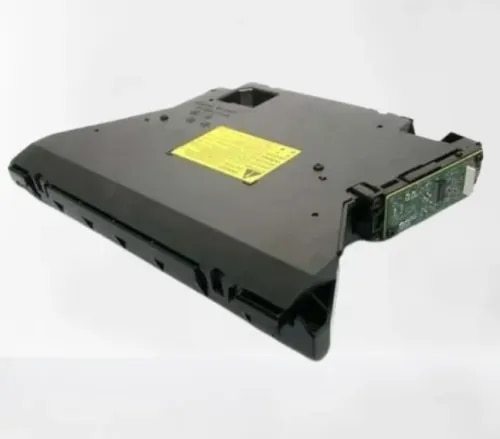
"name": "Laser Scanner Unit for HP LaserJet 5200 (RM1-2555- RM1-2557)",
"description": "HP 5025 5200 Canon 3500 Printer Laser Scanner (LSU)\n\n \n\nBuy lower scanner/ laser scanner unit for HP LJ 5200 at best price with shipping all across India. We import compatible new and refurbished original HP/ Canon printer spares directly from the top manufacturers to offer the best prices for bulk buyers.\n\n\nCompatible models:\n\nLJ M5025\nLJ 5200DN\nCanon LBP 3500\n\n \n\nPart Number: JC97-04301A",
"price": 1299.0,
"discountamount": 0.0,
"currencycode": "INR",
"priority": 1000000,
"isfreeshipmentavailable": false,
"shipmentduration": 1,
"_keywords": null,
"isarchived": false,
"isavailable": true,
"applicationid": null,
"productindex": 163,
"imageuri": "https://productimages.withfloats.com/actual/6a9e0cb1fb4bb14c1e262fef.png",
"tileimageuri": "https://productimages.withfloats.com/tile/6a9e0cb1fb4bb14c1e262fef.png",
"images": null,
"totalqueries": 0,
"gpid": null,
"groupproductid": null,
"createdon": "2026-09-07T01:00:31.213Z",
"updatedon": "2026-09-07T01:00:31.213Z",
"buyonlinelink": null,
"producturl": "https://WWW.CIRCUITSYSTEMS.CO.IN//laser-scanner-unit-for-hp-laserjet-5200-rm1-2555-rm1-2557-/163",
"availableunits": -1.0,
"iscodavailable": false,
"isprepaidonlineavailable": false,
"maxcodorders": 0,
"maxprepaidonlineorders": 0,
"uniquepaymenturl": null,
"brandname": "",
"category": "Scanners",
"tags": [],
"variants": false,
"keyspecification": null,
"otherspecifications": null,
"pickupaddressreferenceid": null,
"paymenttype": "None",
"producttype": "products",
"hsncode": null,
"gstslab": 0.0,
"isnotforsale": false
},
{
"_id": "6a9e0c455e4301cdacc44444",
"fptag": "CIRCUITSYSTEMS",
"merchantname": null,
"customwidgets": null,
"externalsourceid": null,
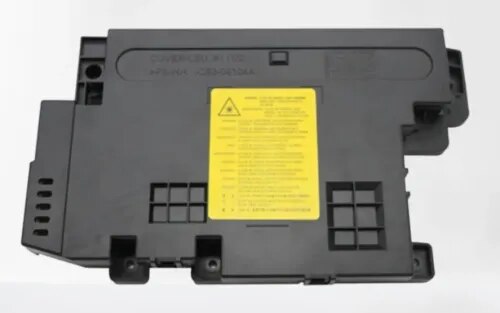
"name": "Laser Scanner Unit for HP LaserJet M436 Samsung K2200 Imported (JC97-04301A)",
"description": "HP 436 433 Samsung K2200 Printer Laser Scanner (LSU)\n\nBuy lower scanner/ laser scanner unit for HP LJ M436, Samsung K2200 at best price with shipping all across India. We import compatible new and refurbished original HP/ Samsung printer spares directly from the top manufacturers to offer the best prices for bulk buyers.\n\n\nCompatible models:\n\nLJ M433\nLJ M436\nSamsung K2200\n\n \n\nPart Number: JC97-04301A\n\n",
"price": 5500.0,
"discountamount": 1501.0,
"currencycode": "INR",
"priority": 1000000,
"isfreeshipmentavailable": false,
"shipmentduration": 1,
"_keywords": null,
"isarchived": false,
"isavailable": true,
"applicationid": null,
"productindex": 162,
"imageuri": "https://productimages.withfloats.com/actual/6a9e0c477c43afca475932f1.png",
"tileimageuri": "https://productimages.withfloats.com/tile/6a9e0c477c43afca475932f1.png",
"images": null,
"totalqueries": 0,
"gpid": null,
"groupproductid": null,
"createdon": "2026-09-07T00:58:45.325Z",
"updatedon": "2026-09-07T00:58:45.325Z",
"buyonlinelink": null,
"producturl": "https://WWW.CIRCUITSYSTEMS.CO.IN//laser-scanner-unit-for-hp-laserjet-m436-samsung-k2200-imported-jc97-04301a-/162",
"availableunits": -1.0,
"iscodavailable": false,
"isprepaidonlineavailable": false,
"maxcodorders": 0,
"maxprepaidonlineorders": 0,
"uniquepaymenturl": null,
"brandname": "",
"category": "Scanners",
"tags": [],
"variants": false,
"keyspecification": null,
"otherspecifications": null,
"pickupaddressreferenceid": null,
"paymenttype": "None",
"producttype": "products",
"hsncode": null,
"gstslab": 0.0,
"isnotforsale": false
}
],
"hasmoreitems": false,
"isapirequest": false,
"totalresults": 27,
"query": null,
"floatingpoint": null
}