Preview

This is your website preview.

Currently it only shows your basic business info. Start adding relevant business details such as description, images and products or services to gain your customers attention by using Boost 360 android app / iOS App / web portal.

CIRCUITSYSTEMS 6a4cbc45ef04f5ce77f9b855 Products https://www.circuitsystems.co.in
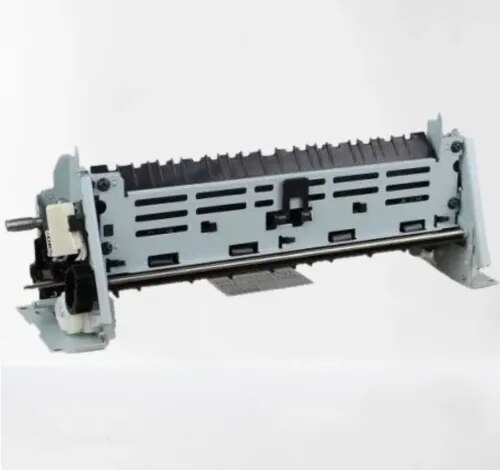
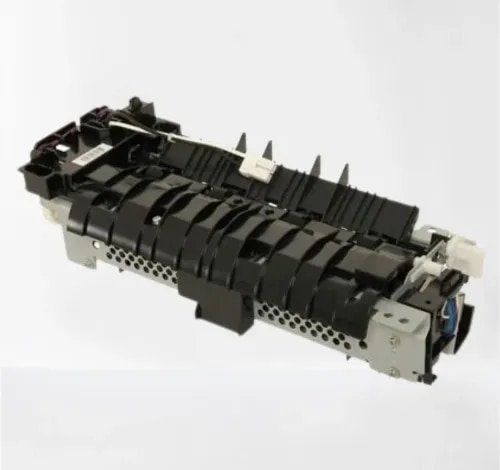
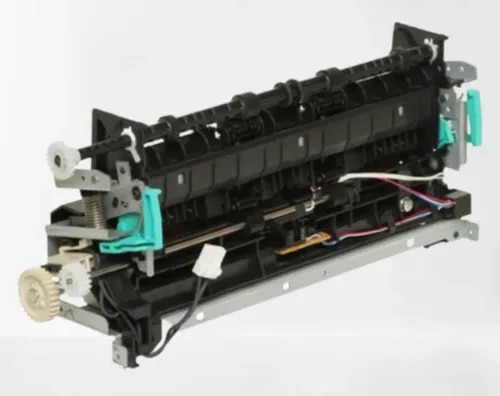
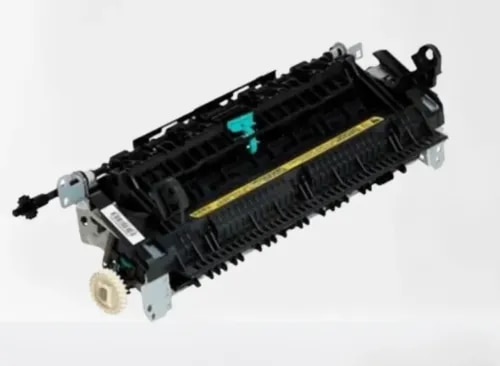
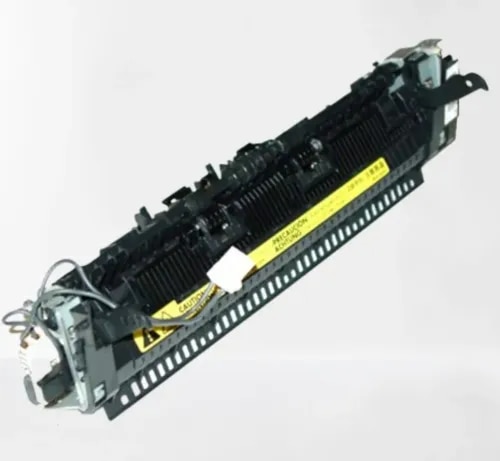
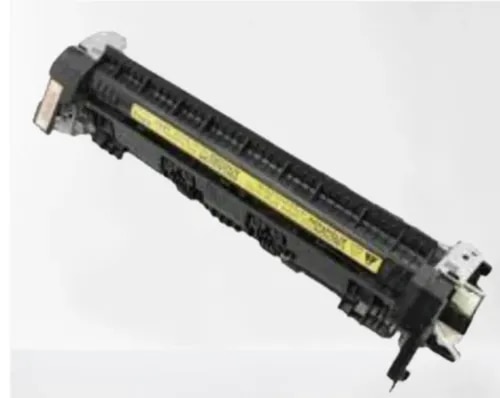
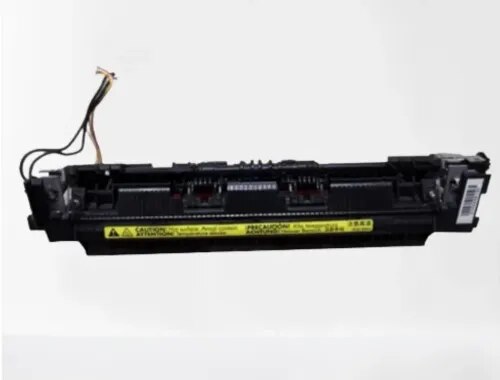
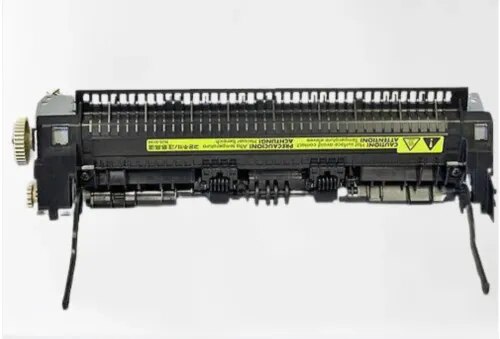
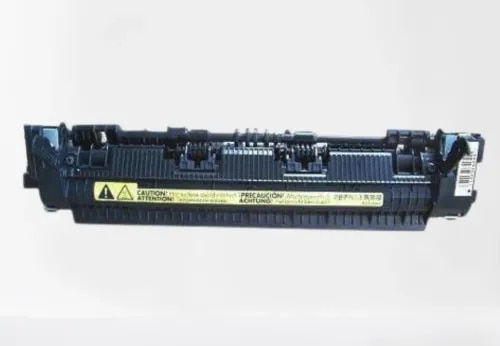
{ "products": [ { "_id": "6a992d9963479384d869165b", "fptag": "CIRCUITSYSTEMS", "merchantname": null, "customwidgets": null, "externalsourceid": null, "name": "HP Fuser Assembly for HP LaserJet Pro 400 / M401dn / M425dn MFP Compatible Imported", "description": "Compatible Fuser Assembly for HP LaserJet Pro 400 / M401dn / M401dw / M401n / M425dn MFP / M425dw MFP — Imported\n\nGet your HP LaserJet Pro back to life with the PRM Compatible Fuser Assembly. This imported fuser unit is a direct replacement for the original HP fuser — restoring clean, jam-free printing when the original fuser wears out. One fuser fits the entire M400/M401/M425 series.\n\nLooking for an HP M401 fuser unit, HP M425dn fuser assembly, or HP Pro 400 fuser? This is the correct fuser assembly for the entire range.\n\nWhen Do You Need a New Fuser Assembly?\nThe fuser assembly is the part of your printer that uses heat and pressure to bond toner powder permanently onto the paper. It contains a heating element and a pressure roller that work together. Over time, these components wear out. Replace your fuser when you see:\n- Paper jamming inside the printer, especially at the rear exit\n- Wrinkled, crumpled, or curled pages coming out\n- Toner smudging or rubbing off the page — prints smear when you touch them\n- Ghosting — faint repeated images or text appearing down the page\n- Burning smell coming from the printer during printing\n- “Fuser error” or “50.x error” on the display panel\n- Slow printing — printer pauses between pages to let the fuser cool down\n- Wavy or distorted prints, especially on the edges\n- Paper curling excessively after printing\n\nIf you've already replaced the toner (HP 80A / CF280A) and drum, and prints still smudge, jam, or come out wrinkled — the fuser assembly is almost certainly the cause. Toner issues affect print darkness; fuser issues affect how the toner sticks to the paper.\n\n1. One Fuser Fits the Entire M400/M401/M425 Range: This fuser assembly is compatible across the HP LaserJet Pro 400, M401dn, M401dw, M401n, M401d, MFP M425dn, and MFP M425dw. Same fuser unit — works in all models whether single-function or multifunction.\n\n2. Restores All MFP Functions (M425): The M425dn and M425dw are full multifunction printers — print, scan, copy, and fax. While the fuser only handles the print/copy output, a jamming or smudging fuser disrupts every function that puts toner on paper. A new fuser restores clean output across all functions.\n\n3. Fixes Paper Jams at the Source: Most recurring paper jams in these printers are caused by a worn fuser film or a hardened pressure roller. A new fuser assembly eliminates the jam point completely — no more pulling crumpled paper out of the printer.\n\n4. Stops Toner Smudging: If your prints look fine but the toner rubs off when you touch the page, the fuser isn't reaching the correct temperature to bond toner to paper. A new fuser restores proper heat and pressure, giving you smudge-proof prints.\n\n5. Eliminates Ghosting: Ghost images happen when the fuser retains toner residue from previous prints. A fresh fuser eliminates this problem immediately.\n\n6. Restores Duplex Printing: The duplex models (M401dn, M401dw, M401d, M425dn, M425dw) support automatic two-sided printing. A failing fuser often causes jams specifically during duplex printing — paper curls after the first side and jams when it re-enters for the second side. A new fuser fixes this.\n\n7. Built for Workgroup Printing: The M401/M425 series are rated at 33 pages per minute — reliable workgroup printers widely used in offices across India. The fuser is the most stressed component in any busy printer. If your printer has done 50,000+ pages on the original fuser, replacement is expected maintenance — not a sign of printer failure.\n\n8. Compatible Imported Quality: China-manufactured compatible fuser delivering reliable performance at a fraction of the original HP fuser cost. Ideal for extending the life of your M401 or M425 affordably.\n\n9. Easy Installation: Open the rear door, release the fuser locking levers, slide out the old fuser, slide in the new one, lock it in place, and close. 15-20 minutes for any printer technician. No special tools needed.\n\n10. Tested Before Shipping: Every PRM fuser assembly is heat-tested before dispatch to ensure the heating element and pressure roller are working. Backed by our testing warranty.\n\nCompatible Printers:\nHP: LaserJet Pro 400, LaserJet Pro M401d, M401dn, M401dw, M401n, LaserJet Pro MFP M425dn, M425dw\n\nAlso known as: HP M400 Fuser Assembly, HP M401 Fuser Unit, HP M425 Fuser Assembly, HP M401dn Fuser Unit, HP M425dn Fixing Assembly, HP Pro 400 Fuser Kit, HP M401dw Fuser Assembly, HP M425dw Fuser Unit, RM1-8809", "price": 5500.0, "discountamount": 2100.0, "currencycode": "INR", "priority": 1000000, "isfreeshipmentavailable": false, "shipmentduration": 1, "_keywords": null, "isarchived": false, "isavailable": true, "applicationid": null, "productindex": 65, "imageuri": "https://productimages.withfloats.com/actual/6a992d9b8407ebf32a334040.png", "tileimageuri": "https://productimages.withfloats.com/tile/6a992d9b8407ebf32a334040.png", "images": null, "totalqueries": 0, "gpid": null, "groupproductid": null, "createdon": "2026-09-03T08:19:37.783Z", "updatedon": "2026-09-03T08:19:37.783Z", "buyonlinelink": null, "producturl": "https://WWW.CIRCUITSYSTEMS.CO.IN/products/hp-fuser-assembly-for-hp-laserjet-pro-400-m401dn-m425dn-mfp-compatible-imported/65", "availableunits": -1.0, "iscodavailable": false, "isprepaidonlineavailable": false, "maxcodorders": 0, "maxprepaidonlineorders": 0, "uniquepaymenturl": null, "brandname": "", "category": "Fusers", "tags": [ "HP Fuser Assembly for HP LaserJet Pro 400 / M401dn / M425dn MFP Compatible Imported" ], "variants": false, "keyspecification": null, "otherspecifications": null, "pickupaddressreferenceid": null, "paymenttype": "None", "producttype": "products", "hsncode": null, "gstslab": 0.0, "isnotforsale": false }, { "_id": "6a992d14f76923cecf8a0fdc", "fptag": "CIRCUITSYSTEMS", "merchantname": null, "customwidgets": null, "externalsourceid": null, "name": "HP Fuser Assembly for HP LaserJet P3015 / P3015dn / P3015n Compatible Imported", "description": "Compatible Fuser Assembly for HP LaserJet P3015 / P3015dn / P3015n / P3015d / P3015x — Imported\n\nGet your HP LaserJet P3015 back to life with the PRM Compatible Fuser Assembly. This imported fuser unit is a direct replacement for the original HP fuser — restoring clean, jam-free printing when the original fuser wears out. One fuser fits the entire P3015 series.\n\nLooking for an HP P3015 fuser unit or HP P3015dn fuser assembly? This is the correct fuser assembly for the entire P3015 range.\n\nWhen Do You Need a New Fuser Assembly?\nThe fuser assembly is the part of your printer that uses heat and pressure to bond toner powder permanently onto the paper. It contains a heating element and a pressure roller that work together. Over time, these components wear out — especially in high-volume enterprise printers like the P3015 that handle thousands of pages per month. Replace your fuser when you see:\n- Paper jamming inside the printer, especially at the rear exit\n- Wrinkled, crumpled, or curled pages coming out\n- Toner smudging or rubbing off the page — prints smear when you touch them\n- Ghosting — faint repeated images or text appearing down the page\n- Burning smell coming from the printer during printing\n- “Fuser error” or “50.x error” on the display panel\n- Slow printing — printer pauses between pages to let the fuser cool down\n- Wavy or distorted prints, especially on the edges\n- Paper curling excessively after printing\n\nIf you've already replaced the toner (HP 55A / CE255A) and drum, and prints still smudge, jam, or come out wrinkled — the fuser assembly is almost certainly the cause. Toner issues affect print darkness; fuser issues affect how the toner sticks to the paper.\n\n1. Fits the Entire P3015 Series: This fuser assembly is compatible across the HP LaserJet P3015, P3015d, P3015dn, P3015n, and P3015x. Same fuser unit — works in all models.\n\n2. Fixes Paper Jams at the Source: Most recurring paper jams in the P3015 are caused by a worn fuser film or a hardened pressure roller. A new fuser assembly eliminates the jam point completely — no more pulling crumpled paper out of the printer.\n\n3. Stops Toner Smudging: If your prints look fine but the toner rubs off when you touch the page, the fuser isn't reaching the correct temperature to bond toner to paper. A new fuser restores proper heat and pressure, giving you smudge-proof prints.\n\n4. Eliminates Ghosting: Ghost images happen when the fuser retains toner residue from previous prints. A fresh fuser eliminates this problem immediately.\n\n5. Restores Duplex Printing: The duplex models (P3015d, P3015dn, P3015x) support automatic two-sided printing. A failing fuser often causes jams specifically during duplex printing — paper curls after the first side and jams when it re-enters for the second side. A new fuser fixes this.\n\n6. Built for Enterprise-Grade Volume: The P3015 is rated at 40 pages per minute — a true enterprise workhorse designed for heavy daily printing. The fuser is the most stressed component in any high-volume printer. If your printer has done 100,000+ pages on the original fuser, replacement is expected maintenance — not a sign of printer failure.\n\n7. Compatible Imported Quality: China-manufactured compatible fuser delivering reliable performance at a fraction of the original HP fuser cost. Original HP fusers for enterprise printers can be extremely expensive — a compatible fuser keeps your P3015 running without the enterprise price tag.\n\n8. Easy Installation: Open the rear door, release the fuser locking levers, slide out the old fuser, slide in the new one, lock it in place, and close. 15-20 minutes for any printer technician. No special tools needed.\n\n9. Tested Before Shipping: Every PRM fuser assembly is heat-tested before dispatch to ensure the heating element and pressure roller are working. Backed by our testing warranty.\n\nCompatible Printers:\nHP: LaserJet P3015, P3015d, P3015dn, P3015n, P3015x\n\nAlso known as: HP P3015 Fuser Assembly, HP P3015dn Fuser Unit, HP P3015n Fuser Assembly, HP P3015d Fixing Assembly, HP P3015x Fuser Kit, HP P3015 Fuser Unit, RM1-6319", "price": 5500.0, "discountamount": 1800.0, "currencycode": "INR", "priority": 1000000, "isfreeshipmentavailable": false, "shipmentduration": 1, "_keywords": null, "isarchived": false, "isavailable": true, "applicationid": null, "productindex": 64, "imageuri": "https://productimages.withfloats.com/actual/6a992d15503052799153691f.png", "tileimageuri": "https://productimages.withfloats.com/tile/6a992d15503052799153691f.png", "images": null, "totalqueries": 0, "gpid": null, "groupproductid": null, "createdon": "2026-09-03T08:17:24.119Z", "updatedon": "2026-09-03T08:17:24.119Z", "buyonlinelink": null, "producturl": "https://WWW.CIRCUITSYSTEMS.CO.IN//hp-fuser-assembly-for-hp-laserjet-p3015-p3015dn-p3015n-compatible-imported/64", "availableunits": -1.0, "iscodavailable": false, "isprepaidonlineavailable": false, "maxcodorders": 0, "maxprepaidonlineorders": 0, "uniquepaymenturl": null, "brandname": "", "category": "Fusers", "tags": [ "HP Fuser Assembly for HP LaserJet P3015 / P3015dn / P3015n Compatible Imported" ], "variants": false, "keyspecification": null, "otherspecifications": null, "pickupaddressreferenceid": null, "paymenttype": "None", "producttype": "products", "hsncode": null, "gstslab": 0.0, "isnotforsale": false }, { "_id": "6a992c8b09197308d446cf52", "fptag": "CIRCUITSYSTEMS", "merchantname": null, "customwidgets": null, "externalsourceid": null, "name": "HP Fuser Assembly for HP LaserJet P2035 / P2035n / P2055dn Compatible Imported", "description": "Compatible Fuser Assembly for HP LaserJet P2035 / P2035n / P2055dn / P2055d / P2055x — Imported\n\nGet your HP LaserJet back to life with the PRM Compatible Fuser Assembly. This imported fuser unit is a direct replacement for the original HP fuser — restoring clean, jam-free printing when the original fuser wears out. One fuser fits the entire P2035/P2055 series.\n\nLooking for an HP P2035 fuser unit or HP P2055dn fuser assembly? This is the correct fuser assembly for the entire P2035/P2055 range.\n\nWhen Do You Need a New Fuser Assembly?\nThe fuser assembly is the part of your printer that uses heat and pressure to bond toner powder permanently onto the paper. It contains a heating element and a pressure roller that work together. Over time, these components wear out. Replace your fuser when you see:\n- Paper jamming inside the printer, especially at the rear exit\n- Wrinkled, crumpled, or curled pages coming out\n- Toner smudging or rubbing off the page — prints smear when you touch them\n- Ghosting — faint repeated images or text appearing down the page\n- Burning smell coming from the printer during printing\n- “Fuser error” or “50.x error” on the display or error lights\n- Slow printing — printer pauses between pages to let the fuser cool down\n- Wavy or distorted prints, especially on the edges\n- Paper curling excessively after printing\n\nIf you've already replaced the toner (HP 05A / CE505A) and drum, and prints still smudge, jam, or come out wrinkled — the fuser assembly is almost certainly the cause. Toner issues affect print darkness; fuser issues affect how the toner sticks to the paper.\n\n1. One Fuser Fits the Entire P2035/P2055 Range: This fuser assembly is compatible across the HP LaserJet P2035, P2035n, P2055d, P2055dn, and P2055x. Same fuser unit — works in all models.\n\n2. Fixes Paper Jams at the Source: Most recurring paper jams in these printers are caused by a worn fuser film or a hardened pressure roller. A new fuser assembly eliminates the jam point completely — no more pulling crumpled paper out of the printer.\n\n3. Stops Toner Smudging: If your prints look fine but the toner rubs off when you touch the page, the fuser isn't reaching the correct temperature to bond toner to paper. A new fuser restores proper heat and pressure, giving you smudge-proof prints.\n\n4. Eliminates Ghosting: Ghost images happen when the fuser retains toner residue from previous prints. A fresh fuser eliminates this problem immediately.\n\n5. Restores Duplex Printing: The duplex models (P2055d, P2055dn, P2055x) support automatic two-sided printing. A failing fuser often causes jams specifically during duplex printing — paper curls after the first side and jams when it re-enters for the second side. A new fuser fixes this.\n\n6. Built for Workgroup Printing: The P2035/P2055 series are rated at 30-35 pages per minute — reliable workgroup printers found in offices across India. The fuser is the most stressed component in any high-volume printer. If your printer has done 50,000+ pages on the original fuser, replacement is expected maintenance — not a sign of printer failure.\n\n7. Compatible Imported Quality: China-manufactured compatible fuser delivering reliable performance at a fraction of the original HP fuser cost. Ideal for extending the life of your P2035 or P2055 affordably.\n\n8. Easy Installation: Open the rear door, release the fuser locking levers, slide out the old fuser, slide in the new one, lock it in place, and close. 15-20 minutes for any printer technician. No special tools needed.\n\n9. Tested Before Shipping: Every PRM fuser assembly is heat-tested before dispatch to ensure the heating element and pressure roller are working. Backed by our testing warranty.\n\nAlso known as: HP P2035 Fuser Assembly, HP P2055 Fuser Unit, HP P2035n Fuser Assembly, HP P2055dn Fuser Unit, HP P2055d Fixing Assembly, HP P2035 Fuser Kit, HP P2055 Fuser Assembly\n\nCompatible models:\n\nHP: LaserJet P2035, P2035n, LaserJet P2055d, P2055dn, P2055x\nCanon MF5950\nCanon MF5960\nCanon MF6160\nCanon MF6180\nCanon 6300\n \n\nPart Number: RM1-6405, RM1-6406", "price": 3200.0, "discountamount": 800.0, "currencycode": "INR", "priority": 1000000, "isfreeshipmentavailable": false, "shipmentduration": 1, "_keywords": null, "isarchived": false, "isavailable": true, "applicationid": null, "productindex": 63, "imageuri": "https://productimages.withfloats.com/actual/6a992c8c1a6658f1613a560c.png", "tileimageuri": "https://productimages.withfloats.com/tile/6a992c8c1a6658f1613a560c.png", "images": null, "totalqueries": 0, "gpid": null, "groupproductid": null, "createdon": "2026-09-03T08:15:07.267Z", "updatedon": "2026-09-03T08:15:07.267Z", "buyonlinelink": null, "producturl": "https://WWW.CIRCUITSYSTEMS.CO.IN//hp-fuser-assembly-for-hp-laserjet-p2035-p2035n-p2055dn-compatible-imported/63", "availableunits": -1.0, "iscodavailable": false, "isprepaidonlineavailable": false, "maxcodorders": 0, "maxprepaidonlineorders": 0, "uniquepaymenturl": null, "brandname": "", "category": "Fusers", "tags": [ "HP Fuser Assembly for HP LaserJet P2035 / P2035n / P2055dn Compatible Imported" ], "variants": false, "keyspecification": null, "otherspecifications": null, "pickupaddressreferenceid": null, "paymenttype": "None", "producttype": "products", "hsncode": null, "gstslab": 0.0, "isnotforsale": false }, { "_id": "6a992c17670e3cdf4232eedd", "fptag": "CIRCUITSYSTEMS", "merchantname": null, "customwidgets": null, "externalsourceid": null, "name": "HP Fuser Assembly for HP LaserJet P1606dn / M1536dnf MFP Compatible Imported", "description": "Compatible Fuser Assembly for HP LaserJet P1606dn / M1536dnf MFP — Imported\n\nGet your HP LaserJet back to life with the PRM Compatible Fuser Assembly. This imported fuser unit is a direct replacement for the original HP fuser — restoring clean, jam-free printing when the original fuser wears out. One fuser fits both the P1606dn and M1536dnf.\n\nLooking for an HP P1606dn fuser unit or HP M1536dnf fuser assembly? This is the correct fuser assembly for both printers.\n\nWhen Do You Need a New Fuser Assembly?\nThe fuser assembly is the part of your printer that uses heat and pressure to bond toner powder permanently onto the paper. It contains a heating element (fuser film) and a pressure roller that work together. Over time, these components wear out. Replace your fuser when you see:\n- Paper jamming inside the printer, especially at the rear exit\n- Wrinkled, crumpled, or curled pages coming out\n- Toner smudging or rubbing off the page — prints smear when you touch them\n- Ghosting — faint repeated images or text appearing down the page\n- Burning smell coming from the printer during printing\n- Error lights blinking or fuser error message on display\n- Slow printing — printer pauses between pages to let the fuser cool down\n- Wavy or distorted prints, especially on the edges\n- Paper curling excessively after printing\n\nIf you've already replaced the toner (HP 78A / CE278A) and drum, and prints still smudge, jam, or come out wrinkled — the fuser assembly is almost certainly the cause. Toner issues affect print darkness; fuser issues affect how the toner sticks to the paper.\n\n1. One Fuser Fits Both Printers: This fuser assembly is compatible across the HP LaserJet P1606dn and HP LaserJet Pro M1536dnf MFP. Same fuser unit — works in both the single-function and multifunction model.\n\n2. Restores All MFP Functions (M1536dnf): The M1536dnf is a full multifunction printer — print, scan, copy, and fax. While the fuser only handles the print/copy output, a jamming or smudging fuser disrupts every function that puts toner on paper. A new fuser restores clean output across all functions.\n\n3. Fixes Paper Jams at the Source: Most recurring paper jams in these printers are caused by a worn fuser film or a hardened pressure roller. A new fuser assembly eliminates the jam point completely — no more pulling crumpled paper out of the printer.\n\n4. Stops Toner Smudging: If your prints look fine but the toner rubs off when you touch the page, the fuser isn't reaching the correct temperature to bond toner to paper. A new fuser restores proper heat and pressure, giving you smudge-proof prints.\n\n5. Eliminates Ghosting: Ghost images happen when the fuser film retains toner residue from previous prints. A fresh fuser film eliminates this problem immediately.\n\n6. Restores Duplex Printing: Both the P1606dn and M1536dnf support automatic two-sided printing. A failing fuser often causes jams specifically during duplex printing — paper curls after the first side and jams when it re-enters for the second side. A new fuser fixes this.\n\n7. Compatible Imported Quality: China-manufactured compatible fuser delivering reliable performance at a fraction of the original HP fuser cost. Ideal for extending the life of your printer affordably.\n\n8. Easy Installation: Slide out the old fuser from the rear of the printer, slide in the new one, and reconnect the power cable. 10-15 minutes for any printer technician. No special tools needed.\n\n9. Tested Before Shipping: Every PRM fuser assembly is heat-tested before dispatch to ensure the heating element and pressure roller are working. Backed by our testing warranty.\n\nAlso known as: HP P1606dn Fuser Assembly, HP M1536dnf Fuser Unit, HP P1606 Fixing Assembly, HP M1536 Fuser Kit, HP P1606dn Fuser Unit, HP M1536dnf Fuser Assembly, RM1-7577, RM1-9891\n\nCompatible models:\n\nHP LJ M1536dnf\nHP LJ M1566\nHP LJ P1606dn\nHP LJ M202dw\nHP LJ M226dw\nCanon LBP 6230\nCanon MF 4412\nCanon MF 4450\nCanon MF 4750\nCanon MF 4820D", "price": 3400.0, "discountamount": 1100.0, "currencycode": "INR", "priority": 1000000, "isfreeshipmentavailable": false, "shipmentduration": 1, "_keywords": null, "isarchived": false, "isavailable": true, "applicationid": null, "productindex": 62, "imageuri": "https://productimages.withfloats.com/actual/6a992c1aaa26d84feacdf5f8.png", "tileimageuri": "https://productimages.withfloats.com/tile/6a992c1aaa26d84feacdf5f8.png", "images": null, "totalqueries": 0, "gpid": null, "groupproductid": null, "createdon": "2026-09-03T08:13:11.201Z", "updatedon": "2026-09-03T08:13:11.201Z", "buyonlinelink": null, "producturl": "https://WWW.CIRCUITSYSTEMS.CO.IN//hp-fuser-assembly-for-hp-laserjet-p1606dn-m1536dnf-mfp-compatible-imported/62", "availableunits": -1.0, "iscodavailable": false, "isprepaidonlineavailable": false, "maxcodorders": 0, "maxprepaidonlineorders": 0, "uniquepaymenturl": null, "brandname": "", "category": "Fusers", "tags": [ "HP Fuser Assembly for HP LaserJet P1606dn / M1536dnf MFP Compatible Imported" ], "variants": false, "keyspecification": null, "otherspecifications": null, "pickupaddressreferenceid": null, "paymenttype": "None", "producttype": "products", "hsncode": null, "gstslab": 0.0, "isnotforsale": false }, { "_id": "6a992b9c6474072a2ea76371", "fptag": "CIRCUITSYSTEMS", "merchantname": null, "customwidgets": null, "externalsourceid": null, "name": "HP Fuser Assembly for HP LaserJet M1522nf / P1505 / M1120 Compatible Imported", "description": "Compatible Fuser Assembly for HP LaserJet M1522nf / M1522n / P1505 / P1505n / M1120 / M1120n — Imported\n\nGet your HP LaserJet back to life with the PRM Compatible Fuser Assembly. This imported fuser unit is a direct replacement for the original HP fuser — restoring clean, jam-free printing when the original fuser wears out. One fuser fits the entire M1522/P1505/M1120 range.\n\nLooking for an HP M1522nf fuser unit, HP P1505 fuser assembly, or HP M1120 fuser? This is the correct fuser assembly for all of these printers.\n\nWhen Do You Need a New Fuser Assembly?\nThe fuser assembly is the part of your printer that uses heat and pressure to bond toner powder permanently onto the paper. It contains a heating element (fuser film) and a pressure roller that work together. Over time, these components wear out. Replace your fuser when you see:\n- Paper jamming inside the printer, especially at the rear exit\n- Wrinkled, crumpled, or curled pages coming out\n- Toner smudging or rubbing off the page — prints smear when you touch them\n- Ghosting — faint repeated images or text appearing down the page\n- Burning smell coming from the printer during printing\n- Orange/red error light blinking continuously\n- Slow printing — printer pauses between pages to let the fuser cool down\n- Wavy or distorted prints, especially on the edges\n\nIf you've already replaced the toner (HP 36A / CB436A) and prints still smudge, jam, or come out wrinkled — the fuser assembly is almost certainly the cause. Toner issues affect print darkness; fuser issues affect how the toner sticks to the paper.\n\n1. One Fuser Fits Six Printers: This fuser assembly is compatible across the HP LaserJet M1522nf, M1522n, P1505, P1505n, M1120, and M1120n. Same fuser unit — works in all models, whether single-function or multifunction.\n\n2. Restores All MFP Functions (M1522/M1120): The M1522nf is a full multifunction printer — print, scan, copy, and fax. The M1120 handles print, scan, and copy. While the fuser only handles the print/copy output, a jamming or smudging fuser disrupts every function that puts toner on paper. A new fuser restores clean output across all functions.\n\n3. Fixes Paper Jams at the Source: Most recurring paper jams in these printers are caused by a worn fuser film or a hardened pressure roller. A new fuser assembly eliminates the jam point completely — no more pulling crumpled paper out of the back of the printer.\n\n4. Stops Toner Smudging: If your prints look fine but the toner rubs off when you touch the page, the fuser isn't reaching the correct temperature to bond toner to paper. A new fuser restores proper heat and pressure, giving you smudge-proof prints.\n\n5. Eliminates Ghosting: Ghost images happen when the fuser film retains toner residue from previous prints. A fresh fuser film eliminates this problem immediately.\n\n6. Compatible Imported Quality: China-manufactured compatible fuser delivering reliable performance at a fraction of the original HP fuser cost. Ideal for extending the life of your printer affordably.\n\n7. Easy Installation: Slide out the old fuser from the rear of the printer, slide in the new one, and reconnect the power cable. 10-15 minutes for any printer technician. No special tools needed.\n\n8. Tested Before Shipping: Every PRM fuser assembly is heat-tested before dispatch to ensure the heating element and pressure roller are working. Backed by our testing warranty.\n\nCompatible Printers:\nHP: LaserJet M1522nf, M1522n, LaserJet P1505, P1505n, LaserJet M1120, M1120n\n\nAlso known as: HP M1522nf Fuser Assembly, HP P1505 Fuser Unit, HP M1120 Fuser Assembly, HP M1522 Fixing Assembly, HP P1505n Fuser Unit, HP M1120n Fuser Kit, RM1-4729", "price": 3000.0, "discountamount": 1001.0, "currencycode": "INR", "priority": 1000000, "isfreeshipmentavailable": false, "shipmentduration": 1, "_keywords": null, "isarchived": false, "isavailable": true, "applicationid": null, "productindex": 61, "imageuri": "https://productimages.withfloats.com/actual/6a992ba04a1bf891c4239028.png", "tileimageuri": "https://productimages.withfloats.com/tile/6a992ba04a1bf891c4239028.png", "images": null, "totalqueries": 0, "gpid": null, "groupproductid": null, "createdon": "2026-09-03T08:11:08.56Z", "updatedon": "2026-09-03T08:11:08.56Z", "buyonlinelink": null, "producturl": "https://WWW.CIRCUITSYSTEMS.CO.IN//hp-fuser-assembly-for-hp-laserjet-m1522nf-p1505-m1120-compatible-imported/61", "availableunits": -1.0, "iscodavailable": false, "isprepaidonlineavailable": false, "maxcodorders": 0, "maxprepaidonlineorders": 0, "uniquepaymenturl": null, "brandname": "", "category": "Fusers", "tags": [ "HP Fuser Assembly for HP LaserJet M1522nf / P1505 / M1120 Compatible Imported" ], "variants": false, "keyspecification": null, "otherspecifications": null, "pickupaddressreferenceid": null, "paymenttype": "None", "producttype": "products", "hsncode": null, "gstslab": 0.0, "isnotforsale": false }, { "_id": "6a992b0e017883aea120feba", "fptag": "CIRCUITSYSTEMS", "merchantname": null, "customwidgets": null, "externalsourceid": null, "name": "HP Fuser Assembly for HP LaserJet Pro MFP M126nw / M128fn / M128fw Compatible Imported", "description": "Compatible Fuser Assembly for HP LaserJet Pro MFP M126nw / M128fn / M128fw — Imported\n\nGet your HP LaserJet Pro MFP back to life with the PRM Compatible Fuser Assembly. This imported fuser unit is a direct replacement for the original HP fuser — restoring clean, jam-free printing when the original fuser wears out. One fuser fits the entire M126/M128 series.\n\nLooking for an HP M126nw fuser unit, HP M128fn fuser assembly, or HP M128fw fuser? This is the correct fuser assembly for all of these printers.\n\nWhen Do You Need a New Fuser Assembly?\nThe fuser assembly is the part of your printer that uses heat and pressure to bond toner powder permanently onto the paper. It contains a heating element (fuser film) and a pressure roller that work together. Over time, these components wear out. Replace your fuser when you see:\n- Paper jamming inside the printer, especially at the rear exit\n- Wrinkled, crumpled, or curled pages coming out\n- Toner smudging or rubbing off the page — prints smear when you touch them\n- Ghosting — faint repeated images or text appearing down the page\n- Burning smell coming from the printer during printing\n- Error lights blinking or fuser error message on display\n- Slow printing — printer pauses between pages to let the fuser cool down\n- Wavy or distorted prints, especially on the edges\n\nIf you've already replaced the toner (HP 83A / CF283A) and drum, and prints still smudge, jam, or come out wrinkled — the fuser assembly is almost certainly the cause. Toner issues affect print darkness; fuser issues affect how the toner sticks to the paper.\n\n1. One Fuser Fits the Entire M126/M128 Series: This fuser assembly is compatible across the HP LaserJet Pro MFP M126a, M126nw, M128fn, and M128fw. Same fuser unit — works in all models whether it's the WiFi, network, or fax version.\n\n2. Restores All MFP Functions: The M126 and M128 are multifunction printers — print, scan, and copy (M128fn/M128fw also include fax). While the fuser only handles the print/copy output, a jamming or smudging fuser disrupts every function that puts toner on paper. A new fuser restores clean output across all functions.\n\n3. Fixes Paper Jams at the Source: Most recurring paper jams in these printers are caused by a worn fuser film or a hardened pressure roller. A new fuser assembly eliminates the jam point completely — no more pulling crumpled paper out of the printer.\n\n4. Stops Toner Smudging: If your prints look fine but the toner rubs off when you touch the page, the fuser isn't reaching the correct temperature to bond toner to paper. A new fuser restores proper heat and pressure, giving you smudge-proof prints.\n\n5. Eliminates Ghosting: Ghost images happen when the fuser film retains toner residue from previous prints. A fresh fuser film eliminates this problem immediately.\n\n6. Compatible Imported Quality: China-manufactured compatible fuser delivering reliable performance at a fraction of the original HP fuser cost. Ideal for extending the life of your M126/M128 affordably.\n\n7. Easy Installation: Slide out the old fuser from the rear of the printer, slide in the new one, and reconnect the power cable. 10-15 minutes for any printer technician. No special tools needed.\n\n8. Tested Before Shipping: Every PRM fuser assembly is heat-tested before dispatch to ensure the heating element and pressure roller are working. Backed by our testing warranty.\n\nCompatible Printers:\nHP: LaserJet Pro MFP M126a, M126nw, LaserJet Pro MFP M128fn, M128fw\n\nAlso known as: HP M126 Fuser Assembly, HP M128 Fuser Unit, HP M126nw Fuser Assembly, HP M128fn Fuser Unit, HP M128fw Fixing Assembly, HP M126 Fuser Kit, HP M128 Fuser Assembly, RM2-5219", "price": 2600.0, "discountamount": 601.0, "currencycode": "INR", "priority": 1000000, "isfreeshipmentavailable": false, "shipmentduration": 1, "_keywords": null, "isarchived": false, "isavailable": true, "applicationid": null, "productindex": 60, "imageuri": "https://productimages.withfloats.com/actual/6a992b107e430409b6aadb97.png", "tileimageuri": "https://productimages.withfloats.com/tile/6a992b107e430409b6aadb97.png", "images": null, "totalqueries": 0, "gpid": null, "groupproductid": null, "createdon": "2026-09-03T08:08:46.872Z", "updatedon": "2026-09-03T08:08:46.872Z", "buyonlinelink": null, "producturl": "https://WWW.CIRCUITSYSTEMS.CO.IN//hp-fuser-assembly-for-hp-laserjet-pro-mfp-m126nw-m128fn-m128fw-compatible-imported/60", "availableunits": -1.0, "iscodavailable": false, "isprepaidonlineavailable": false, "maxcodorders": 0, "maxprepaidonlineorders": 0, "uniquepaymenturl": null, "brandname": "", "category": "Fusers", "tags": [ "HP Fuser Assembly for HP LaserJet Pro MFP M126nw / M128fn / M128fw Compatible Imported" ], "variants": false, "keyspecification": null, "otherspecifications": null, "pickupaddressreferenceid": null, "paymenttype": "None", "producttype": "products", "hsncode": null, "gstslab": 0.0, "isnotforsale": false }, { "_id": "6a992a82ee6ee5d516492fe3", "fptag": "CIRCUITSYSTEMS", "merchantname": null, "customwidgets": null, "externalsourceid": null, "name": "HP Fuser Assembly for HP LaserJet M1136 / P1108 / M1213nf / Canon MF3010 Compatible Imported", "description": "Compatible Fuser Assembly for HP LaserJet M1136 / P1108 / M1213nf / Canon imageCLASS MF3010 — Imported\n\nGet your printer back to life with the PRM Compatible Fuser Assembly. This imported fuser unit is a direct replacement for the original fuser — restoring clean, jam-free printing when the original fuser wears out. One fuser fits across HP and Canon printers.\n\nLooking for an HP M1136 fuser unit, HP P1108 fuser assembly, HP M1213nf fuser, or Canon MF3010 fuser assembly? This is the correct fuser for all of these printers.\n\nWhen Do You Need a New Fuser Assembly?\nThe fuser assembly is the part of your printer that uses heat and pressure to bond toner powder permanently onto the paper. It contains a heating element (fuser film) and a pressure roller that work together. Over time, these components wear out. Replace your fuser when you see:\n- Paper jamming inside the printer, especially at the rear exit\n- Wrinkled, crumpled, or curled pages coming out\n- Toner smudging or rubbing off the page — prints smear when you touch them\n- Ghosting — faint repeated images or text appearing down the page\n- Burning smell coming from the printer during printing\n- Error lights blinking or fuser error message\n- Slow printing — printer pauses between pages to let the fuser cool down\n- Wavy or distorted prints, especially on the edges\n\nIf you've already replaced the toner (HP 88A for HP printers / Canon 325 for MF3010) and prints still smudge, jam, or come out wrinkled — the fuser assembly is almost certainly the cause. Toner issues affect print darkness; fuser issues affect how the toner sticks to the paper.\n\n1. One Fuser Fits Across HP and Canon: This fuser assembly is compatible across the HP LaserJet P1108, M1136 MFP, M1213nf MFP, and Canon imageCLASS MF3010. Same fuser design across both brands — one fuser covers all of them.\n\n2. Restores All MFP Functions (M1136/M1213nf/MF3010): The HP M1136, M1213nf, and Canon MF3010 are multifunction printers — print, scan, and copy (M1213nf also includes fax). While the fuser only handles the print/copy output, a jamming or smudging fuser disrupts every function that puts toner on paper. A new fuser restores clean output across all functions.\n\n3. Fixes Paper Jams at the Source: Most recurring paper jams in these printers are caused by a worn fuser film or a hardened pressure roller. A new fuser assembly eliminates the jam point completely — no more pulling crumpled paper out of the back of the printer.\n\n4. Stops Toner Smudging: If your prints look fine but the toner rubs off when you touch the page, the fuser isn't reaching the correct temperature to bond toner to paper. A new fuser restores proper heat and pressure, giving you smudge-proof prints.\n\n5. Eliminates Ghosting: Ghost images happen when the fuser film retains toner residue from previous prints. A fresh fuser film eliminates this problem immediately.\n\n6. Cross-Brand Compatibility: The HP P1108/M1136/M1213nf and Canon MF3010 share the same fuser design. Many internal components are identical across these printers. One fuser covers all of them — no need to search for brand-specific parts.\n\n7. Compatible Imported Quality: China-manufactured compatible fuser delivering reliable performance at a fraction of the original fuser cost. Ideal for extending the life of your printer affordably — especially for budget printers where the original fuser can cost almost as much as a new printer.\n\n8. Easy Installation: Slide out the old fuser from the rear of the printer, slide in the new one, and reconnect the power cable. 10-15 minutes for any printer technician. No special tools needed.\n\n9. Tested Before Shipping: Every PRM fuser assembly is heat-tested before dispatch to ensure the heating element and pressure roller are working. Backed by our testing warranty.\n\nAlso known as: HP M1136 Fuser Assembly, HP P1108 Fuser Unit, HP M1213nf Fuser Assembly, Canon MF3010 Fuser Unit, HP M1136 Fixing Assembly, Canon MF3010 Fuser Kit, HP M1213 Fuser Assembly, RM1-7734\n\nCompatible models:\n\nHP LJ P1102\nHP LJ P1106\nHP LJ P1108\nHP LJ M1130\nHP LJ M1132\nHP LJ M1136\nHP LJ M1212\nHP LJ M1213\nHP LJ M1218\nCanon MF 3010\nCanon LBP 6018B\nCanon LBP 6030B\nCanon LBP 6030W\n\n Part Number: RM1-7734-000", "price": 2400.0, "discountamount": 600.0, "currencycode": "INR", "priority": 1000000, "isfreeshipmentavailable": false, "shipmentduration": 1, "_keywords": null, "isarchived": false, "isavailable": true, "applicationid": null, "productindex": 59, "imageuri": "https://productimages.withfloats.com/actual/6a992a84571d97464fa42aca.png", "tileimageuri": "https://productimages.withfloats.com/tile/6a992a84571d97464fa42aca.png", "images": null, "totalqueries": 0, "gpid": null, "groupproductid": null, "createdon": "2026-09-03T08:06:26.001Z", "updatedon": "2026-09-03T08:06:26.001Z", "buyonlinelink": null, "producturl": "https://WWW.CIRCUITSYSTEMS.CO.IN//hp-fuser-assembly-for-hp-laserjet-m1136-p1108-m1213nf-canon-mf3010-compatible-imported/59", "availableunits": -1.0, "iscodavailable": false, "isprepaidonlineavailable": false, "maxcodorders": 0, "maxprepaidonlineorders": 0, "uniquepaymenturl": null, "brandname": "", "category": "Fusers", "tags": [], "variants": false, "keyspecification": null, "otherspecifications": null, "pickupaddressreferenceid": null, "paymenttype": "None", "producttype": "products", "hsncode": null, "gstslab": 0.0, "isnotforsale": false }, { "_id": "6a992a05905b25d2f99f869a", "fptag": "CIRCUITSYSTEMS", "merchantname": null, "customwidgets": null, "externalsourceid": null, "name": "HP Fuser Assembly for HP LaserJet 1022 / 1022n / 3050 / 3052 / 3055 Compatible Imported (RM1-2049)", "description": "Compatible Fuser Assembly for HP LaserJet 1022 / 1022n / 3050 / 3052 / 3055 — Imported\n\nGet your HP LaserJet back to life with the PRM Compatible Fuser Assembly. This imported fuser unit is a direct replacement for the original HP fuser — restoring clean, jam-free printing when the original fuser wears out. One fuser fits the entire 1022 and 3050 series.\n\nLooking for an HP 1022 fuser unit, HP 3050 fuser assembly, or HP 3055 fuser? This is the correct fuser assembly for all of these printers.\n\nWhen Do You Need a New Fuser Assembly?\nThe fuser assembly is the part of your printer that uses heat and pressure to bond toner powder permanently onto the paper. It contains a heating element (fuser film) and a pressure roller that work together. Over time, these components wear out. Replace your fuser when you see:\n- Paper jamming inside the printer, especially at the rear exit\n- Wrinkled, crumpled, or curled pages coming out\n- Toner smudging or rubbing off the page — prints smear when you touch them\n- Ghosting — faint repeated images or text appearing down the page\n- Burning smell coming from the printer during printing\n- Orange/red error light blinking continuously\n- Slow printing — printer pauses between pages to let the fuser cool down\n- Wavy or distorted prints, especially on the edges\n\nIf you've already replaced the toner (HP 12A / Q2612A) and prints still smudge, jam, or come out wrinkled — the fuser assembly is almost certainly the cause. Toner issues affect print darkness; fuser issues affect how the toner sticks to the paper.\n\n1. One Fuser Fits Five Printers: This fuser assembly is compatible across the HP LaserJet 1022, 1022n, 3050, 3052, and 3055. Same fuser unit — works in all models, whether it's the single-function 1022 or the multifunction 3050/3052/3055.\n\n2. Restores All MFP Functions (3050/3052/3055): The 3050, 3052, and 3055 are multifunction printers — print, scan, copy, and fax. While the fuser only handles the print/copy output, a jamming or smudging fuser disrupts every function that puts toner on paper. A new fuser restores clean output across all functions.\n\n3. Fixes Paper Jams at the Source: Most recurring paper jams in these printers are caused by a worn fuser film or a hardened pressure roller. A new fuser assembly eliminates the jam point completely — no more pulling crumpled paper out of the back of the printer.\n\n4. Stops Toner Smudging: If your prints look fine but the toner rubs off when you touch the page, the fuser isn't reaching the correct temperature to bond toner to paper. A new fuser restores proper heat and pressure, giving you smudge-proof prints.\n\n5. Eliminates Ghosting: Ghost images happen when the fuser film retains toner residue from previous prints. A fresh fuser film eliminates this problem immediately.\n\n6. Compatible Imported Quality: China-manufactured compatible fuser delivering reliable performance at a fraction of the original HP fuser cost. Ideal for extending the life of your printer affordably.\n\n7. Easy Installation: Slide out the old fuser from the rear of the printer, slide in the new one, and reconnect the power cable. 10-15 minutes for any printer technician. No special tools needed.\n\n8. Tested Before Shipping: Every PRM fuser assembly is heat-tested before dispatch to ensure the heating element and pressure roller are working. Backed by our testing warranty.\n\nCompatible Printers:\nHP: LaserJet 1022, LaserJet 1022n, LaserJet 3050, LaserJet 3052, LaserJet 3055\n\nAlso known as: HP 1022 Fuser Assembly, HP 1022n Fuser Unit, HP 3050 Fuser Assembly, HP 3052 Fuser Unit, HP 3055 Fuser Assembly, HP 1022 Fixing Assembly, HP 3055 Fuser Kit, RM1-2050", "price": 3000.0, "discountamount": 1100.0, "currencycode": "INR", "priority": 1000000, "isfreeshipmentavailable": false, "shipmentduration": 1, "_keywords": null, "isarchived": false, "isavailable": true, "applicationid": null, "productindex": 58, "imageuri": "https://productimages.withfloats.com/actual/6a992a075d2153eed03a1893.png", "tileimageuri": "https://productimages.withfloats.com/tile/6a992a075d2153eed03a1893.png", "images": null, "totalqueries": 0, "gpid": null, "groupproductid": null, "createdon": "2026-09-03T08:04:21.985Z", "updatedon": "2026-09-03T08:04:21.985Z", "buyonlinelink": null, "producturl": "https://WWW.CIRCUITSYSTEMS.CO.IN//hp-fuser-assembly-for-hp-laserjet-1022-1022n-3050-3052-3055-compatible-imported-rm1-2049-/58", "availableunits": -1.0, "iscodavailable": false, "isprepaidonlineavailable": false, "maxcodorders": 0, "maxprepaidonlineorders": 0, "uniquepaymenturl": null, "brandname": "", "category": "Fusers", "tags": [ "HP Fuser Assembly for HP LaserJet 1022 / 1022n / 3050 / 3052 / 3055 Compatible Imported (RM1-2049)" ], "variants": false, "keyspecification": null, "otherspecifications": null, "pickupaddressreferenceid": null, "paymenttype": "None", "producttype": "products", "hsncode": null, "gstslab": 0.0, "isnotforsale": false }, { "_id": "6a99296fcd505fd3f1115219", "fptag": "CIRCUITSYSTEMS", "merchantname": null, "customwidgets": null, "externalsourceid": null, "name": "HP Fuser Assembly for HP LaserJet P1007 / P1008 Compatible Imported (FM3-7125, FM3-7126, RM1-4008)", "description": "Compatible Fuser Assembly for HP LaserJet P1007 / P1008 — Imported\n\nGet your HP LaserJet back to life with the PRM Compatible Fuser Assembly. This imported fuser unit is a direct replacement for the original HP fuser — restoring clean, jam-free printing when the original fuser wears out. One fuser fits the P1007, P1008.\n\nLooking for an HP P1007 fuser unit, HP P1008 fuser assembly? This is the correct fuser assembly for all printers.\n\nWhen Do You Need a New Fuser Assembly?\nThe fuser assembly is the part of your printer that uses heat and pressure to bond toner powder permanently onto the paper. It contains a heating element (fuser film) and a pressure roller that work together. Over time, these components wear out. Replace your fuser when you see:\n- Paper jamming inside the printer, especially at the rear exit\n- Wrinkled, crumpled, or curled pages coming out\n- Toner smudging or rubbing off the page — prints smear when you touch them\n- Ghosting — faint repeated images or text appearing down the page\n- Burning smell coming from the printer during printing\n- Orange/red error light blinking continuously\n- Slow printing — printer pauses between pages to let the fuser cool down\n- Wavy or distorted prints, especially on the edges\n\nIf you've already replaced the toner (HP 88A / CC388A) and prints still smudge, jam, or come out wrinkled — the fuser assembly is almost certainly the cause. Toner issues affect print darkness; fuser issues affect how the toner sticks to the paper.\n\n1. One Fuser Fits Three Printers: This fuser assembly is compatible across the HP LaserJet P1007, P1008. Same fuser unit — works in both models.\n\n2. Fixes Paper Jams at the Source: Most recurring paper jams in these printers are caused by a worn fuser film or a hardened pressure roller. A new fuser assembly eliminates the jam point completely — no more pulling crumpled paper out of the back of the printer.\n\n3. Stops Toner Smudging: If your prints look fine but the toner rubs off when you touch the page, the fuser isn't reaching the correct temperature to bond toner to paper. A new fuser restores proper heat and pressure, giving you smudge-proof prints.\n\n4. Eliminates Ghosting: Ghost images happen when the fuser film retains toner residue from previous prints. A fresh fuser film eliminates this problem immediately.\n\n5. Compatible Imported Quality: China-manufactured compatible fuser delivering reliable performance at a fraction of the original HP fuser cost. Ideal for extending the life of your printer affordably — especially for budget printers where the original fuser can cost almost as much as a new printer.\n\n6. Easy Installation: Slide out the old fuser from the rear of the printer, slide in the new one, and reconnect the power cable. 10-15 minutes for any printer technician. No special tools needed.\n\n7. Tested Before Shipping: Every PRM fuser assembly is heat-tested before dispatch to ensure the heating element and pressure roller are working. Backed by our testing warranty.\n\nAlso known as: HP P1007 Fuser Assembly, HP P1008 Fuser Unit, , HP P1007 Fixing Assembly, HP P1008 Fuser Kit, RM1-4008\n\nCompatible models:\n\nHP LJ P1007\nHP LJ P1008\nCanon LBP 3150\nCanon LBP 3108\n \nPart Number: FM3-7125, FM3-7126, RM1-4008", "price": 2500.0, "discountamount": 800.0, "currencycode": "INR", "priority": 1000000, "isfreeshipmentavailable": false, "shipmentduration": 1, "_keywords": null, "isarchived": false, "isavailable": true, "applicationid": null, "productindex": 57, "imageuri": "https://productimages.withfloats.com/actual/6a9929711a6658f1613a55cf.png", "tileimageuri": "https://productimages.withfloats.com/tile/6a9929711a6658f1613a55cf.png", "images": null, "totalqueries": 0, "gpid": null, "groupproductid": null, "createdon": "2026-09-03T08:01:51.385Z", "updatedon": "2026-09-03T08:01:51.385Z", "buyonlinelink": null, "producturl": "https://WWW.CIRCUITSYSTEMS.CO.IN//hp-fuser-assembly-for-hp-laserjet-p1007-p1008-compatible-imported-fm3-7125-fm3-7126-rm1-4008-/57", "availableunits": -1.0, "iscodavailable": false, "isprepaidonlineavailable": false, "maxcodorders": 0, "maxprepaidonlineorders": 0, "uniquepaymenturl": null, "brandname": "", "category": "Fusers", "tags": [ "HP Fuser Assembly for HP LaserJet P1007 / P1008 Compatible Imported (FM3-7125, FM3-7126, RM1-4008)" ], "variants": false, "keyspecification": null, "otherspecifications": null, "pickupaddressreferenceid": null, "paymenttype": "None", "producttype": "products", "hsncode": null, "gstslab": 0.0, "isnotforsale": false } ], "hasmoreitems": false, "isapirequest": false, "totalresults": 27, "query": null, "floatingpoint": null }

Still searching for
helps reduce paper jams?

Still searching for
helps reduce paper jams?

Chat with us