Preview

This is your website preview.

Currently it only shows your basic business info. Start adding relevant business details such as description, images and products or services to gain your customers attention by using Boost 360 android app / iOS App / web portal.

CIRCUITSYSTEMS 6a4cbc45ef04f5ce77f9b855 Products https://www.circuitsystems.co.in
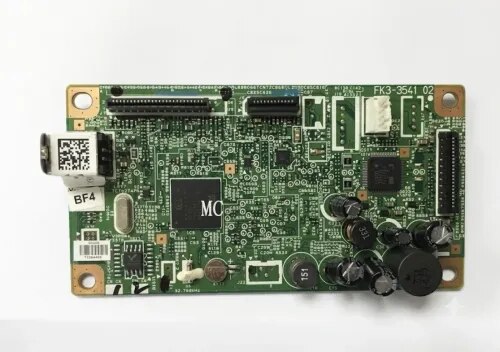
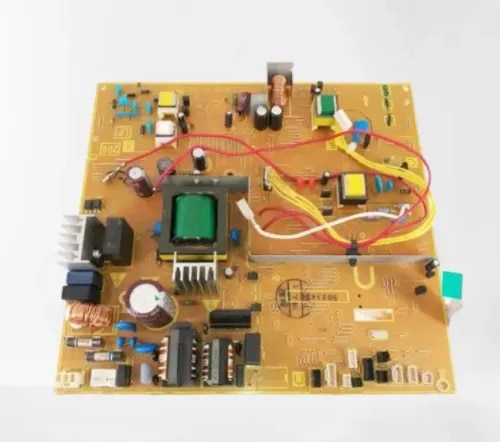
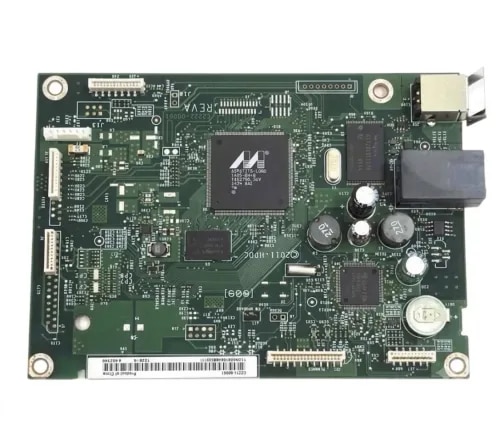
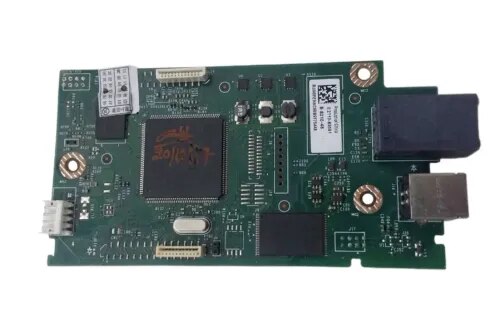
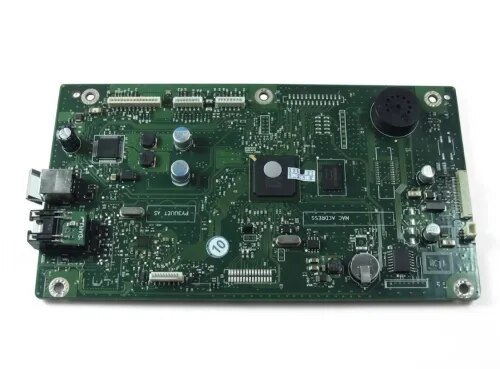
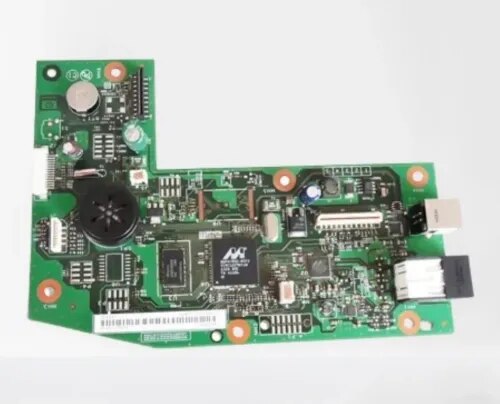
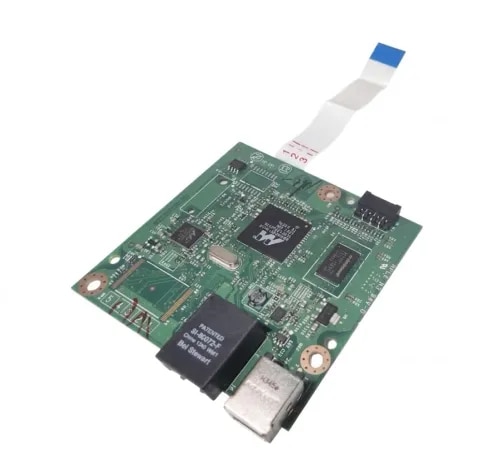
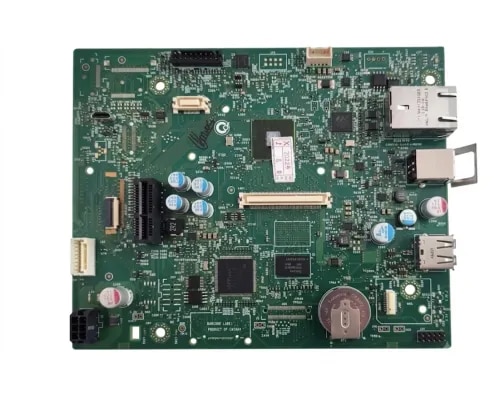
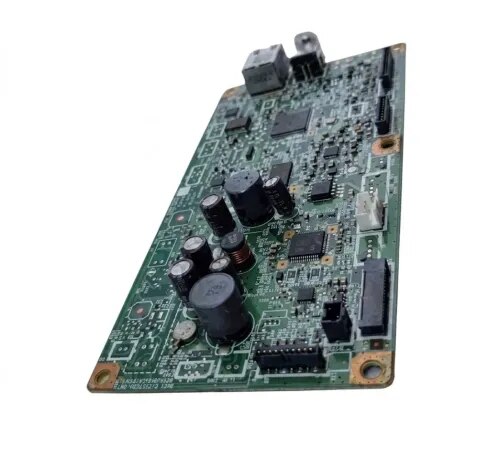
{ "products": [ { "_id": "6a96c193e44bca7a9ef0b9e2", "fptag": "CIRCUITSYSTEMS", "merchantname": null, "customwidgets": null, "externalsourceid": null, "name": "Formatter Board / Logic Card for Canon LBP4820d / LBP6780x / LBP6750dn Imported", "description": "Original Formatter Board / Logic Card for Canon LBP4820d / LBP6780x / LBP6750dn — Imported\n\nGet your Canon LBP4820d back to life with the PRM Compatible Formatter Board. This imported logic card is a direct replacement for the original Canon formatter — restoring full printer functionality including network and duplex printing when the original board fails.\n\nLooking for a Canon LBP4820d logic card or Canon LBP6780x formatter board? This is the correct formatter board for Canon LBP4820d, LBP6780x, and LBP6750dn printers.\n\nWhen Do You Need a New Formatter Board?\nThe formatter board is your printer's brain — it processes print data, manages USB and Ethernet/LAN communication, and controls duplex (2-sided) printing. Replace it when you see:\n- Printer not detected by computer (USB not recognised)\n- Network/LAN connection fails — printer disappears from the network\n- Duplex (2-sided) printing stops working\n- Error light blinking continuously\n- Printer turns on but won't print\n- Paper feeds but pages come out blank\n- Printer freezes or hangs mid-job\n- Print jobs stuck in queue, never completing\n\nIf you've replaced the toner cartridge, tried new cables, and reinstalled drivers with no improvement — the formatter board is the most likely culprit. When network and duplex functions fail simultaneously on a printer that still powers on, it's almost always the formatter.\n\n1. Restores USB, Network, and Duplex: The LBP4820d/6780x formatter controls wired USB, Ethernet LAN connectivity, and duplex printing. A new board restores all functions in one repair.\n\n2. High-Value Printer Worth Repairing: The Canon LBP4820d and LBP6780x are fast departmental printers — 40+ ppm, network-ready, duplex, high-capacity trays. A new formatter board costs a fraction of replacing the printer and restores it to full functionality.\n\n3. Compatible Imported Quality: China-manufactured compatible board delivering reliable performance at a fraction of the original Canon board cost. All connections and features — USB, Ethernet, duplex — work as expected.\n\n4. Easy Installation: Remove the side/rear panel, unplug cable connectors from the old board, swap in the new board, reconnect, and close. 15-20 minutes for any printer technician. No special tools or firmware updates needed.\n\n5. Tested Before Shipping: Every PRM formatter board is power-tested before dispatch to ensure it's working. Backed by our testing warranty.\n\nCompatible Printers:\nCanon: LBP4820d, LBP6780x, LBP6750dn\n\nAlso known as: Canon LBP4820d Formatter Board, Canon LBP6780x Logic Card, Canon LBP6750dn Main Board, Canon 4820d Motherboard, Canon 6780x Formatter, Canon 6750dn Network Board", "price": 2000.0, "discountamount": 0.0, "currencycode": "INR", "priority": 1000000, "isfreeshipmentavailable": false, "shipmentduration": 0, "_keywords": null, "isarchived": false, "isavailable": true, "applicationid": null, "productindex": 33, "imageuri": "https://productimages.withfloats.com/actual/6a96c196155eb2dff49f9a62.jpg", "tileimageuri": "https://productimages.withfloats.com/tile/6a96c196155eb2dff49f9a62.jpg", "images": null, "totalqueries": 0, "gpid": null, "groupproductid": null, "createdon": "2026-09-01T12:14:11.189Z", "updatedon": "2026-09-01T12:14:11.189Z", "buyonlinelink": null, "producturl": "https://WWW.CIRCUITSYSTEMS.CO.IN/products/formatter-board-logic-card-for-canon-lbp4820d-lbp6780x-lbp6750dn-imported/33", "availableunits": -1.0, "iscodavailable": true, "isprepaidonlineavailable": true, "maxcodorders": 0, "maxprepaidonlineorders": 0, "uniquepaymenturl": null, "brandname": "", "category": "Formatters ", "tags": [ "Formatter Board / Logic Card for Canon LBP4820d / LBP6780x / LBP6750dn Imported" ], "variants": false, "keyspecification": null, "otherspecifications": null, "pickupaddressreferenceid": "", "paymenttype": "AssuredPurchase", "producttype": "products", "hsncode": null, "gstslab": 0.0, "isnotforsale": false }, { "_id": "6a9d625da67f7439232efcc0", "fptag": "CIRCUITSYSTEMS", "merchantname": null, "customwidgets": null, "externalsourceid": null, "name": "Power Supply Board for HP LaserJet Pro M401dn / MFP M425dn Original Imported", "description": "Original Power Supply Board for HP LaserJet Pro M401dn / MFP M425dn — Imported\n\nGet your HP LaserJet Pro back to life with the PRM Original Power Supply Board. This is a genuine original board — not a compatible copy — sourced from original equipment and imported directly. One board fits the entire M401/M425 series.\n\nLooking for an HP M401 power supply or HP M425dn power board? This is the correct power supply board for the entire range.\n\nWhen Do You Need a New Power Supply Board?\nThe power supply board converts mains AC power into the regulated DC voltages that run every component inside your printer — the formatter, fuser, motor, scanner, and display panel. When it fails, the entire printer is affected. Replace your power supply when you see:\n- Printer completely dead — no lights, no display, no response when pressing the power button\n- Printer turns on briefly then shuts off immediately\n- Random shutdowns during printing — printer dies mid-job\n- Fuser error or 50.x error — the power supply feeds the fuser heater; a weak supply causes temperature errors\n- Burning smell from the power supply area (not from the fuser)\n- Printer takes unusually long to warm up or never reaches ready state\n- Display panel freezes, goes blank, or flickers during printing\n- Ethernet/network connection dropping intermittently\n- Tripping your office power switch when the printer turns on\n\nIf you've checked the power cable, tried a different wall socket, and the printer still won't power on or keeps shutting down — the power supply board is almost certainly the cause.\n\n1. One Board Fits the Entire M401/M425 Range: This power supply board is compatible across the HP LaserJet Pro M401d, M401dn, M401dw, M401n, MFP M425dn, and MFP M425dw. Same board, same connectors — works in all models whether single-function or multifunction.\n\n2. Original, Not Compatible: This is a genuine original HP power supply board — the same board that came inside your printer from the factory. Original boards offer exact voltage regulation and long-term reliability that compatible copies cannot match. For a critical component like the power supply that feeds every part of your printer, original is the right choice.\n\n3. Fixes the “Dead Printer” Problem: The most common power supply failure symptom is a completely dead printer — no lights, no response. The M401/M425 are workgroup-class printers rated at 33 pages per minute, found in offices across India. Before you replace this reliable machine, a power supply board swap brings it back to life at a fraction of the cost.\n\n4. Resolves Fuser Errors Without Replacing the Fuser: Many fuser errors on the M401/M425 are actually power supply problems — the board can't deliver enough power to heat the fuser properly. If you've already replaced the fuser and still get temperature errors, the power supply is the fix.\n\n5. Restores All MFP Functions (M425): The M425dn and M425dw are full multifunction printers — print, scan, copy, and fax are all powered by this one board. A failing supply can cause seemingly unrelated problems across all functions. A new board restores stable power to everything.\n\n6. Restores Duplex and Network: All dn/dw models support automatic two-sided printing and Ethernet networking. A failing supply often shows symptoms during duplex jobs first — the printer shuts down or throws errors. A new board restores stable duplex and network operation.\n\n7. Easy Installation: Disconnect the printer from mains power, remove the side/rear panels, unplug the connectors from the old power supply board, swap in the new one, reconnect all cables, and reassemble. 20-30 minutes for any printer technician. Basic screwdriver needed.\n\n8. Tested Before Shipping: Every PRM power supply board is tested for correct voltage output before dispatch. Backed by our testing warranty.\n\nCompatible Printers:\nHP: LaserJet Pro M401d, M401dn, M401dw, M401n, LaserJet Pro MFP M425dn, M425dw\n\nAlso known as: HP M401 Power Supply, HP M425 Power Board, HP M401dn Power Supply Board, HP M425dn SMPS Board, HP M401dw Power Supply, HP M425dw SMPS, HP Pro 400 Power Supply Board\n\n", "price": 18000.0, "discountamount": 0.0, "currencycode": "INR", "priority": 1000000, "isfreeshipmentavailable": false, "shipmentduration": 1, "_keywords": null, "isarchived": false, "isavailable": true, "applicationid": null, "productindex": 140, "imageuri": "https://productimages.withfloats.com/actual/6a9d62611e59a341f58a06d6.png", "tileimageuri": "https://productimages.withfloats.com/tile/6a9d62611e59a341f58a06d6.png", "images": null, "totalqueries": 0, "gpid": null, "groupproductid": null, "createdon": "2026-09-06T12:53:49.201Z", "updatedon": "2026-09-06T12:53:49.201Z", "buyonlinelink": null, "producturl": "https://WWW.CIRCUITSYSTEMS.CO.IN//power-supply-board-for-hp-laserjet-pro-m401dn-mfp-m425dn-original-imported/140", "availableunits": -1.0, "iscodavailable": false, "isprepaidonlineavailable": false, "maxcodorders": 0, "maxprepaidonlineorders": 0, "uniquepaymenturl": null, "brandname": "", "category": "Power Supply", "tags": [], "variants": false, "keyspecification": null, "otherspecifications": null, "pickupaddressreferenceid": null, "paymenttype": "None", "producttype": "products", "hsncode": null, "gstslab": 0.0, "isnotforsale": false }, { "_id": "6a96cff8007af3fb3a9dfcdb", "fptag": "CIRCUITSYSTEMS", "merchantname": null, "customwidgets": null, "externalsourceid": null, "name": "Formatter Board / Logic Card for HP LaserJet Pro M226dn / M225dn MFP Compatible Imported", "description": "Original Formatter Board / Logic Card for HP LaserJet Pro MFP M226dn / M225dn — Imported\n\nGet your HP LaserJet Pro MFP back to life with the Formatter Board. This imported logic card is a direct replacement for the original HP formatter — restoring full print, scan, copy, fax, and duplex functionality when the original board fails. One board fits both the HP M226dn and HP M225dn.\n\nLooking for an HP M226dn logic card or HP M225dn formatter board? This is the correct formatter board for both printers.\n\nWhen Do You Need a New Formatter Board?\nThe formatter board is your printer's brain — it processes print data, manages USB and Ethernet communication, controls the scanner, copier, fax, and automatic duplex printing, and coordinates all printer operations. Replace it when you see:\n- Printer not detected by computer (USB not recognised)\n- Ethernet/network connection not working\n- Scanner not responding — scan function completely dead\n- Copy function fails or produces errors\n- Fax not sending or receiving\n- Automatic duplex (two-sided) printing not working\n- Printer turns on but won't print\n- Paper feeds but pages come out blank\n- Control panel freezes or shows error codes\n- Printer hangs mid-job or restarts on its own\n- \"Cannot communicate with printer\" error on computer\n\nIf you've already replaced the toner (HP 83A) and drum, tried a new USB cable, reinstalled drivers, and the issue persists across print, scan, copy, or fax — the formatter board is the most likely culprit.\n\n1. Fits Both M226dn and M225dn: One compatible formatter board works across both the HP LaserJet Pro MFP M226dn and M225dn. Same board, same connectors — works in either printer.\n\n2. Restores All MFP Functions: Both the M226dn and M225dn are full multifunction printers — print, scan, copy, and fax are all controlled by the formatter board. A single board replacement restores every function, not just printing.\n\n3. Restores USB and Ethernet Connectivity: The formatter controls both USB and Ethernet connectivity. If your printer has dropped off the network or stopped being detected via USB, a new formatter board brings it back online.\n\n4. Duplex Printing Restored: Both printers support automatic two-sided printing, which is managed by the formatter. If duplex has stopped working while single-sided prints fine, the formatter board is often the cause.\n\n5. ADF Support Restored: Both models include an Automatic Document Feeder for multi-page scanning, copying, and faxing. A failing formatter can cause ADF-related errors — a new board restores smooth multi-page operation.\n\n6. Direct Drop-In Replacement: Designed to match the original HP formatter board dimensions, connectors, and mounting points. Remove the old board, install the new one — your printer is ready.\n\n7. Compatible Imported Quality: China-manufactured compatible board delivering reliable performance at a fraction of the original HP board cost. Ideal for extending the life of your printer affordably.\n\n8. Easy Installation: Open the rear or side panel, disconnect cable connectors from the old board, swap in the new board, reconnect all cables, and close. 15-20 minutes for any printer technician. No special tools needed.\n\n9. Tested Before Shipping: Every PRM formatter board is power-tested before dispatch to ensure it's working. Backed by our testing warranty.\n\nCompatible Printers:\nHP: LaserJet Pro MFP M226dn, LaserJet Pro MFP M225dn\n\nAlso known as: HP M226dn Formatter Board, HP M225dn Formatter Board, HP M226dn Logic Card, HP M225dn Logic Card, HP M226dn Main Board, HP M225dn Motherboard, HP M226dn MFP Formatter Card, HP M225dn Network Board", "price": 3700.0, "discountamount": 0.0, "currencycode": "INR", "priority": 1000000, "isfreeshipmentavailable": false, "shipmentduration": 0, "_keywords": null, "isarchived": false, "isavailable": true, "applicationid": null, "productindex": 45, "imageuri": "https://productimages.withfloats.com/actual/6a96cffb3e68fe86652eafc9.jpg", "tileimageuri": "https://productimages.withfloats.com/tile/6a96cffb3e68fe86652eafc9.jpg", "images": null, "totalqueries": 0, "gpid": null, "groupproductid": null, "createdon": "2026-09-01T13:15:36.688Z", "updatedon": "2026-09-01T13:18:22.497Z", "buyonlinelink": null, "producturl": "https://WWW.CIRCUITSYSTEMS.CO.IN//formatter-board-logic-card-for-hp-laserjet-pro-m226dn-m225dn-mfp-compatible-imported/45", "availableunits": -1.0, "iscodavailable": true, "isprepaidonlineavailable": true, "maxcodorders": 0, "maxprepaidonlineorders": 0, "uniquepaymenturl": null, "brandname": "", "category": "Formatters ", "tags": [ "Formatter Board / Logic Card for HP LaserJet Pro M226dn / M225dn MFP Compatible Imported" ], "variants": false, "keyspecification": null, "otherspecifications": null, "pickupaddressreferenceid": "", "paymenttype": "AssuredPurchase", "producttype": "products", "hsncode": null, "gstslab": 0.0, "isnotforsale": false }, { "_id": "6a96cf58d57f56c9479e680f", "fptag": "CIRCUITSYSTEMS", "merchantname": null, "customwidgets": null, "externalsourceid": null, "name": "Formatter Board / Logic Card for HP LaserJet Pro M202dn / M202dw Imported", "description": "Original Formatter Board / Logic Card for HP LaserJet Pro M202dn / M202dw — Imported\n\nGet your HP LaserJet Pro M202 back to life with the Formatter Board. This imported logic card is a direct replacement for the original HP formatter — restoring full printer functionality when the original board fails. One board fits both the HP M202dn and HP M202dw.\n\nLooking for an HP M202dn logic card or HP M202dw formatter board? This is the correct formatter board for both printers.\n\nWhen Do You Need a New Formatter Board?\nThe formatter board is your printer's brain — it processes print data, manages USB, Ethernet, and WiFi communication, controls duplex printing, and coordinates all printer operations. Replace it when you see:\n- Printer not detected by computer (USB not recognised)\n- Ethernet/network connection not working\n- WiFi not working — printer disappears from wireless network (M202dw)\n- Automatic duplex (two-sided) printing not working\n- Printer turns on but won't print\n- Paper feeds but pages come out blank\n- Control panel freezes or shows error codes\n- Printer hangs mid-job or restarts on its own\n- \"Cannot communicate with printer\" error on computer\n\nIf you've already replaced the toner (HP 83A) and drum, tried a new USB cable, reinstalled drivers, and the issue persists — the formatter board is the most likely culprit.\n\n1. Fits Both M202dn and M202dw: One compatible formatter board works across both the HP LaserJet Pro M202dn (Ethernet) and M202dw (WiFi). Whether you have the wired or wireless model, this is the right board.\n\n2. Restores USB, Ethernet, and WiFi Connectivity: The formatter controls all connection methods. On the M202dn, it manages USB and Ethernet. On the M202dw, it also controls WiFi. A new board brings all connectivity back online.\n\n3. Duplex Printing Restored: Both the M202dn and M202dw support automatic two-sided printing, which is managed by the formatter. If duplex has stopped working while single-sided prints fine, the formatter board is often the cause.\n\n4. Direct Drop-In Replacement: Designed to match the original HP M202 formatter board dimensions, connectors, and mounting points. Remove the old board, install the new one — your printer is ready.\n\n5. Compatible Imported Quality: China-manufactured compatible board delivering reliable performance at a fraction of the original HP board cost. Ideal for extending the life of your M202 affordably.\n\n6. Easy Installation: Open the rear or side panel, disconnect cable connectors from the old board, swap in the new board, reconnect all cables, and close. 15-20 minutes for any printer technician. No special tools needed.\n\n7. Tested Before Shipping: Every PRM formatter board is power-tested before dispatch to ensure it's working. Backed by our testing warranty.\n\nCompatible Printers:\nHP: LaserJet Pro M202dn, LaserJet Pro M202dw\n\nAlso known as: HP M202dn Formatter Board, HP M202dw Formatter Board, HP M202dn Logic Card, HP M202dw Logic Card, HP M202dn Main Board, HP M202dw Motherboard, HP M202dw WiFi Board, HP M202 Formatter Card", "price": 2799.0, "discountamount": 0.0, "currencycode": "INR", "priority": 1000000, "isfreeshipmentavailable": false, "shipmentduration": 0, "_keywords": null, "isarchived": false, "isavailable": true, "applicationid": null, "productindex": 44, "imageuri": "https://productimages.withfloats.com/actual/6a96cf5a1736dcb015fec057.jpg", "tileimageuri": "https://productimages.withfloats.com/tile/6a96cf5a1736dcb015fec057.jpg", "images": null, "totalqueries": 0, "gpid": null, "groupproductid": null, "createdon": "2026-09-01T13:12:56.005Z", "updatedon": "2026-09-01T13:18:45.742Z", "buyonlinelink": null, "producturl": "https://WWW.CIRCUITSYSTEMS.CO.IN//formatter-board-logic-card-for-hp-laserjet-pro-m202dn-m202dw-imported/44", "availableunits": -1.0, "iscodavailable": true, "isprepaidonlineavailable": true, "maxcodorders": 0, "maxprepaidonlineorders": 0, "uniquepaymenturl": null, "brandname": "", "category": "Formatters ", "tags": [ "Formatter Board / Logic Card for HP LaserJet Pro M202dn / M202dw Imported" ], "variants": false, "keyspecification": null, "otherspecifications": null, "pickupaddressreferenceid": "", "paymenttype": "AssuredPurchase", "producttype": "products", "hsncode": null, "gstslab": 0.0, "isnotforsale": false }, { "_id": "6a96cec96a00836f02f49b74", "fptag": "CIRCUITSYSTEMS", "merchantname": null, "customwidgets": null, "externalsourceid": null, "name": "Formatter Board / Logic Card for HP LaserJet Pro M1536dnf MFP Compatible Imported", "description": "Original Formatter Board / Logic Card for HP LaserJet Pro M1536dnf MFP — Imported\n\nGet your HP LaserJet Pro M1536dnf MFP back to life with the Formatter Board. This imported logic card is a direct replacement for the original HP formatter — restoring full print, scan, copy, fax, duplex, and network functionality when the original board fails.\n\nLooking for an HP M1536dnf logic card or HP M1536dnf formatter board? This is the correct formatter board for the HP LaserJet Pro M1536dnf MFP printer.\n\nWhen Do You Need a New Formatter Board?\nThe formatter board is your printer's brain — it processes print data, manages USB and Ethernet communication, controls the scanner, copier, fax, and automatic duplex printing, and coordinates all printer operations. Replace it when you see:\n- Printer not detected by computer (USB not recognised)\n- Ethernet/network connection not working\n- Scanner not responding — scan function completely dead\n- Copy function fails or produces errors\n- Fax not sending or receiving\n- Automatic duplex (two-sided) printing not working\n- Printer turns on but won't print\n- Paper feeds but pages come out blank\n- Control panel freezes or shows error codes\n- Printer hangs mid-job or restarts on its own\n- \"Cannot communicate with printer\" error on computer\n\nIf you've already replaced the toner (HP 78A) and drum, tried a new USB cable, reinstalled drivers, and the issue persists across print, scan, copy, or fax — the formatter board is the most likely culprit.\n\n1. Restores All MFP Functions: The M1536dnf is a full multifunction printer — print, scan, copy, and fax are all controlled by the formatter board. A single board replacement restores every function, not just printing.\n\n2. Restores USB and Ethernet Connectivity: The formatter controls both USB and Ethernet connectivity. If your M1536dnf has dropped off the network or stopped being detected via USB, a new formatter board brings it back online.\n\n3. Duplex Printing Restored: The M1536dnf supports automatic two-sided printing, which is managed by the formatter. If duplex has stopped working while single-sided prints fine, the formatter board is often the cause.\n\n4. ADF Support Restored: The M1536dnf includes a 35-sheet Automatic Document Feeder for multi-page scanning, copying, and faxing. A failing formatter can cause ADF-related errors — a new board restores smooth multi-page operation.\n\n5. Direct Drop-In Replacement: Designed to match the original HP M1536dnf formatter board dimensions, connectors, and mounting points. Remove the old board, install the new one — your printer is ready.\n\n6. Compatible Imported Quality: China-manufactured compatible board delivering reliable performance at a fraction of the original HP board cost. Ideal for extending the life of your M1536dnf affordably.\n\n7. Easy Installation: Open the rear or side panel, disconnect cable connectors from the old board, swap in the new board, reconnect all cables, and close. 15-20 minutes for any printer technician. No special tools needed.\n\n8. Tested Before Shipping: Every PRM formatter board is power-tested before dispatch to ensure it's working. Backed by our testing warranty.\n\nCompatible Printers:\nHP: LaserJet Pro M1536dnf MFP\n\nAlso known as: HP M1536dnf Formatter Board, HP M1536dnf Logic Card, HP M1536dnf Main Board, HP M1536dnf Motherboard, HP M1536dnf Network Board, HP M1536dnf MFP Formatter Card", "price": 2600.0, "discountamount": 0.0, "currencycode": "INR", "priority": 1000000, "isfreeshipmentavailable": false, "shipmentduration": 0, "_keywords": null, "isarchived": false, "isavailable": true, "applicationid": null, "productindex": 43, "imageuri": "https://productimages.withfloats.com/actual/6a96cecd686ae1cec051f9ac.jpg", "tileimageuri": "https://productimages.withfloats.com/tile/6a96cecd686ae1cec051f9ac.jpg", "images": null, "totalqueries": 0, "gpid": null, "groupproductid": null, "createdon": "2026-09-01T13:10:33.714Z", "updatedon": "2026-09-01T13:19:04.131Z", "buyonlinelink": null, "producturl": "https://WWW.CIRCUITSYSTEMS.CO.IN//formatter-board-logic-card-for-hp-laserjet-pro-m1536dnf-mfp-compatible-imported/43", "availableunits": -1.0, "iscodavailable": true, "isprepaidonlineavailable": true, "maxcodorders": 0, "maxprepaidonlineorders": 0, "uniquepaymenturl": null, "brandname": "", "category": "Formatters ", "tags": [ "Formatter Board / Logic Card for HP LaserJet Pro M1536dnf MFP Compatible Imported" ], "variants": false, "keyspecification": null, "otherspecifications": null, "pickupaddressreferenceid": "", "paymenttype": "AssuredPurchase", "producttype": "products", "hsncode": null, "gstslab": 0.0, "isnotforsale": false }, { "_id": "6a96ce3dbb6f9bc6901c9c39", "fptag": "CIRCUITSYSTEMS", "merchantname": null, "customwidgets": null, "externalsourceid": null, "name": "Formatter Board / Logic Card for HP LaserJet Pro M1213nf MFP Imported", "description": "Original Formatter Board / Logic Card for HP LaserJet Pro M1213nf MFP — Imported\n\nGet your HP LaserJet Pro M1213nf MFP back to life with the Formatter Board. This imported logic card is a direct replacement for the original HP formatter — restoring full print, scan, copy, and fax functionality when the original board fails.\n\nLooking for an HP M1213nf logic card or HP M1213nf formatter board? This is the correct formatter board for the HP LaserJet Pro M1213nf MFP printer.\n\nWhen Do You Need a New Formatter Board?\nThe formatter board is your printer's brain — it processes print data, manages USB and Ethernet communication, controls the scanner and copier functions, and handles fax operations. Replace it when you see:\n- Printer not detected by computer (USB not recognised)\n- Ethernet/network connection not working\n- Scanner not responding — scan function completely dead\n- Copy function fails or produces errors\n- Fax not sending or receiving\n- Printer turns on but won't print\n- Paper feeds but pages come out blank\n- Touch panel or display freezes or shows errors\n- Printer hangs mid-job or restarts on its own\n- \"Cannot communicate with printer\" error on computer\n\nIf you've already replaced the toner (HP 88A) and drum, tried a new USB cable, reinstalled drivers, and the issue persists across print, scan, or copy — the formatter board is the most likely culprit.\n\n1. Restores All MFP Functions: The M1213nf is a multifunction printer — print, scan, copy, and fax are all controlled by the formatter board. A single board replacement restores every function, not just printing.\n\n2. Restores USB and Network Connectivity: The formatter controls both USB and Ethernet connectivity. If your M1213nf has dropped off the network or stopped being detected via USB, a new formatter board brings it back online.\n\n3. Direct Drop-In Replacement: Designed to match the original HP M1213nf formatter board dimensions, connectors, and mounting points. Remove the old board, install the new one — your printer is ready.\n\n4. Compatible Imported Quality: China-manufactured compatible board delivering reliable performance at a fraction of the original HP board cost. Ideal for extending the life of your M1213nf affordably.\n\n5. Easy Installation: Open the rear or side panel, disconnect cable connectors from the old board, swap in the new board, reconnect all cables, and close. 15-20 minutes for any printer technician. No special tools needed.\n\n6. Tested Before Shipping: Every PRM formatter board is power-tested before dispatch to ensure it's working. Backed by our testing warranty.\n\nCompatible Printers:\nHP: LaserJet Pro M1213nf MFP\n\nAlso known as: HP M1213nf Formatter Board, HP M1213nf Logic Card, HP M1213nf Main Board, HP M1213nf Motherboard, HP M1213nf MFP Formatter Card, HP M1213nf Network Board", "price": 2100.0, "discountamount": 0.0, "currencycode": "INR", "priority": 1000000, "isfreeshipmentavailable": false, "shipmentduration": 0, "_keywords": null, "isarchived": false, "isavailable": true, "applicationid": null, "productindex": 42, "imageuri": "https://productimages.withfloats.com/actual/6a96ce3f62766325554d405a.jpg", "tileimageuri": "https://productimages.withfloats.com/tile/6a96ce3f62766325554d405a.jpg", "images": null, "totalqueries": 0, "gpid": null, "groupproductid": null, "createdon": "2026-09-01T13:08:13.045Z", "updatedon": "2026-09-01T13:19:21.559Z", "buyonlinelink": null, "producturl": "https://WWW.CIRCUITSYSTEMS.CO.IN//formatter-board-logic-card-for-hp-laserjet-pro-m1213nf-mfp-imported/42", "availableunits": -1.0, "iscodavailable": true, "isprepaidonlineavailable": true, "maxcodorders": 0, "maxprepaidonlineorders": 0, "uniquepaymenturl": null, "brandname": "", "category": "Formatters ", "tags": [ "Formatter Board / Logic Card for HP LaserJet Pro M1213nf MFP Imported" ], "variants": false, "keyspecification": null, "otherspecifications": null, "pickupaddressreferenceid": "", "paymenttype": "AssuredPurchase", "producttype": "products", "hsncode": null, "gstslab": 0.0, "isnotforsale": false }, { "_id": "6a96c6a9da3c49010b9ab0a2", "fptag": "CIRCUITSYSTEMS", "merchantname": null, "customwidgets": null, "externalsourceid": null, "name": "Formatter Board / Logic Card for HP LaserJet P1606dn Imported", "description": "Original Formatter Board / Logic Card for HP LaserJet P1606dn — Imported\n\nGet your HP LaserJet P1606dn back to life with the PRM Formatter Board. This imported logic card is a direct replacement for the original HP formatter — restoring full printer functionality including duplex and network when the original board fails.\n\nLooking for an HP P1606dn logic card or HP P1606dn formatter board? This is the correct formatter board for the HP LaserJet P1606dn printer.\n\nWhen Do You Need a New Formatter Board?\nThe formatter board is your printer's brain — it processes print data, manages USB and Ethernet communication, controls automatic duplex printing, and coordinates all printer operations. Replace it when you see:\n- Printer not detected by computer (USB not recognised)\n- Ethernet/network connection not working\n- Automatic duplex (two-sided) printing not working\n- Printer turns on but won't print\n- Paper feeds but pages come out blank\n- Error lights blinking continuously\n- Printer freezes or hangs during printing\n- \"Cannot communicate with printer\" error on computer\n\nIf you've already replaced the toner (HP 78A / CE278A) and drum, tried a new USB cable, reinstalled drivers, and the issue persists — the formatter board is the most likely culprit.\n\n1. Restores USB and Ethernet Connectivity: The formatter controls both USB and Ethernet connectivity. If your P1606dn has dropped off the network or stopped being detected via USB, a new formatter board brings it back online.\n\n2. Duplex Printing Restored: The P1606dn supports automatic two-sided printing, which is managed by the formatter. If duplex has stopped working while single-sided prints fine, the formatter board is often the cause.\n\n3. Direct Drop-In Replacement: Designed to match the original HP P1606dn formatter board dimensions, connectors, and mounting points. Remove the old board, install the new one — your printer is ready.\n\n4. Compatible Imported Quality: China-manufactured compatible board delivering reliable performance at a fraction of the original HP board cost. Ideal for extending the life of your P1606dn affordably.\n\n5. Easy Installation: Open the rear or side panel, disconnect cable connectors from the old board, swap in the new board, reconnect all cables, and close. 10-15 minutes for any printer technician. No special tools needed.\n\n6. Tested Before Shipping: Every PRM formatter board is power-tested before dispatch to ensure it's working. Backed by our testing warranty.\n\nCompatible Printers:\nHP: LaserJet P1606dn\n\nAlso known as: HP P1606dn Formatter Board, HP P1606dn Logic Card, HP P1606dn Main Board, HP P1606dn Motherboard, HP P1606dn Network Board, HP P1606dn Formatter Card, HP LaserJet 1606dn Formatter Board", "price": 1800.0, "discountamount": 0.0, "currencycode": "INR", "priority": 1000000, "isfreeshipmentavailable": false, "shipmentduration": 0, "_keywords": null, "isarchived": false, "isavailable": true, "applicationid": null, "productindex": 39, "imageuri": "https://productimages.withfloats.com/actual/6a96c6ab262d265afe8f26da.jpg", "tileimageuri": "https://productimages.withfloats.com/tile/6a96c6ab262d265afe8f26da.jpg", "images": null, "totalqueries": 0, "gpid": null, "groupproductid": null, "createdon": "2026-09-01T12:35:53.54Z", "updatedon": "2026-09-01T12:35:53.54Z", "buyonlinelink": null, "producturl": "https://WWW.CIRCUITSYSTEMS.CO.IN//formatter-board-logic-card-for-hp-laserjet-p1606dn-imported/39", "availableunits": -1.0, "iscodavailable": true, "isprepaidonlineavailable": true, "maxcodorders": 0, "maxprepaidonlineorders": 0, "uniquepaymenturl": null, "brandname": "", "category": "Formatters ", "tags": [ "Formatter Board / Logic Card for HP LaserJet P1606dn Imported" ], "variants": false, "keyspecification": null, "otherspecifications": null, "pickupaddressreferenceid": "", "paymenttype": "AssuredPurchase", "producttype": "products", "hsncode": null, "gstslab": 0.0, "isnotforsale": false }, { "_id": "6a96c53da150a35332f9b5d2", "fptag": "CIRCUITSYSTEMS", "merchantname": null, "customwidgets": null, "externalsourceid": null, "name": "Formatter Board / Logic Card for HP LaserJet Enterprise M506dn Imported", "description": "Original Formatter Board / Logic Card for HP LaserJet Enterprise M506dn — Imported\n\nGet your HP LaserJet Enterprise M506dn back to life with the Formatter Board. This imported logic card is a direct replacement for the original HP formatter — restoring full printer functionality when the original board fails.\n\nLooking for an HP M506dn logic card or HP M506dn formatter board? This is the correct formatter board for the HP LaserJet Enterprise M506dn printer.\n\nWhen Do You Need a New Formatter Board?\nThe formatter board is your printer's brain — it processes print data, manages USB and Ethernet communication, controls automatic duplex printing, and coordinates all printer operations. Replace it when you see:\n- Printer not detected by computer (USB not recognised)\n- Ethernet/network connection not working\n- Automatic duplex (two-sided) printing not working\n- Printer turns on but won't print\n- Paper feeds but pages come out blank\n- Display panel freezes or shows error codes\n- Printer hangs mid-job or restarts on its own\n- Print jobs stuck in queue — printer not responding\n- \"Cannot communicate with printer\" error on computer\n\nIf you've already replaced the toner (HP 87A / CF287A) and drum, tried a new USB cable, reinstalled drivers, and the issue persists — the formatter board is the most likely culprit.\n\n1. Restores USB and Ethernet Connectivity: The formatter controls both USB and Ethernet connectivity. If your M506dn has dropped off the network or stopped being detected via USB, a new formatter board brings it back online.\n\n2. Duplex Printing Restored: The M506dn supports automatic two-sided printing, which is managed by the formatter. If duplex has stopped working while single-sided prints fine, the formatter board is often the cause.\n\n3. Enterprise-Grade Speed Restored: The M506dn is rated at 43 pages per minute — an enterprise-class printer built for high-volume office environments. A failing formatter can slow down print speeds or cause jobs to hang. A new board restores full-speed operation.\n\n4. Direct Drop-In Replacement: Designed to match the original HP M506dn formatter board dimensions, connectors, and mounting points. Remove the old board, install the new one — your printer is ready.\n\n5. Compatible Imported Quality: China-manufactured compatible board delivering reliable performance at a fraction of the original HP board cost. Ideal for extending the life of your M506dn affordably — especially valuable for enterprise printers where the original board can be very expensive.\n\n6. Easy Installation: Open the rear or side panel, disconnect cable connectors from the old board, swap in the new board, reconnect all cables, and close. 15-20 minutes for any printer technician. No special tools needed.\n\n7. Tested Before Shipping: Every PRM formatter board is power-tested before dispatch to ensure it's working. Backed by our testing warranty.\n\nCompatible Printers:\nHP: LaserJet Enterprise M506dn\n\nAlso known as: HP M506dn Formatter Board, HP M506dn Logic Card, HP M506dn Main Board, HP M506dn Motherboard, HP M506dn Network Board, HP M506dn Formatter Card, HP Enterprise M506dn Formatter Board\n", "price": 3000.0, "discountamount": 0.0, "currencycode": "INR", "priority": 1000000, "isfreeshipmentavailable": false, "shipmentduration": 0, "_keywords": null, "isarchived": false, "isavailable": true, "applicationid": null, "productindex": 37, "imageuri": "https://productimages.withfloats.com/actual/6a96c540a6545889bee34752.jpg", "tileimageuri": "https://productimages.withfloats.com/tile/6a96c540a6545889bee34752.jpg", "images": null, "totalqueries": 0, "gpid": null, "groupproductid": null, "createdon": "2026-09-01T12:29:49.867Z", "updatedon": "2026-09-01T13:27:44.634Z", "buyonlinelink": null, "producturl": "https://WWW.CIRCUITSYSTEMS.CO.IN//formatter-board-logic-card-for-hp-laserjet-enterprise-m506dn-imported/37", "availableunits": -1.0, "iscodavailable": true, "isprepaidonlineavailable": true, "maxcodorders": 0, "maxprepaidonlineorders": 0, "uniquepaymenturl": null, "brandname": "", "category": "Formatters", "tags": [ "Formatter Board / Logic Card for HP LaserJet Enterprise M506dn Imported" ], "variants": false, "keyspecification": null, "otherspecifications": null, "pickupaddressreferenceid": "", "paymenttype": "AssuredPurchase", "producttype": "products", "hsncode": null, "gstslab": 0.0, "isnotforsale": false }, { "_id": "6a96c46bee6ee5d516492b5d", "fptag": "CIRCUITSYSTEMS", "merchantname": null, "customwidgets": null, "externalsourceid": null, "name": "Formatter Board / Logic Card for Canon MF244dw / MF232w / MF237w / MF246dn Imported", "description": "Original Formatter Board / Logic Card for Canon MF244dw / MF232w / MF237w / MF246dn — Imported\n\nGet your Canon MF244dw back to life with the PRM Formatter Board. This imported logic card is a direct replacement for the original Canon formatter — restoring full print, scan, copy, and WiFi functionality when the original board fails.\n\nLooking for a Canon MF244dw logic card or Canon MF232w formatter board? This is the correct formatter board for the Canon imageCLASS MF232w, MF235, MF236n, MF237w, MF244dw, MF246dn, and MF249dw printers.\n\nWhen Do You Need a New Formatter Board?\nThe formatter board is your MFP's brain — it controls printing, scanning, copying, manages USB and WiFi/network communication, and processes all incoming data. Replace it when you see:\n- Printer not detected by computer (USB not recognised)\n- WiFi not working — printer disappears from wireless network\n- Network/LAN connection fails\n- Scanner not working — scan function stops responding\n- Copy function fails\n- Control panel display freezes or shows errors\n- Printer turns on but won't respond to any commands\n- Paper feeds but pages come out blank\n- Multiple functions fail simultaneously\n\nIf you've replaced the toner (Canon 337), tried new cables, reinstalled drivers, and reset WiFi with no improvement — the formatter board is the most likely culprit.\n\n1. Restores All Functions — Print, Scan, Copy, WiFi: The MF244dw is a feature-rich wireless MFP. A failed formatter can knock out printing, scanning, copying, and WiFi all at once. A new board restores everything in one repair.\n\n2. Fits Multiple Popular Canon Models: One board works across Canon MF232w, MF235, MF236n, MF237w, MF244dw, MF246dn, and MF249dw — Canon's most popular mid-range MFP series in India. One SKU covers the entire lineup.\n\n3. India's Bestselling Canon MFP Series: The MF244dw and MF232w are among Canon's most widely installed MFPs in India — wireless, duplex, ADF, compact. Found in offices, clinics, CA practices, and small businesses everywhere. A formatter replacement brings them back to 100% at a fraction of the cost of a new printer.\n\n4. Compatible Imported Quality: China-manufactured compatible board delivering reliable performance at a fraction of the original Canon board cost. All functions — print, scan, copy, WiFi, network — work as expected.\n\n5. Easy Installation: Open the printer, unplug cable connectors from the old board, swap in the new board, reconnect, and close. 15-20 minutes for any printer technician. No special tools or firmware updates needed.\n\nCompatible Printers:\nCanon: imageCLASS MF232w, MF235, MF236n, MF237w, MF244dw, MF246dn, MF249dw\n\nAlso known as: Canon MF244dw Formatter Board, Canon MF232w Logic Card, Canon MF237w Main Board, Canon MF246dn Motherboard, Canon MF244dw WiFi Board, Canon MF249dw Formatter Card", "price": 4200.0, "discountamount": 0.0, "currencycode": "INR", "priority": 1000000, "isfreeshipmentavailable": false, "shipmentduration": 0, "_keywords": null, "isarchived": false, "isavailable": true, "applicationid": null, "productindex": 36, "imageuri": "https://productimages.withfloats.com/actual/6a96c46de86f1cd3e0d80747.jpg", "tileimageuri": "https://productimages.withfloats.com/tile/6a96c46de86f1cd3e0d80747.jpg", "images": null, "totalqueries": 0, "gpid": null, "groupproductid": null, "createdon": "2026-09-01T12:26:19.369Z", "updatedon": "2026-09-01T12:26:19.369Z", "buyonlinelink": null, "producturl": "https://WWW.CIRCUITSYSTEMS.CO.IN//formatter-board-logic-card-for-canon-mf244dw-mf232w-mf237w-mf246dn-imported/36", "availableunits": -1.0, "iscodavailable": true, "isprepaidonlineavailable": true, "maxcodorders": 0, "maxprepaidonlineorders": 0, "uniquepaymenturl": null, "brandname": "", "category": "Formatters ", "tags": [ "Formatter Board / Logic Card for Canon MF244dw / MF232w / MF237w / MF246dn Imported" ], "variants": false, "keyspecification": null, "otherspecifications": null, "pickupaddressreferenceid": "", "paymenttype": "AssuredPurchase", "producttype": "products", "hsncode": null, "gstslab": 0.0, "isnotforsale": false } ], "hasmoreitems": false, "isapirequest": false, "totalresults": 27, "query": null, "floatingpoint": null }

Still searching for
fast and stable printer to computer connection?

Still searching for
fast and stable printer to computer connection?

Chat with us