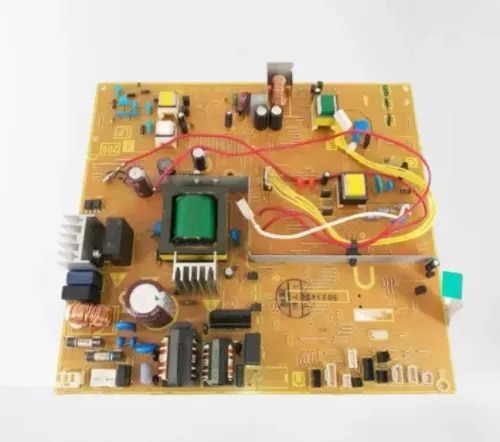
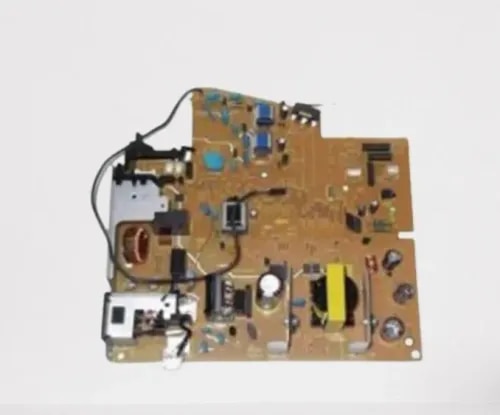
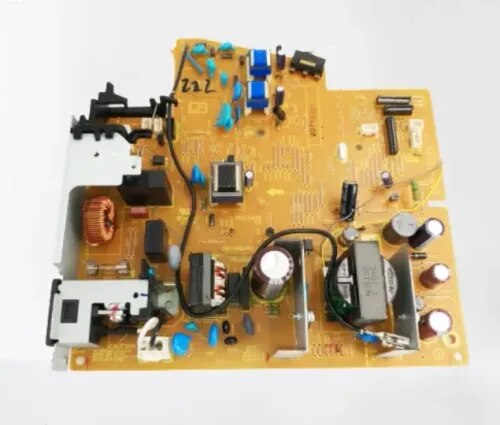
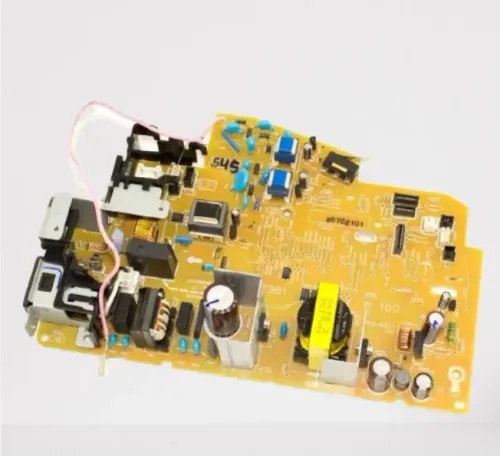
Currently it only shows your basic business info. Start adding relevant business details such as description, images and products or services to gain your customers attention by using Boost 360
android app
/
iOS App/ web portal.
{
"products": [
{
"_id": "6a9e36550f7939c8561c7059",
"fptag": "CIRCUITSYSTEMS",
"merchantname": null,
"customwidgets": null,
"externalsourceid": null,
"name": "Epson C9387 Maintenance Box Compatible for M1050 / M2050 / XP-4100 / PXMB11 / WF-2850",
"description": "Compatible Maintenance Box for Epson C9387\n\nGet your Epson printer back to printing with the PRM Compatible Maintenance Box. This is a direct replacement for the original Epson C9387 — clearing the “Maintenance Box Full” error and restoring normal printing immediately.\n\nLooking for an Epson M1050 maintenance box, Epson M2050 maintenance box, or Epson WF-2830 maintenance box? The C9387 is the correct maintenance box for all Epson EcoTank, Expression Home, and WorkForce printers listed below.\n\nC9387 vs C9344 — What's the Difference?\nThe C9387 and C9344 are used across overlapping printer families but are different parts. Check your printer model below and order the correct one. If you're unsure, WhatsApp us on 9004403030 with your printer model — we'll confirm the right maintenance box for you.\n\nWhat is a Maintenance Box?\nThe maintenance box is a small absorbent pad container that collects excess ink during printing, head cleaning, and borderless printing. Over time, this pad fills up with waste ink. When it's full, your printer displays a “Maintenance Box Full” or “Maintenance Box End of Service Life” error and stops printing completely — even if your ink tanks are full.\n\nThis is not a malfunction. It's a routine consumable replacement, just like replacing ink. The maintenance box is designed to be swapped out when full.\n\nWhen Do You Need a New Maintenance Box?\nReplace your maintenance box when you see:\n- “Maintenance Box is Full” error on the printer display\n- “Maintenance Box End of Service Life” message\n- Printer stops printing completely and refuses all print jobs\n- Warning message that the maintenance box is “nearly full”\n- Ink pad counter reached 100% in the printer utility software\n\nDon't wait for the box to reach 100% — once the error appears, the printer will not print a single page until the maintenance box is replaced. If you see a “nearly full” warning, order a replacement now so you have it ready.\n\n1. Instant Fix — Clear the Error, Start Printing: Remove the full maintenance box, insert the new one, and the error clears automatically. Your printer resets the ink pad counter and is ready to print immediately. The entire swap takes under 2 minutes.\n\n2. Fits Across EcoTank, Expression Home, and WorkForce: The C9387 is used across three Epson printer families — the EcoTank M-series mono printers, Expression Home XP-series, and WorkForce WF-series MFPs. One maintenance box covers all of them.\n\n3. Supports Epson's Mono EcoTank Printers: The M1050 and M2050 are Epson's popular monochrome EcoTank printers designed for high-volume, low-cost black and white printing. These printers are workhorses in offices, schools, and shops across India — and they consume maintenance box capacity steadily with regular use.\n\n4. Compatible Quality, Same Function: The maintenance box is an absorbent pad in a plastic housing — there is no electronic component or print quality difference between original and compatible. It collects waste ink. A compatible box does this identically to the original at a fraction of the price.\n\n5. No Chip Issues: This compatible maintenance box comes with the chip pre-installed. Your printer will recognise it immediately — no error messages, no workarounds needed.\n\n6. Easy Installation: Open the maintenance box cover (usually on the right side or rear of the printer), slide out the old box, slide in the new one, and close. Under 2 minutes. No tools needed. Handle the old box carefully — it's full of waste ink.\n\n7. Tested Before Shipping: Every PRM maintenance box is checked for proper fit and chip function before dispatch. Backed by our testing warranty.\n\nCompatible Printers:\nEpson: EcoTank M1050, M1058, M2050, M2058, PXMB11, PX-M161T, PX-S161T, Expression Home XP-3100, XP-4100, XP-4101, XP-4105, WorkForce WF-2810DWF, WF-2830DWF, WF-2850DWF, WF-2830, WF-2850, WF-2851, EW-452A\n\nAlso known as: Epson C9387 Maintenance Box, Epson M1050 Maintenance Box, Epson M2050 Maintenance Box, Epson M1058 Waste Ink Box, Epson M2058 Maintenance Tank, Epson XP-4100 Maintenance Box, Epson WF-2830 Waste Ink Pad, Epson WF-2850 Maintenance Box, Epson C9387 Waste Ink Pad",
"price": 300.0,
"discountamount": 100.0,
"currencycode": "INR",
"priority": 1000000,
"isfreeshipmentavailable": false,
"shipmentduration": 1,
"_keywords": null,
"isarchived": false,
"isavailable": true,
"applicationid": null,
"productindex": 183,
"imageuri": "https://productimages.withfloats.com/actual/6a9e365a9a262a0c7af8553c.png",
"tileimageuri": "https://productimages.withfloats.com/tile/6a9e365a9a262a0c7af8553c.png",
"images": null,
"totalqueries": 0,
"gpid": null,
"groupproductid": null,
"createdon": "2026-09-07T03:58:13.006Z",
"updatedon": "2026-09-07T03:58:13.006Z",
"buyonlinelink": null,
"producturl": "https://WWW.CIRCUITSYSTEMS.CO.IN/products/epson-c9387-maintenance-box-compatible-for-m1050-m2050-xp-4100-pxmb11-wf-2850/183",
"availableunits": -1.0,
"iscodavailable": false,
"isprepaidonlineavailable": false,
"maxcodorders": 0,
"maxprepaidonlineorders": 0,
"uniquepaymenturl": null,
"brandname": "",
"category": "Ink Tank Spares",
"tags": [],
"variants": false,
"keyspecification": null,
"otherspecifications": null,
"pickupaddressreferenceid": null,
"paymenttype": "None",
"producttype": "products",
"hsncode": null,
"gstslab": 0.0,
"isnotforsale": false
},
{
"_id": "6a9d62c51e0e44d0c822b197",
"fptag": "CIRCUITSYSTEMS",
"merchantname": null,
"customwidgets": null,
"externalsourceid": null,
"name": "Power Supply Board for HP LaserJet Pro MFP M426fdn / M427fdw Original Imported",
"description": "Original Power Supply Board for HP LaserJet Pro MFP M426fdn / M427fdw — Imported\n\nGet your HP LaserJet Pro MFP back to life with the Original Power Supply Board. This is a genuine original board — not a compatible copy — sourced from original equipment and imported directly. One board fits the entire M426/M427 series.\n\nLooking for an HP M426 power supply or HP M427fdw power board? This is the correct power supply board for the entire range.\n\nWhen Do You Need a New Power Supply Board?\nThe power supply board converts mains AC power into the regulated DC voltages that run every component inside your printer — the formatter, fuser, motor, scanner, WiFi module, and touchscreen display. When it fails, the entire printer is affected. Replace your power supply when you see:\n- Printer completely dead — no lights, no display, no response when pressing the power button\n- Printer turns on briefly then shuts off immediately\n- Random shutdowns during printing — printer dies mid-job\n- Fuser error or 50.x error — the power supply feeds the fuser heater; a weak supply causes temperature errors\n- Burning smell from the power supply area (not from the fuser)\n- Printer takes unusually long to warm up or never reaches ready state\n- Touchscreen display blank, flickering, or not responding\n- WiFi module not powering on — printer drops off the wireless network (M427fdw)\n- Scanner lamp not turning on during scan/copy\n- Tripping your office power switch when the printer turns on\n\nIf you've checked the power cable, tried a different wall socket, and the printer still won't power on or keeps shutting down — the power supply board is almost certainly the cause.\n\n1. One Board Fits the Entire M426/M427 Range: This power supply board is compatible across the HP LaserJet Pro MFP M426fdn, M426fdw, M427fdn, and M427fdw. Same board, same connectors — works in all models.\n\n2. Original, Not Compatible: This is a genuine original HP power supply board — the same board that came inside your printer from the factory. Original boards offer exact voltage regulation and long-term reliability that compatible copies cannot match. For a critical component like the power supply that feeds every part of your printer, original is the right choice.\n\n3. Fixes the “Dead Printer” Problem: The most common power supply failure symptom is a completely dead printer — no lights, no response. The M426/M427 are premium workgroup MFPs with touchscreen, duplex, WiFi, and fax. Before you replace this capable machine, a power supply board swap brings it back to life at a fraction of the cost.\n\n4. Resolves Fuser Errors Without Replacing the Fuser: Many fuser errors on the M426/M427 are actually power supply problems — the board can't deliver enough power to heat the fuser properly. If you've already replaced the fuser and still get temperature errors, the power supply is the fix.\n\n5. Restores All MFP Functions: The M426 and M427 are full multifunction printers — print, scan, copy, and fax are all powered by this one board. A failing supply can cause seemingly unrelated problems across all functions. A new board restores stable power to everything.\n\n6. Restores Touchscreen, Duplex, and WiFi: The M426/M427 feature a colour touchscreen, automatic two-sided printing, Ethernet, and WiFi (fdw models). All of these demand stable power. A failing supply often shows symptoms on the touchscreen first — blank screen, flickering, or freezing. A new board restores full operation across all features.\n\n7. Easy Installation: Disconnect the printer from mains power, remove the side/rear panels, unplug the connectors from the old power supply board, swap in the new one, reconnect all cables, and reassemble. 20-30 minutes for any printer technician. Basic screwdriver needed.\n\n8. Tested Before Shipping: Every PRM power supply board is tested for correct voltage output before dispatch. Backed by our testing warranty.\n\nCompatible Printers:\nHP: LaserJet Pro MFP M426fdn, M426fdw, LaserJet Pro MFP M427fdn, M427fdw\n\nAlso known as: HP M426 Power Supply, HP M427 Power Board, HP M426fdn Power Supply Board, HP M427fdw SMPS Board, HP M426fdw Power Supply, HP M427fdn SMPS, HP M427 Power Supply Board\n\n",
"price": 2000.0,
"discountamount": 0.0,
"currencycode": "INR",
"priority": 1000000,
"isfreeshipmentavailable": false,
"shipmentduration": 1,
"_keywords": null,
"isarchived": false,
"isavailable": true,
"applicationid": null,
"productindex": 141,
"imageuri": "https://productimages.withfloats.com/actual/6a9d62c82b54456607a891df.png",
"tileimageuri": "https://productimages.withfloats.com/tile/6a9d62c82b54456607a891df.png",
"images": null,
"totalqueries": 0,
"gpid": null,
"groupproductid": null,
"createdon": "2026-09-06T12:55:33.351Z",
"updatedon": "2026-09-06T12:55:33.351Z",
"buyonlinelink": null,
"producturl": "https://WWW.CIRCUITSYSTEMS.CO.IN//power-supply-board-for-hp-laserjet-pro-mfp-m426fdn-m427fdw-original-imported/141",
"availableunits": -1.0,
"iscodavailable": false,
"isprepaidonlineavailable": false,
"maxcodorders": 0,
"maxprepaidonlineorders": 0,
"uniquepaymenturl": null,
"brandname": "",
"category": "Power Supply",
"tags": [],
"variants": false,
"keyspecification": null,
"otherspecifications": null,
"pickupaddressreferenceid": null,
"paymenttype": "None",
"producttype": "products",
"hsncode": null,
"gstslab": 0.0,
"isnotforsale": false
},
{
"_id": "6a9d625da67f7439232efcc0",
"fptag": "CIRCUITSYSTEMS",
"merchantname": null,
"customwidgets": null,
"externalsourceid": null,
"name": "Power Supply Board for HP LaserJet Pro M401dn / MFP M425dn Original Imported",
"description": "Original Power Supply Board for HP LaserJet Pro M401dn / MFP M425dn — Imported\n\nGet your HP LaserJet Pro back to life with the PRM Original Power Supply Board. This is a genuine original board — not a compatible copy — sourced from original equipment and imported directly. One board fits the entire M401/M425 series.\n\nLooking for an HP M401 power supply or HP M425dn power board? This is the correct power supply board for the entire range.\n\nWhen Do You Need a New Power Supply Board?\nThe power supply board converts mains AC power into the regulated DC voltages that run every component inside your printer — the formatter, fuser, motor, scanner, and display panel. When it fails, the entire printer is affected. Replace your power supply when you see:\n- Printer completely dead — no lights, no display, no response when pressing the power button\n- Printer turns on briefly then shuts off immediately\n- Random shutdowns during printing — printer dies mid-job\n- Fuser error or 50.x error — the power supply feeds the fuser heater; a weak supply causes temperature errors\n- Burning smell from the power supply area (not from the fuser)\n- Printer takes unusually long to warm up or never reaches ready state\n- Display panel freezes, goes blank, or flickers during printing\n- Ethernet/network connection dropping intermittently\n- Tripping your office power switch when the printer turns on\n\nIf you've checked the power cable, tried a different wall socket, and the printer still won't power on or keeps shutting down — the power supply board is almost certainly the cause.\n\n1. One Board Fits the Entire M401/M425 Range: This power supply board is compatible across the HP LaserJet Pro M401d, M401dn, M401dw, M401n, MFP M425dn, and MFP M425dw. Same board, same connectors — works in all models whether single-function or multifunction.\n\n2. Original, Not Compatible: This is a genuine original HP power supply board — the same board that came inside your printer from the factory. Original boards offer exact voltage regulation and long-term reliability that compatible copies cannot match. For a critical component like the power supply that feeds every part of your printer, original is the right choice.\n\n3. Fixes the “Dead Printer” Problem: The most common power supply failure symptom is a completely dead printer — no lights, no response. The M401/M425 are workgroup-class printers rated at 33 pages per minute, found in offices across India. Before you replace this reliable machine, a power supply board swap brings it back to life at a fraction of the cost.\n\n4. Resolves Fuser Errors Without Replacing the Fuser: Many fuser errors on the M401/M425 are actually power supply problems — the board can't deliver enough power to heat the fuser properly. If you've already replaced the fuser and still get temperature errors, the power supply is the fix.\n\n5. Restores All MFP Functions (M425): The M425dn and M425dw are full multifunction printers — print, scan, copy, and fax are all powered by this one board. A failing supply can cause seemingly unrelated problems across all functions. A new board restores stable power to everything.\n\n6. Restores Duplex and Network: All dn/dw models support automatic two-sided printing and Ethernet networking. A failing supply often shows symptoms during duplex jobs first — the printer shuts down or throws errors. A new board restores stable duplex and network operation.\n\n7. Easy Installation: Disconnect the printer from mains power, remove the side/rear panels, unplug the connectors from the old power supply board, swap in the new one, reconnect all cables, and reassemble. 20-30 minutes for any printer technician. Basic screwdriver needed.\n\n8. Tested Before Shipping: Every PRM power supply board is tested for correct voltage output before dispatch. Backed by our testing warranty.\n\nCompatible Printers:\nHP: LaserJet Pro M401d, M401dn, M401dw, M401n, LaserJet Pro MFP M425dn, M425dw\n\nAlso known as: HP M401 Power Supply, HP M425 Power Board, HP M401dn Power Supply Board, HP M425dn SMPS Board, HP M401dw Power Supply, HP M425dw SMPS, HP Pro 400 Power Supply Board\n\n",
"price": 18000.0,
"discountamount": 0.0,
"currencycode": "INR",
"priority": 1000000,
"isfreeshipmentavailable": false,
"shipmentduration": 1,
"_keywords": null,
"isarchived": false,
"isavailable": true,
"applicationid": null,
"productindex": 140,
"imageuri": "https://productimages.withfloats.com/actual/6a9d62611e59a341f58a06d6.png",
"tileimageuri": "https://productimages.withfloats.com/tile/6a9d62611e59a341f58a06d6.png",
"images": null,
"totalqueries": 0,
"gpid": null,
"groupproductid": null,
"createdon": "2026-09-06T12:53:49.201Z",
"updatedon": "2026-09-06T12:53:49.201Z",
"buyonlinelink": null,
"producturl": "https://WWW.CIRCUITSYSTEMS.CO.IN//power-supply-board-for-hp-laserjet-pro-m401dn-mfp-m425dn-original-imported/140",
"availableunits": -1.0,
"iscodavailable": false,
"isprepaidonlineavailable": false,
"maxcodorders": 0,
"maxprepaidonlineorders": 0,
"uniquepaymenturl": null,
"brandname": "",
"category": "Power Supply",
"tags": [],
"variants": false,
"keyspecification": null,
"otherspecifications": null,
"pickupaddressreferenceid": null,
"paymenttype": "None",
"producttype": "products",
"hsncode": null,
"gstslab": 0.0,
"isnotforsale": false
},
{
"_id": "6a9d61c0c660c5df28e43f1d",
"fptag": "CIRCUITSYSTEMS",
"merchantname": null,
"customwidgets": null,
"externalsourceid": null,
"name": "Power Supply Board for HP LaserJet Pro M202dn / M202dw Original Imported",
"description": "Original Power Supply Board for HP LaserJet Pro M202dn / M202dw — Imported\n\nGet your HP LaserJet Pro M202 back to life with the PRM Original Power Supply Board. This is a genuine original board — not a compatible copy — sourced from original equipment and imported directly. One board fits both the M202dn and M202dw.\n\nLooking for an HP M202dn power supply or HP M202dw power board? This is the correct power supply board for both printers.\n\nWhen Do You Need a New Power Supply Board?\nThe power supply board converts mains AC power into the regulated DC voltages that run every component inside your printer — the formatter, fuser, motor, and WiFi module. When it fails, the entire printer is affected. Replace your power supply when you see:\n- Printer completely dead — no lights, no response when pressing the power button\n- Printer turns on briefly then shuts off immediately\n- Random shutdowns during printing — printer dies mid-job\n- Fuser error or 50.x error — the power supply feeds the fuser heater; a weak supply causes temperature errors\n- Burning smell from the power supply area (not from the fuser)\n- Printer takes unusually long to warm up or never reaches ready state\n- WiFi module not powering on — printer drops off the wireless network (M202dw)\n- Error lights blinking in a pattern that indicates a power fault\n- Tripping your office power switch when the printer turns on\n\nIf you've checked the power cable, tried a different wall socket, and the printer still won't power on or keeps shutting down — the power supply board is almost certainly the cause.\n\n1. Fits Both M202dn and M202dw: One power supply board works across both the HP LaserJet Pro M202dn (Ethernet) and M202dw (WiFi). Same board, same connectors — works in either model.\n\n2. Original, Not Compatible: This is a genuine original HP power supply board — the same board that came inside your printer from the factory. Original boards offer exact voltage regulation and long-term reliability that compatible copies cannot match. For a critical component like the power supply that feeds every part of your printer, original is the right choice.\n\n3. Fixes the “Dead Printer” Problem: The most common power supply failure symptom is a completely dead printer — no lights, no response. Before you discard a perfectly good printer, a power supply replacement brings it back to life for a fraction of the cost of a new printer.\n\n4. Resolves Fuser Errors Without Replacing the Fuser: Many fuser errors on the M202 are actually power supply problems — the board can't deliver enough power to heat the fuser properly. If you've already replaced the fuser and still get temperature errors, the power supply is the fix.\n\n5. Restores Duplex and WiFi: Both the M202dn and M202dw support automatic two-sided printing. The M202dw also has WiFi. Both features demand stable power — a failing supply often shows symptoms during duplex jobs first or causes WiFi to drop. A new board restores stable operation across all features.\n\n6. Easy Installation: Disconnect the printer from mains power, remove the side/rear panels, unplug the connectors from the old power supply board, swap in the new one, reconnect all cables, and reassemble. 20-30 minutes for any printer technician. Basic screwdriver needed.\n\n7. Tested Before Shipping: Every PRM power supply board is tested for correct voltage output before dispatch. Backed by our testing warranty.\n\nCompatible Printers:\nHP: LaserJet Pro M202dn, LaserJet Pro M202dw\n\nAlso known as: HP M202dn Power Supply, HP M202dw Power Board, HP M202 Power Supply Board, HP M202dn SMPS Board, HP M202dw SMPS, HP M202 Power Board",
"price": 2300.0,
"discountamount": 300.0,
"currencycode": "INR",
"priority": 1000000,
"isfreeshipmentavailable": false,
"shipmentduration": 1,
"_keywords": null,
"isarchived": false,
"isavailable": true,
"applicationid": null,
"productindex": 138,
"imageuri": "https://productimages.withfloats.com/actual/6a9d61c27c0434b0131a569d.png",
"tileimageuri": "https://productimages.withfloats.com/tile/6a9d61c27c0434b0131a569d.png",
"images": null,
"totalqueries": 0,
"gpid": null,
"groupproductid": null,
"createdon": "2026-09-06T12:51:12.232Z",
"updatedon": "2026-09-06T12:51:12.232Z",
"buyonlinelink": null,
"producturl": "https://WWW.CIRCUITSYSTEMS.CO.IN//power-supply-board-for-hp-laserjet-pro-m202dn-m202dw-original-imported/138",
"availableunits": -1.0,
"iscodavailable": false,
"isprepaidonlineavailable": false,
"maxcodorders": 0,
"maxprepaidonlineorders": 0,
"uniquepaymenturl": null,
"brandname": "",
"category": "Power Supply",
"tags": [],
"variants": false,
"keyspecification": null,
"otherspecifications": null,
"pickupaddressreferenceid": null,
"paymenttype": "None",
"producttype": "products",
"hsncode": null,
"gstslab": 0.0,
"isnotforsale": false
},
{
"_id": "6a9d6169c03e0572788e6b10",
"fptag": "CIRCUITSYSTEMS",
"merchantname": null,
"customwidgets": null,
"externalsourceid": null,
"name": "Power Supply Board for HP LaserJet Pro M1536dnf MFP Original Imported",
"description": "Original Power Supply Board for HP LaserJet Pro M1536dnf MFP — Imported\n\nGet your HP LaserJet Pro M1536dnf back to life with the PRM Original Power Supply Board. This is a genuine original board — not a compatible copy — sourced from original equipment and imported directly.\n\nLooking for an HP M1536dnf power supply or HP M1536 power board? This is the correct power supply board for your printer.\n\nWhen Do You Need a New Power Supply Board?\nThe power supply board converts mains AC power into the regulated DC voltages that run every component inside your printer — the formatter, fuser, motor, scanner, and display panel. When it fails, the entire printer is affected. Replace your power supply when you see:\n- Printer completely dead — no lights, no display, no response when pressing the power button\n- Printer turns on briefly then shuts off immediately\n- Random shutdowns during printing — printer dies mid-job\n- Fuser error or 50.x error — the power supply feeds the fuser heater; a weak supply causes temperature errors\n- Burning smell from the power supply area (not from the fuser)\n- Printer takes unusually long to warm up or never reaches ready state\n- Flickering display or lights dimming during printing\n- Scanner lamp not turning on during scan/copy\n- Fax not powering up or receiving\n- Tripping your office power switch when the printer turns on\n\nIf you've checked the power cable, tried a different wall socket, and the printer still won't power on or keeps shutting down — the power supply board is almost certainly the cause.\n\n1. Original, Not Compatible: This is a genuine original HP power supply board — the same board that came inside your M1536dnf from the factory. Original boards offer exact voltage regulation and long-term reliability that compatible copies cannot match. For a critical component like the power supply that feeds every part of your printer, original is the right choice.\n\n2. Fixes the “Dead Printer” Problem: The most common power supply failure symptom is a completely dead printer — no lights, no response. The M1536dnf is a feature-rich MFP with print, scan, copy, fax, duplex, and network built in. Before you replace this capable machine, a power supply board swap brings it back to life at a fraction of the cost.\n\n3. Resolves Fuser Errors Without Replacing the Fuser: Many fuser errors on the M1536dnf are actually power supply problems — the board can't deliver enough power to heat the fuser properly. If you've already replaced the fuser and still get temperature errors, the power supply is the fix.\n\n4. Restores All MFP Functions: The M1536dnf is a full multifunction printer — print, scan, copy, and fax are all powered by this one board. A failing supply can cause seemingly unrelated problems across all functions. A new board restores stable power to everything.\n\n5. Restores Duplex and Network: The M1536dnf supports automatic two-sided printing and Ethernet networking, both of which demand stable power. A failing supply often shows symptoms during duplex jobs first — the printer shuts down or throws errors. A new board restores stable duplex and network operation.\n\n6. Easy Installation: Disconnect the printer from mains power, remove the side/rear panels, unplug the connectors from the old power supply board, swap in the new one, reconnect all cables, and reassemble. 20-30 minutes for any printer technician. Basic screwdriver needed.\n\n7. Tested Before Shipping: Every PRM power supply board is tested for correct voltage output before dispatch. Backed by our testing warranty.\n\nCompatible Printers:\nHP: LaserJet Pro M1536dnf MFP\n\nAlso known as: HP M1536dnf Power Supply, HP M1536 Power Board, HP M1536dnf SMPS Board, HP M1536dnf Power Supply Board, HP M1536 SMPS, HP LaserJet M1536dnf Power Supply\n\n",
"price": 3000.0,
"discountamount": 1400.0,
"currencycode": "INR",
"priority": 1000000,
"isfreeshipmentavailable": false,
"shipmentduration": 1,
"_keywords": null,
"isarchived": false,
"isavailable": true,
"applicationid": null,
"productindex": 137,
"imageuri": "https://productimages.withfloats.com/actual/6a9d616e7908f9f7589ec4cd.png",
"tileimageuri": "https://productimages.withfloats.com/tile/6a9d616e7908f9f7589ec4cd.png",
"images": null,
"totalqueries": 0,
"gpid": null,
"groupproductid": null,
"createdon": "2026-09-06T12:49:45.898Z",
"updatedon": "2026-09-06T12:49:45.898Z",
"buyonlinelink": null,
"producturl": "https://WWW.CIRCUITSYSTEMS.CO.IN//power-supply-board-for-hp-laserjet-pro-m1536dnf-mfp-original-imported/137",
"availableunits": -1.0,
"iscodavailable": false,
"isprepaidonlineavailable": false,
"maxcodorders": 0,
"maxprepaidonlineorders": 0,
"uniquepaymenturl": null,
"brandname": "",
"category": "Power Supply",
"tags": [],
"variants": false,
"keyspecification": null,
"otherspecifications": null,
"pickupaddressreferenceid": null,
"paymenttype": "None",
"producttype": "products",
"hsncode": null,
"gstslab": 0.0,
"isnotforsale": false
},
{
"_id": "6a9d6101a920f84eda4f333a",
"fptag": "CIRCUITSYSTEMS",
"merchantname": null,
"customwidgets": null,
"externalsourceid": null,
"name": "Power Supply Board for HP LaserJet Pro MFP M126nw / M128fn / M128fw Original Imported",
"description": "Original Power Supply Board for HP LaserJet Pro MFP M126nw / M128fn / M128fw — Imported\n\nGet your HP LaserJet Pro MFP back to life with the PRM Original Power Supply Board. This is a genuine original board — not a compatible copy — sourced from original equipment and imported directly. One board fits the entire M126/M128 series.\n\nLooking for an HP M126nw power supply or HP M128fn power board? This is the correct power supply board for the entire M126/M128 range.\n\nWhen Do You Need a New Power Supply Board?\nThe power supply board converts mains AC power into the regulated DC voltages that run every component inside your printer — the formatter, fuser, motor, scanner, and WiFi module. When it fails, the entire printer is affected. Replace your power supply when you see:\n- Printer completely dead — no lights, no display, no response when pressing the power button\n- Printer turns on briefly then shuts off immediately\n- Random shutdowns during printing — printer dies mid-job\n- Fuser error messages — the power supply feeds the fuser heater; a weak supply causes temperature errors\n- Burning smell from the power supply area (not from the fuser)\n- Printer takes unusually long to warm up or never reaches ready state\n- WiFi module not powering on — printer drops off the wireless network (M126nw / M128fw)\n- Flickering display or lights dimming during printing\n- Scanner lamp not turning on during scan/copy\n- Tripping your office power switch when the printer turns on\n\nIf you've checked the power cable, tried a different wall socket, and the printer still won't power on or keeps shutting down — the power supply board is almost certainly the cause.\n\n1. One Board Fits the Entire M126/M128 Range: This power supply board is compatible across the HP LaserJet Pro MFP M126a, M126nw, M128fn, and M128fw. Same board, same connectors — works in all models whether USB-only, WiFi, or fax.\n\n2. Original, Not Compatible: This is a genuine original HP power supply board — the same board that came inside your printer from the factory. Original boards offer exact voltage regulation and long-term reliability that compatible copies cannot match. For a critical component like the power supply that feeds every part of your printer, original is the right choice.\n\n3. Fixes the “Dead Printer” Problem: The most common power supply failure symptom is a completely dead printer — no lights, no response. Before you discard a perfectly good printer, a power supply replacement brings it back to life for a fraction of the cost of a new printer.\n\n4. Resolves Fuser Errors Without Replacing the Fuser: Many fuser errors on the M126/M128 are actually power supply problems — the board can't deliver enough power to heat the fuser properly. If you've already replaced the fuser and still get temperature errors, the power supply is the fix.\n\n5. Restores WiFi and All MFP Functions: The power supply feeds every component — formatter, fuser, motor, scanner, WiFi module. A failing supply can cause seemingly unrelated problems across print, scan, copy, fax, and wireless connectivity. A new board restores stable power to everything.\n\n6. Easy Installation: Disconnect the printer from mains power, remove the side/rear panels, unplug the connectors from the old power supply board, swap in the new one, reconnect all cables, and reassemble. 20-30 minutes for any printer technician. Basic screwdriver needed.\n\n7. Tested Before Shipping: Every PRM power supply board is tested for correct voltage output before dispatch. Backed by our testing warranty.\n\nCompatible Printers:\nHP: LaserJet Pro MFP M126a, M126nw, LaserJet Pro MFP M128fn, M128fw\n\nAlso known as: HP M126 Power Supply, HP M128 Power Board, HP M126nw Power Supply Board, HP M128fn SMPS Board, HP M128fw Power Supply, HP M126 SMPS, HP M128 Power Supply Board\n\n",
"price": 3500.0,
"discountamount": 500.0,
"currencycode": "INR",
"priority": 1000000,
"isfreeshipmentavailable": false,
"shipmentduration": 1,
"_keywords": null,
"isarchived": false,
"isavailable": true,
"applicationid": null,
"productindex": 136,
"imageuri": "https://productimages.withfloats.com/actual/6a9d61039f417bcd9ee2a560.png",
"tileimageuri": "https://productimages.withfloats.com/tile/6a9d61039f417bcd9ee2a560.png",
"images": null,
"totalqueries": 0,
"gpid": null,
"groupproductid": null,
"createdon": "2026-09-06T12:48:01.905Z",
"updatedon": "2026-09-06T12:48:01.905Z",
"buyonlinelink": null,
"producturl": "https://WWW.CIRCUITSYSTEMS.CO.IN//power-supply-board-for-hp-laserjet-pro-mfp-m126nw-m128fn-m128fw-original-imported/136",
"availableunits": -1.0,
"iscodavailable": false,
"isprepaidonlineavailable": false,
"maxcodorders": 0,
"maxprepaidonlineorders": 0,
"uniquepaymenturl": null,
"brandname": "",
"category": "Power Supply",
"tags": [],
"variants": false,
"keyspecification": null,
"otherspecifications": null,
"pickupaddressreferenceid": null,
"paymenttype": "None",
"producttype": "products",
"hsncode": null,
"gstslab": 0.0,
"isnotforsale": false
},
{
"_id": "6a9d60a44a6d7e6d1dc2e793",
"fptag": "CIRCUITSYSTEMS",
"merchantname": null,
"customwidgets": null,
"externalsourceid": null,
"name": "Power Supply Board for HP LaserJet P1108 / P1106 / Canon LBP6030 Original Imported",
"description": "Original Power Supply Board for HP LaserJet P1108 / P1106 / Canon LBP6030 — Imported\n\nGet your printer back to life with the PRM Original Power Supply Board. This is a genuine original board — not a compatible copy — sourced from original equipment and imported directly. One board fits the HP P1108, P1106, and Canon LBP6030.\n\nLooking for an HP P1108 power supply, HP P1106 power board, or Canon LBP6030 power supply? This is the correct power supply board for all three printers.\n\nWhen Do You Need a New Power Supply Board?\nThe power supply board converts mains AC power into the regulated DC voltages that run every component inside your printer — the formatter, fuser, and motor. When it fails, the entire printer is affected. Replace your power supply when you see:\n- Printer completely dead — no lights, no response when pressing the power button\n- Printer turns on briefly then shuts off immediately\n- Random shutdowns during printing — printer dies mid-job\n- Fuser error or 50.x error — the power supply feeds the fuser heater; a weak supply causes temperature errors\n- Burning smell from the power supply area (not from the fuser)\n- Printer takes unusually long to warm up or never reaches ready state\n- Error lights blinking in a pattern that indicates a power fault\n- Tripping your office power switch when the printer turns on\n\nIf you've checked the power cable, tried a different wall socket, and the printer still won't power on or keeps shutting down — the power supply board is almost certainly the cause.\n\n1. One Board Fits Three Printers: This power supply board is compatible across the HP LaserJet P1108, P1106, and Canon LBP6030 / LBP6030B / LBP6030W. Same board, same connectors — works in all of these printers.\n\n2. Original, Not Compatible: This is a genuine original power supply board — the same board that came inside your printer from the factory. Original boards offer exact voltage regulation and long-term reliability that compatible copies cannot match. For a critical component like the power supply that feeds every part of your printer, original is the right choice.\n\n3. Fixes the “Dead Printer” Problem: The most common power supply failure symptom is a completely dead printer — no lights, no response. The P1108 and Canon LBP6030 are among the most popular budget laser printers in India. Before you discard a perfectly good printer, a power supply replacement brings it back to life for a fraction of the cost of a new printer.\n\n4. Resolves Fuser Errors Without Replacing the Fuser: Many fuser errors on these printers are actually power supply problems — the board can't deliver enough power to heat the fuser properly. If you've already replaced the fuser and still get temperature errors, the power supply is the fix.\n\n5. Cross-Brand Compatibility: The HP P1108/P1106 and Canon LBP6030 share the same power supply design. Many internal components are identical across these printers. One board covers all of them — no need to search for brand-specific parts.\n\n6. Easy Installation: Disconnect the printer from mains power, remove the side panel, unplug the connectors from the old power supply board, swap in the new one, reconnect all cables, and reassemble. 20-30 minutes for any printer technician. Basic screwdriver needed.\n\n7. Tested Before Shipping: Every PRM power supply board is tested for correct voltage output before dispatch. Backed by our testing warranty.\n\nCompatible Printers:\nHP: LaserJet P1108, LaserJet P1106\nCanon: LBP6030, LBP6030B, LBP6030W\n\nAlso known as: HP P1108 Power Supply, HP P1106 Power Board, Canon LBP6030 Power Supply, HP P1108 SMPS Board, Canon 6030 Power Board, HP P1106 Power Supply Board, Canon LBP6030 SMPS",
"price": 2400.0,
"discountamount": 400.0,
"currencycode": "INR",
"priority": 1000000,
"isfreeshipmentavailable": false,
"shipmentduration": 1,
"_keywords": null,
"isarchived": false,
"isavailable": true,
"applicationid": null,
"productindex": 135,
"imageuri": "https://productimages.withfloats.com/actual/6a9d60a6510dcf8c66308a6b.png",
"tileimageuri": "https://productimages.withfloats.com/tile/6a9d60a6510dcf8c66308a6b.png",
"images": null,
"totalqueries": 0,
"gpid": null,
"groupproductid": null,
"createdon": "2026-09-06T12:46:28.816Z",
"updatedon": "2026-09-06T12:46:28.816Z",
"buyonlinelink": null,
"producturl": "https://WWW.CIRCUITSYSTEMS.CO.IN//power-supply-board-for-hp-laserjet-p1108-p1106-canon-lbp6030-original-imported/135",
"availableunits": -1.0,
"iscodavailable": false,
"isprepaidonlineavailable": false,
"maxcodorders": 0,
"maxprepaidonlineorders": 0,
"uniquepaymenturl": null,
"brandname": "",
"category": "Power Supply",
"tags": [],
"variants": false,
"keyspecification": null,
"otherspecifications": null,
"pickupaddressreferenceid": null,
"paymenttype": "None",
"producttype": "products",
"hsncode": null,
"gstslab": 0.0,
"isnotforsale": false
},
{
"_id": "6a9d6049c03e0572788e6b08",
"fptag": "CIRCUITSYSTEMS",
"merchantname": null,
"customwidgets": null,
"externalsourceid": null,
"name": "Power Supply Board for HP LaserJet P1007 / P1008 Original Imported",
"description": "Original Power Supply Board for HP LaserJet P1007 / P1008 — Imported\n\nGet your HP LaserJet back to life with the PRM Original Power Supply Board. This is a genuine original board — not a compatible copy — sourced from original equipment and imported directly. One board fits both the P1007 and P1008.\n\nLooking for an HP P1007 power supply or HP P1008 power board? This is the correct power supply board for both printers.\n\nWhen Do You Need a New Power Supply Board?\nThe power supply board converts mains AC power into the regulated DC voltages that run every component inside your printer — the formatter, fuser, and motor. When it fails, the entire printer is affected. Replace your power supply when you see:\n- Printer completely dead — no lights, no response when pressing the power button\n- Printer turns on briefly then shuts off immediately\n- Random shutdowns during printing — printer dies mid-job\n- Fuser error or 50.x error — the power supply feeds the fuser heater; a weak supply causes temperature errors\n- Burning smell from the power supply area (not from the fuser)\n- Printer takes unusually long to warm up or never reaches ready state\n- Error lights blinking in a pattern that indicates a power fault\n- Tripping your office power switch when the printer turns on\n\nIf you've checked the power cable, tried a different wall socket, and the printer still won't power on or keeps shutting down — the power supply board is almost certainly the cause.\n\n1. Fits Both P1007 and P1008: One power supply board works across both the HP LaserJet P1007 and P1008. Same board, same connectors — works in either printer.\n\n2. Original, Not Compatible: This is a genuine original HP power supply board — the same board that came inside your printer from the factory. Original boards offer exact voltage regulation and long-term reliability that compatible copies cannot match. For a critical component like the power supply that feeds every part of your printer, original is the right choice.\n\n3. Fixes the “Dead Printer” Problem: The most common power supply failure symptom is a completely dead printer — no lights, no response. The P1007 and P1008 are compact, reliable printers found in homes and small offices across India. Before you discard a perfectly good printer, a power supply replacement brings it back to life for a fraction of the cost of a new printer.\n\n4. Resolves Fuser Errors Without Replacing the Fuser: Many fuser errors on the P1007/P1008 are actually power supply problems — the board can't deliver enough power to heat the fuser properly. If you've already replaced the fuser and still get temperature errors, the power supply is the fix.\n\n5. Easy Installation: Disconnect the printer from mains power, remove the side panel, unplug the connectors from the old power supply board, swap in the new one, reconnect all cables, and reassemble. 20-30 minutes for any printer technician. Basic screwdriver needed.\n\n6. Tested Before Shipping: Every PRM power supply board is tested for correct voltage output before dispatch. Backed by our testing warranty.\n\nCompatible Printers:\nHP: LaserJet P1007, LaserJet P1008\n\nAlso known as: HP P1007 Power Supply, HP P1008 Power Board, HP P1007 Power Supply Board, HP P1008 SMPS Board, HP P1007 SMPS, HP P1008 Power Supply",
"price": 2000.0,
"discountamount": 500.0,
"currencycode": "INR",
"priority": 1000000,
"isfreeshipmentavailable": false,
"shipmentduration": 1,
"_keywords": null,
"isarchived": false,
"isavailable": true,
"applicationid": null,
"productindex": 134,
"imageuri": "https://productimages.withfloats.com/actual/6a9d604f012e7db9b6a40bab.png",
"tileimageuri": "https://productimages.withfloats.com/tile/6a9d604f012e7db9b6a40bab.png",
"images": null,
"totalqueries": 0,
"gpid": null,
"groupproductid": null,
"createdon": "2026-09-06T12:44:57.288Z",
"updatedon": "2026-09-06T12:44:57.288Z",
"buyonlinelink": null,
"producturl": "https://WWW.CIRCUITSYSTEMS.CO.IN//power-supply-board-for-hp-laserjet-p1007-p1008-original-imported/134",
"availableunits": -1.0,
"iscodavailable": false,
"isprepaidonlineavailable": false,
"maxcodorders": 0,
"maxprepaidonlineorders": 0,
"uniquepaymenturl": null,
"brandname": "",
"category": "Power Supply",
"tags": [],
"variants": false,
"keyspecification": null,
"otherspecifications": null,
"pickupaddressreferenceid": null,
"paymenttype": "None",
"producttype": "products",
"hsncode": null,
"gstslab": 0.0,
"isnotforsale": false
},
{
"_id": "6a9d5ee14e30a776abe658f4",
"fptag": "CIRCUITSYSTEMS",
"merchantname": null,
"customwidgets": null,
"externalsourceid": null,
"name": "Power Supply Board for HP LaserJet MFP 136 / 138 / 108 Original Imported",
"description": "Original Power Supply Board for HP LaserJet MFP 136 / 138 / 108 — Imported\n\nGet your HP LaserJet back to life with the PRM Original Power Supply Board. This is a genuine original board — not a compatible copy — sourced from original equipment and imported directly. One board fits the entire HP 136/138/108 series.\n\nLooking for an HP 136nw power supply, HP 138fnw power board, or HP 108w power supply? This is the correct power supply board for the entire range.\n\nWhen Do You Need a New Power Supply Board?\nThe power supply board converts mains AC power into the regulated DC voltages that run every component inside your printer — the formatter, fuser, motor, scanner, and WiFi module. When it fails, the entire printer is affected. Replace your power supply when you see:\n- Printer completely dead — no lights, no display, no response when pressing the power button\n- Printer turns on briefly then shuts off immediately\n- Random shutdowns during printing — printer dies mid-job\n- Fuser error messages — the power supply feeds the fuser heater; a weak supply causes temperature errors\n- Burning smell from the power supply area (not from the fuser)\n- Printer takes unusually long to warm up or never reaches ready state\n- WiFi module not powering on — printer drops off the wireless network (108w / 136nw / 136w / 138fnw)\n- Error lights blinking in a pattern that indicates a power fault\n- Scanner lamp not turning on during scan/copy (136 / 138 series)\n- Tripping your office power switch when the printer turns on\n\nIf you've checked the power cable, tried a different wall socket, and the printer still won't power on or keeps shutting down — the power supply board is almost certainly the cause.\n\n1. One Board Fits the Entire 108/136/138 Range: This power supply board is compatible across the HP LaserJet 108a, 108w, MFP 136a, 136w, 136nw, MFP 138fnw, and 138pnw. Same board, same connectors — works in all models whether USB-only or WiFi.\n\n2. Original, Not Compatible: This is a genuine original HP power supply board — the same board that came inside your printer from the factory. Original boards offer exact voltage regulation and long-term reliability that compatible copies cannot match. For a critical component like the power supply that feeds every part of your printer, original is the right choice.\n\n3. Fixes the “Dead Printer” Problem: The most common power supply failure symptom is a completely dead printer — no lights, no response. The HP 108/136/138 series are among HP's newest budget laser printers in India. Before you assume a new printer is failing, a power supply replacement brings it back to life at a fraction of the cost.\n\n4. Resolves Fuser Errors Without Replacing the Fuser: Many fuser errors on the 108/136/138 are actually power supply problems — the board can't deliver enough power to heat the fuser properly. If you've already replaced the fuser and still get temperature errors, the power supply is the fix.\n\n5. Restores WiFi and All MFP Functions: The power supply feeds every component — formatter, fuser, motor, scanner, WiFi module. A failing supply can cause seemingly unrelated problems across print, scan, copy, and wireless connectivity. A new board restores stable power to everything.\n\n6. Easy Installation: Disconnect the printer from mains power, remove the side/rear panels, unplug the connectors from the old power supply board, swap in the new one, reconnect all cables, and reassemble. 20-30 minutes for any printer technician. Basic screwdriver needed.\n\n7. Tested Before Shipping: Every PRM power supply board is tested for correct voltage output before dispatch. Backed by our testing warranty.\n\nCompatible Printers:\nHP: LaserJet 108a, 108w, LaserJet MFP 136a, 136w, 136nw, LaserJet MFP 138fnw, 138pnw\n\nAlso known as: HP 136 Power Supply, HP 138 Power Board, HP 108 Power Supply Board, HP 136nw Power Supply, HP 138fnw Power Board, HP 108w SMPS Board, HP 136 SMPS, HP 138 Power Supply\n\n",
"price": 2500.0,
"discountamount": 900.0,
"currencycode": "INR",
"priority": 1000000,
"isfreeshipmentavailable": false,
"shipmentduration": 1,
"_keywords": null,
"isarchived": false,
"isavailable": true,
"applicationid": null,
"productindex": 133,
"imageuri": "https://productimages.withfloats.com/actual/6a9d5ee37c0434b0131a5684.png",
"tileimageuri": "https://productimages.withfloats.com/tile/6a9d5ee37c0434b0131a5684.png",
"images": null,
"totalqueries": 0,
"gpid": null,
"groupproductid": null,
"createdon": "2026-09-06T12:38:57.549Z",
"updatedon": "2026-09-06T12:38:57.549Z",
"buyonlinelink": null,
"producturl": "https://WWW.CIRCUITSYSTEMS.CO.IN//power-supply-board-for-hp-laserjet-mfp-136-138-108-original-imported/133",
"availableunits": -1.0,
"iscodavailable": false,
"isprepaidonlineavailable": false,
"maxcodorders": 0,
"maxprepaidonlineorders": 0,
"uniquepaymenturl": null,
"brandname": "",
"category": "Power Supply",
"tags": [],
"variants": false,
"keyspecification": null,
"otherspecifications": null,
"pickupaddressreferenceid": null,
"paymenttype": "None",
"producttype": "products",
"hsncode": null,
"gstslab": 0.0,
"isnotforsale": false
}
],
"hasmoreitems": false,
"isapirequest": false,
"totalresults": 27,
"query": null,
"floatingpoint": null
}