Preview

This is your website preview.

Currently it only shows your basic business info. Start adding relevant business details such as description, images and products or services to gain your customers attention by using Boost 360 android app / iOS App / web portal.

CIRCUITSYSTEMS 6a4cbc45ef04f5ce77f9b855 Products https://www.circuitsystems.co.in
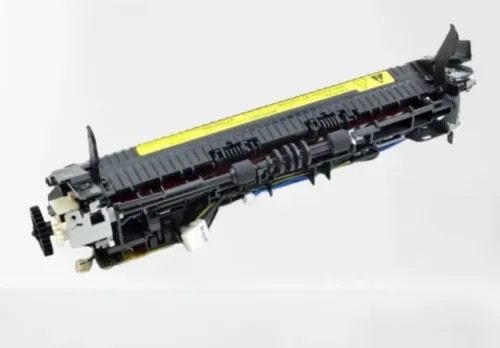
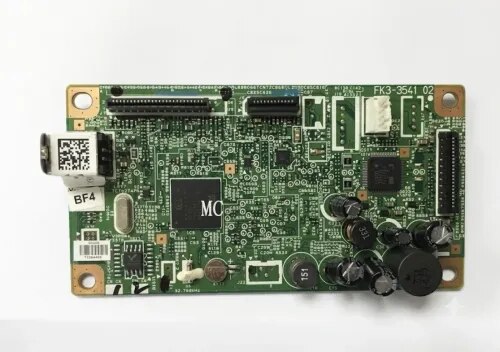
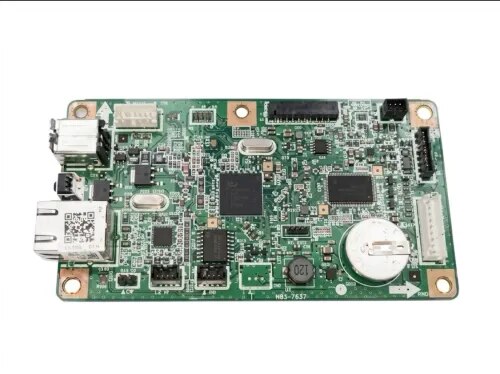
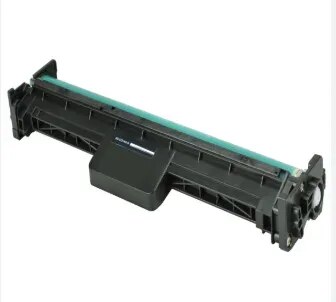
{ "products": [ { "_id": "6a9922996474072a2ea76344", "fptag": "CIRCUITSYSTEMS", "merchantname": null, "customwidgets": null, "externalsourceid": null, "name": "Fuser Assembly for HP LaserJet 1020 / 1018 / 1010 / M1005 MFP / Canon LBP 2900 Compatible Imported", "description": "Compatible Fuser Assembly for HP LaserJet 1020 / 1018 / 1010 / M1005 MFP / Canon LBP 2900 — Imported\n\nGet your printer back to life with the PRM Compatible Fuser Assembly. This imported fuser unit is a direct replacement for the original fuser — restoring clean, jam-free printing when the original fuser wears out. One fuser fits all five printer models.\n\nLooking for an HP 1020 fuser unit, HP M1005 fuser assembly, or Canon LBP 2900 fuser? This is the correct fuser assembly for all of these printers.\n\nWhen Do You Need a New Fuser Assembly?\nThe fuser assembly is the part of your printer that uses heat and pressure to bond toner powder permanently onto the paper. It contains a heating element (fuser film) and a pressure roller that work together. Over time, these components wear out. Replace your fuser when you see:\n- Paper jamming inside the printer, especially at the rear exit\n- Wrinkled, crumpled, or curled pages coming out\n- Toner smudging or rubbing off the page — prints smear when you touch them\n- Ghosting — faint repeated images or text appearing down the page\n- Burning smell coming from the printer during printing\n- “Fuser error” or “50.x error” message on the computer\n- Slow printing — printer pauses between pages to let the fuser cool down\n- Wavy or distorted prints, especially on the edges\n\nIf you've already replaced the toner cartridge (HP 12A for HP printers / Canon 303 for Canon LBP 2900) and prints still smudge, jam, or come out wrinkled — the fuser assembly is almost certainly the cause. Toner issues affect print darkness; fuser issues affect how the toner sticks to the paper.\n\n1. One Fuser Fits Five Printers: This fuser assembly is compatible across the HP LaserJet 1020, 1020 Plus, 1018, 1010, M1005 MFP, and Canon LBP 2900 / 2900B. Same fuser unit, same installation — works in all of them.\n\n2. Fixes Paper Jams at the Source: Most recurring paper jams in these printers are caused by a worn fuser film or a hardened pressure roller. A new fuser assembly eliminates the jam point completely — no more pulling crumpled paper out of the back of the printer.\n\n3. Stops Toner Smudging: If your prints look fine but the toner rubs off when you touch the page, the fuser isn't reaching the correct temperature to bond toner to paper. A new fuser restores proper heat and pressure, giving you smudge-proof prints.\n\n4. Eliminates Ghosting: Ghost images happen when the fuser film retains toner residue from previous prints. A fresh fuser film eliminates this problem immediately.\n\n5. Compatible Imported Quality: China-manufactured compatible fuser delivering reliable performance at a fraction of the original fuser cost. Ideal for extending the life of your printer affordably — especially when the printer itself costs less than an original fuser.\n\n6. Easy Installation: Slide out the old fuser from the rear of the printer, slide in the new one, and reconnect the power cable. 10-15 minutes for any printer technician. No special tools needed.\n\n7. Tested Before Shipping: Every PRM fuser assembly is heat-tested before dispatch to ensure the heating element and pressure roller are working. Backed by our testing warranty.\n\nCompatible Printers:\nHP: LaserJet 1010, LaserJet 1018, LaserJet 1020, LaserJet 1020 Plus, LaserJet M1005 MFP\nCanon: LBP 2900, LBP 2900B\n\nAlso known as: HP 1020 Fuser Assembly, HP M1005 Fuser Unit, Canon LBP 2900 Fuser Assembly, HP 1018 Fuser Assembly, HP 1010 Fuser Unit, HP 1020 Fixing Assembly, HP M1005 Fixing Assembly, Canon 2900 Fuser Kit, RM1-2096\n", "price": 2050.0, "discountamount": 451.0, "currencycode": "INR", "priority": 1000000, "isfreeshipmentavailable": false, "shipmentduration": 1, "_keywords": null, "isarchived": false, "isavailable": true, "applicationid": null, "productindex": 46, "imageuri": "https://productimages.withfloats.com/actual/6a99229ef60c6c47ca588461.png", "tileimageuri": "https://productimages.withfloats.com/tile/6a99229ef60c6c47ca588461.png", "images": null, "totalqueries": 0, "gpid": null, "groupproductid": null, "createdon": "2026-09-03T07:32:41.346Z", "updatedon": "2026-09-03T07:32:41.346Z", "buyonlinelink": null, "producturl": "https://WWW.CIRCUITSYSTEMS.CO.IN/products/fuser-assembly-for-hp-laserjet-1020-1018-1010-m1005-mfp-canon-lbp-2900-compatible-imported/46", "availableunits": -1.0, "iscodavailable": false, "isprepaidonlineavailable": false, "maxcodorders": 0, "maxprepaidonlineorders": 0, "uniquepaymenturl": null, "brandname": "", "category": "Fusers", "tags": [], "variants": false, "keyspecification": null, "otherspecifications": null, "pickupaddressreferenceid": null, "paymenttype": "None", "producttype": "products", "hsncode": null, "gstslab": 0.0, "isnotforsale": false }, { "_id": "6a96c3a48c60f7d4b5efe8b7", "fptag": "CIRCUITSYSTEMS", "merchantname": null, "customwidgets": null, "externalsourceid": null, "name": "Formatter Board / Logic Card for Canon LBP6030W / LBP6030 / LBP6018 Imported", "description": "Original Formatter Board / Logic Card for Canon LBP6030W / LBP6030 / LBP6018 — Imported\n\nGet your Canon LBP6030W back to life with the PRM Compatible Formatter Board. This imported logic card is a direct replacement for the original Canon formatter — restoring full printer functionality including WiFi connectivity when the original board fails.\n\nLooking for a Canon LBP6030W logic card or Canon 6030 formatter board? This is the correct formatter board for Canon LBP6030W, LBP6030, LBP6030B, LBP6018, and LBP6018B printers.\n\nWhen Do You Need a New Formatter Board?\nThe formatter board is your printer's brain — it processes print data, manages USB and WiFi communication, and controls all printer operations. Replace it when you see:\n- Printer not detected by computer (USB not recognised)\n- WiFi not working — printer disappears from wireless network (LBP6030W)\n- Orange/red error light blinking continuously\n- Printer turns on but won't print\n- Paper feeds but pages come out blank\n- Printer freezes or hangs during printing\n- Cannot connect to printer wirelessly even after WiFi reset\n\nIf you've replaced the toner cartridge (Canon 925), tried a new USB cable, and reinstalled drivers with no improvement — the formatter board is the most likely culprit. On the WiFi model (6030W), wireless connectivity issues that survive a factory reset almost always point to a failed formatter.\n\n1. Restores Both USB and WiFi: On the LBP6030W, the formatter board controls both wired USB and wireless WiFi connectivity. A new board restores both connection methods — getting your wireless printing back without buying a new printer.\n\n2. Fits Multiple Canon Models: One board works across Canon LBP6030W, LBP6030, LBP6030B, LBP6018, and LBP6018B. Whether you have the wireless or non-wireless version, this is the right board.\n\n3. Compatible Imported Quality: China-manufactured compatible board delivering reliable performance at a fraction of the original Canon board cost. Ideal for extending the life of your Canon printer affordably.\n\n4. Popular Budget Canon Printer: The Canon LBP6030W is one of the most popular wireless laser printers in India — compact, affordable, and widely used in homes, small offices, and shops. A formatter board replacement is far cheaper than a new printer.\n\n5. Easy Installation: Remove the side panel, unplug cable connectors from the old board, swap in the new board, reconnect, and close. 10-15 minutes for any printer technician. No special tools needed.\n\nCompatible Printers:\nCanon: LBP6030W, LBP6030, LBP6030B, LBP6018, LBP6018B\n\nAlso known as: Canon LBP6030W Formatter Board, Canon 6030W Logic Card, Canon LBP6030 Main Board, Canon 6030 Motherboard, Canon LBP6018 Formatter, Canon 6030W WiFi Board", "price": 2900.0, "discountamount": 0.0, "currencycode": "INR", "priority": 1000000, "isfreeshipmentavailable": false, "shipmentduration": 0, "_keywords": null, "isarchived": false, "isavailable": true, "applicationid": null, "productindex": 35, "imageuri": "https://productimages.withfloats.com/actual/6a96c3a6b633f9f578dfd84b.jpg", "tileimageuri": "https://productimages.withfloats.com/tile/6a96c3a6b633f9f578dfd84b.jpg", "images": null, "totalqueries": 0, "gpid": null, "groupproductid": null, "createdon": "2026-09-01T12:23:00.491Z", "updatedon": "2026-09-01T12:23:00.491Z", "buyonlinelink": null, "producturl": "https://WWW.CIRCUITSYSTEMS.CO.IN//formatter-board-logic-card-for-canon-lbp6030w-lbp6030-lbp6018-imported/35", "availableunits": -1.0, "iscodavailable": true, "isprepaidonlineavailable": true, "maxcodorders": 0, "maxprepaidonlineorders": 0, "uniquepaymenturl": null, "brandname": "", "category": "Formatters ", "tags": [ "Formatter Board / Logic Card for Canon LBP6030W / LBP6030 / LBP6018 Imported" ], "variants": false, "keyspecification": null, "otherspecifications": null, "pickupaddressreferenceid": "", "paymenttype": "AssuredPurchase", "producttype": "products", "hsncode": null, "gstslab": 0.0, "isnotforsale": false }, { "_id": "6a96c2d8da3c49010b9ab090", "fptag": "CIRCUITSYSTEMS", "merchantname": null, "customwidgets": null, "externalsourceid": null, "name": "Formatter Board / Logic Card for Canon LBP6030 / LBP6030B / LBP6018 / LBP6018B Imported", "description": "Original Formatter Board / Logic Card for Canon LBP6030 / LBP6030B / LBP6018 / LBP6018B — Imported\n\nGet your Canon LBP6030 back to life with the PRM Formatter Board. This imported logic card is a direct replacement for the original Canon formatter — restoring full printer functionality when the original board fails.\n\nLooking for a Canon LBP6030B logic card or Canon 6030 formatter board? This is the correct formatter board for the non-WiFi Canon LBP6030, LBP6030B, LBP6018, and LBP6018B printers. For the WiFi model (LBP6030W), please see our separate LBP6030W formatter board listing.\n\nWhen Do You Need a New Formatter Board?\nThe formatter board is your printer's brain — it processes print data from the computer, manages USB communication, and controls all printer operations. Replace it when you see:\n- Printer not detected by computer (USB not recognised)\n- Orange/red error light blinking continuously\n- Printer turns on but won't print\n- Paper feeds but pages come out blank\n- Printer freezes or hangs during printing\n- \"Cannot communicate with printer\" error on computer\n\nIf you've already replaced the toner cartridge (Canon 925), tried a new USB cable, and reinstalled drivers with no improvement — the formatter board is the most likely culprit.\n\nImportant — 6030 vs 6030W:\nThe LBP6030/6030B (non-WiFi) and LBP6030W (WiFi) use DIFFERENT formatter boards. This listing is for the non-WiFi models only. The WiFi model has an additional wireless module on the board. Please check your printer model carefully before ordering.\n\n1. Fits Multiple Non-WiFi Canon Models: One board works across Canon LBP6030, LBP6030B, LBP6018, and LBP6018B — the USB-only versions of Canon's popular compact laser printer series.\n\n2. India's Most Popular Budget Canon Printer: The Canon LBP6030B is one of the bestselling laser printers in India — compact, affordable, and found everywhere. Millions are installed. A formatter board replacement gives them years of additional life at a fraction of the cost of a new printer.\n\n3. Compatible Imported Quality: China-manufactured compatible board delivering reliable performance at a fraction of the original Canon board cost. Ideal for keeping your LBP6030 running affordably.\n\n4. Easy Installation: Remove the side panel, unplug cable connectors from the old board, swap in the new board, reconnect, and close. 10-15 minutes for any printer technician. No special tools needed.\n\n5. Tested Before Shipping: Every PRM formatter board is power-tested before dispatch to ensure it's working. Backed by our testing warranty.\n\nCompatible Printers:\nCanon: LBP6030, LBP6030B, LBP6018, LBP6018B\n\nAlso known as: Canon LBP6030 Formatter Board, Canon LBP6030B Logic Card, Canon 6030 Main Board, Canon 6030B Motherboard, Canon LBP6018 Formatter, Canon LBP6018B Logic Card", "price": 2950.0, "discountamount": 0.0, "currencycode": "INR", "priority": 1000000, "isfreeshipmentavailable": false, "shipmentduration": 0, "_keywords": null, "isarchived": false, "isavailable": true, "applicationid": null, "productindex": 34, "imageuri": "https://productimages.withfloats.com/actual/6a96c2da262d265afe8f2688.jpg", "tileimageuri": "https://productimages.withfloats.com/tile/6a96c2da262d265afe8f2688.jpg", "images": null, "totalqueries": 0, "gpid": null, "groupproductid": null, "createdon": "2026-09-01T12:19:36.566Z", "updatedon": "2026-09-01T12:19:36.566Z", "buyonlinelink": null, "producturl": "https://WWW.CIRCUITSYSTEMS.CO.IN//formatter-board-logic-card-for-canon-lbp6030-lbp6030b-lbp6018-lbp6018b-imported/34", "availableunits": -1.0, "iscodavailable": true, "isprepaidonlineavailable": true, "maxcodorders": 0, "maxprepaidonlineorders": 0, "uniquepaymenturl": null, "brandname": "", "category": "Formatters ", "tags": [ "Formatter Board / Logic Card for Canon LBP6030 / LBP6030B / LBP6018 / LBP6018B Imported" ], "variants": false, "keyspecification": null, "otherspecifications": null, "pickupaddressreferenceid": "", "paymenttype": "AssuredPurchase", "producttype": "products", "hsncode": null, "gstslab": 0.0, "isnotforsale": false }, { "_id": "6a96c193e44bca7a9ef0b9e2", "fptag": "CIRCUITSYSTEMS", "merchantname": null, "customwidgets": null, "externalsourceid": null, "name": "Formatter Board / Logic Card for Canon LBP4820d / LBP6780x / LBP6750dn Imported", "description": "Original Formatter Board / Logic Card for Canon LBP4820d / LBP6780x / LBP6750dn — Imported\n\nGet your Canon LBP4820d back to life with the PRM Compatible Formatter Board. This imported logic card is a direct replacement for the original Canon formatter — restoring full printer functionality including network and duplex printing when the original board fails.\n\nLooking for a Canon LBP4820d logic card or Canon LBP6780x formatter board? This is the correct formatter board for Canon LBP4820d, LBP6780x, and LBP6750dn printers.\n\nWhen Do You Need a New Formatter Board?\nThe formatter board is your printer's brain — it processes print data, manages USB and Ethernet/LAN communication, and controls duplex (2-sided) printing. Replace it when you see:\n- Printer not detected by computer (USB not recognised)\n- Network/LAN connection fails — printer disappears from the network\n- Duplex (2-sided) printing stops working\n- Error light blinking continuously\n- Printer turns on but won't print\n- Paper feeds but pages come out blank\n- Printer freezes or hangs mid-job\n- Print jobs stuck in queue, never completing\n\nIf you've replaced the toner cartridge, tried new cables, and reinstalled drivers with no improvement — the formatter board is the most likely culprit. When network and duplex functions fail simultaneously on a printer that still powers on, it's almost always the formatter.\n\n1. Restores USB, Network, and Duplex: The LBP4820d/6780x formatter controls wired USB, Ethernet LAN connectivity, and duplex printing. A new board restores all functions in one repair.\n\n2. High-Value Printer Worth Repairing: The Canon LBP4820d and LBP6780x are fast departmental printers — 40+ ppm, network-ready, duplex, high-capacity trays. A new formatter board costs a fraction of replacing the printer and restores it to full functionality.\n\n3. Compatible Imported Quality: China-manufactured compatible board delivering reliable performance at a fraction of the original Canon board cost. All connections and features — USB, Ethernet, duplex — work as expected.\n\n4. Easy Installation: Remove the side/rear panel, unplug cable connectors from the old board, swap in the new board, reconnect, and close. 15-20 minutes for any printer technician. No special tools or firmware updates needed.\n\n5. Tested Before Shipping: Every PRM formatter board is power-tested before dispatch to ensure it's working. Backed by our testing warranty.\n\nCompatible Printers:\nCanon: LBP4820d, LBP6780x, LBP6750dn\n\nAlso known as: Canon LBP4820d Formatter Board, Canon LBP6780x Logic Card, Canon LBP6750dn Main Board, Canon 4820d Motherboard, Canon 6780x Formatter, Canon 6750dn Network Board", "price": 2000.0, "discountamount": 0.0, "currencycode": "INR", "priority": 1000000, "isfreeshipmentavailable": false, "shipmentduration": 0, "_keywords": null, "isarchived": false, "isavailable": true, "applicationid": null, "productindex": 33, "imageuri": "https://productimages.withfloats.com/actual/6a96c196155eb2dff49f9a62.jpg", "tileimageuri": "https://productimages.withfloats.com/tile/6a96c196155eb2dff49f9a62.jpg", "images": null, "totalqueries": 0, "gpid": null, "groupproductid": null, "createdon": "2026-09-01T12:14:11.189Z", "updatedon": "2026-09-01T12:14:11.189Z", "buyonlinelink": null, "producturl": "https://WWW.CIRCUITSYSTEMS.CO.IN//formatter-board-logic-card-for-canon-lbp4820d-lbp6780x-lbp6750dn-imported/33", "availableunits": -1.0, "iscodavailable": true, "isprepaidonlineavailable": true, "maxcodorders": 0, "maxprepaidonlineorders": 0, "uniquepaymenturl": null, "brandname": "", "category": "Formatters ", "tags": [ "Formatter Board / Logic Card for Canon LBP4820d / LBP6780x / LBP6750dn Imported" ], "variants": false, "keyspecification": null, "otherspecifications": null, "pickupaddressreferenceid": "", "paymenttype": "AssuredPurchase", "producttype": "products", "hsncode": null, "gstslab": 0.0, "isnotforsale": false }, { "_id": "6a96c0e5dc0639a6f230ee7f", "fptag": "CIRCUITSYSTEMS", "merchantname": null, "customwidgets": null, "externalsourceid": null, "name": "Formatter Board / Logic Card for Canon LBP151dw", "description": "Original Formatter Board / Logic Card for Canon LBP151dw — Imported\n\nGet your Canon LBP151dw back to life with the PRM Compatible Formatter Board. This imported logic card is a direct replacement for the original Canon formatter — restoring full printer functionality including WiFi, network, and duplex printing when the original board fails.\n\nLooking for a Canon LBP151dw logic card or Canon 151dw formatter board? This is the correct formatter board for the Canon LBP151dw printer.\n\nWhen Do You Need a New Formatter Board?\nThe formatter board is your printer's brain — it processes print data, manages USB, WiFi, and Ethernet communication, and controls duplex (2-sided) printing. Replace it when you see:\n- Printer not detected by computer (USB not recognised)\n- WiFi not working — printer disappears from wireless network\n- Ethernet/LAN connection fails\n- Duplex (2-sided) printing stops working\n- Orange/red error light blinking continuously\n- Printer turns on but won't print\n- Paper feeds but pages come out blank\n- Printer freezes or hangs mid-job\n\nIf you've replaced the toner cartridge (Canon 337), tried a new USB cable, and reinstalled drivers with no improvement — the formatter board is the most likely culprit. On a feature-rich printer like the LBP151dw, when WiFi, network, or duplex functions fail while the printer still powers on, it's almost always the formatter.\n\n1. Restores All Connectivity — USB, WiFi, and Network: The LBP151dw formatter controls wired USB, wireless WiFi, and Ethernet LAN connectivity plus duplex printing. A new board restores everything in one repair.\n\n2. Save Your Printer Investment: The LBP151dw is a higher-end Canon printer with WiFi, duplex, and network features. Replacing the formatter board is far cheaper than buying a new printer with the same capabilities.\n\n3. Compatible Imported Quality: China-manufactured compatible board delivering reliable performance at a fraction of the original Canon board cost. All connections and features work as expected.\n\n4. Easy Installation: Remove the side panel, unplug cable connectors from the old board, swap in the new board, reconnect, and close. 10-15 minutes for any printer technician. No special tools or firmware updates needed.\n\n5. Tested Before Shipping: Every PRM formatter board is power-tested before dispatch to ensure it's working. Backed by our testing warranty.\n\nCompatible Printers:\nCanon: LBP151dw\n\nAlso known as: Canon LBP151dw Formatter Board, Canon 151dw Logic Card, Canon LBP151dw Main Board, Canon 151dw Motherboard, Canon LBP151dw WiFi Board, Canon LBP151dw Network Card", "price": 4000.0, "discountamount": 0.0, "currencycode": "INR", "priority": 1000000, "isfreeshipmentavailable": false, "shipmentduration": 0, "_keywords": null, "isarchived": false, "isavailable": true, "applicationid": null, "productindex": 32, "imageuri": "https://productimages.withfloats.com/actual/6a96c0e78f055833ab7847e9.jpg", "tileimageuri": "https://productimages.withfloats.com/tile/6a96c0e78f055833ab7847e9.jpg", "images": null, "totalqueries": 0, "gpid": null, "groupproductid": null, "createdon": "2026-09-01T12:11:17.289Z", "updatedon": "2026-09-01T12:11:17.289Z", "buyonlinelink": null, "producturl": "https://WWW.CIRCUITSYSTEMS.CO.IN//formatter-board-logic-card-for-canon-lbp151dw/32", "availableunits": -1.0, "iscodavailable": true, "isprepaidonlineavailable": true, "maxcodorders": 0, "maxprepaidonlineorders": 0, "uniquepaymenturl": null, "brandname": "", "category": "Formatters ", "tags": [ "Formatter Board / Logic Card for Canon LBP151dw" ], "variants": false, "keyspecification": null, "otherspecifications": null, "pickupaddressreferenceid": "", "paymenttype": "AssuredPurchase", "producttype": "products", "hsncode": null, "gstslab": 0.0, "isnotforsale": false }, { "_id": "6a7d7915ea01ba1726a89f98", "fptag": "CIRCUITSYSTEMS", "merchantname": null, "customwidgets": null, "externalsourceid": null, "name": "HP 19A (CF219A) Compatible Imaging Drum for LaserJet Pro M102, M104, MFP M130, M132", "description": "Compatible Imaging Drum Unit for HP 19A (CF219A) — Yield: 12,000 Pages\n\nGet long-lasting print quality at half the cost with the PRM Compatible Imaging Drum Unit for HP 19A. This drum delivers up to 12,000 pages at 5% coverage — designed for HP's popular LaserJet Pro M102, M104, MFP M130, and MFP M132 series printers.\n\nLooking for an HP M130fw drum unit or HP M132nw imaging drum replacement? The HP 19A (CF219A) is the correct imaging drum for all HP LaserJet Pro M102, M104, MFP M130, and MFP M132 series printers listed below.\n\nImaging Drum vs Toner Cartridge — What's the Difference?\nYour HP M102/M104/M130/M132 printer uses two separate consumables: a toner cartridge (HP 17A or HP 18A) that holds the toner powder, and an imaging drum (HP 19A) that transfers the image onto paper. The drum lasts far longer than the toner — up to 12,000 pages vs 1,400–1,600 pages for the toner. You only need to replace the drum when you see faded prints, grey backgrounds, streaks, or spots that don't go away after replacing the toner cartridge.\n\n1. High 12,000-Page Yield: One drum unit outlasts 7–8 toner cartridges. Minimal maintenance, maximum uptime for your office.\n\n2. Restore Print Quality: Faded prints? Grey backgrounds? Vertical streaks? Black spots? If replacing the HP 17A or 18A toner cartridge doesn't fix it — the drum unit is the answer. A fresh drum restores your printer to like-new output.\n\n3. 50% Cost Savings: The original HP 19A drum costs significantly more. The PRM compatible delivers the same 12000-page drum life at nearly 50% less cost, without any risk to your printer.\n\n4. Easy Installation: Open the front cover, pull out the old drum unit with the toner cartridge attached, remove the toner from the old drum, snap it into the new drum, insert back into the printer, and close.\n\n5 minutes for anyone. No tools needed. 5. Tested Before Shipping: Every PRM drum unit is tested for surface quality and electrical charge before dispatch. \n\nCompatible Printers: HP: LaserJet Pro M104a, M104w, MFP M130a, M130fn, M130fw, M130nw, MFP M132a, M132fn, M132fw, M132nw, M132snw\n\nAlso known as: HP 19A Drum Unit, HP CF219A Drum, HP M104a Drum, HP M132 Drum Unit, HP 19A Imaging Drum, HP M104 Drum Cartridge, HP M130 Drum Unit, CF219A Imaging Drum", "price": 900.0, "discountamount": 525.0, "currencycode": "INR", "priority": 1000000, "isfreeshipmentavailable": false, "shipmentduration": 1, "_keywords": null, "isarchived": false, "isavailable": true, "applicationid": null, "productindex": 25, "imageuri": "https://productimages.withfloats.com/actual/6a7d79173e54acb41622bc21.png", "tileimageuri": "https://productimages.withfloats.com/tile/6a7d79173e54acb41622bc21.png", "images": null, "totalqueries": 0, "gpid": null, "groupproductid": null, "createdon": "2026-08-13T07:58:13.206Z", "updatedon": "2026-08-13T07:58:13.206Z", "buyonlinelink": null, "producturl": "https://WWW.CIRCUITSYSTEMS.CO.IN//hp-19a-cf219a-compatible-imaging-drum-for-laserjet-pro-m102-m104-mfp-m130-m132/25", "availableunits": -1.0, "iscodavailable": false, "isprepaidonlineavailable": false, "maxcodorders": 0, "maxprepaidonlineorders": 0, "uniquepaymenturl": null, "brandname": "", "category": "Toner Cartridges", "tags": [], "variants": false, "keyspecification": null, "otherspecifications": null, "pickupaddressreferenceid": null, "paymenttype": "None", "producttype": "products", "hsncode": null, "gstslab": 0.0, "isnotforsale": false }, { "_id": "6a7d788a0d6b66ab56551def", "fptag": "CIRCUITSYSTEMS", "merchantname": null, "customwidgets": null, "externalsourceid": null, "name": "HP 152X (W1520X) Compatible Toner Cartridge for LaserJet Pro 4004, MFP 4104", "description": "Compatible Toner Cartridge for HP 152X (W1520X) — Yield: 9,700 Pages\n\nGet high-volume, professional printing at half the cost with the PRM Compatible Toner Cartridge for HP 152X. This high-yield cartridge delivers up to 9,700 pages at 5% coverage — designed for HP's newest LaserJet Pro 4004 and MFP 4104 series, the replacement for the popular M400 series.\n\nLooking for an HP LaserJet Pro 4004dw toner cartridge or HP MFP 4104fdw toner? The HP 152X (W1520X) is the correct high-yield toner for all HP LaserJet Pro 4004 and MFP 4104 series printers listed below.\n\n1. Massive 9,700-Page Yield: More than 3x the standard HP 152A (3,050 pages). Built for busy offices, workgroups, and businesses that print hundreds of pages daily. Fewer cartridge changes, less downtime.\n\n2. HP's Newest Pro Series: The LaserJet Pro 4004/4104 is HP's latest professional monochrome printer line (2023+), replacing the M400 series. Fast print speeds up to 42 ppm with duplex printing and wireless connectivity.\n\n3. 50% Cost Savings: Original HP 152X cartridges are expensive — PRM compatible cartridges deliver the same 9,700-page yield at a fraction of the price. Significant savings for high-volume offices.\n\n4. Professional Print Quality: Fine-grain toner powder delivers sharp, dark text and clean graphics on every page — matching original HP output quality from the first page to the last.\n\n5. All-in-One Cartridge: The HP 152X includes both the toner and imaging drum in a single unit. When you replace the cartridge, you get a fresh drum every time — ensuring consistently sharp prints with no extra parts to buy.\n\nCompatible Printers:\nHP: LaserJet Pro 4004d, 4004dn, 4004dw, MFP 4104dw, MFP 4104fdn, MFP 4104fdw\n\nAlso known as: HP 152X, W1520X, HP 152A (W1520A – standard yield variant), HP 4004 Toner, HP 4104 Toner\n\n", "price": 2250.0, "discountamount": 1300.0, "currencycode": "INR", "priority": 1000000, "isfreeshipmentavailable": false, "shipmentduration": 1, "_keywords": null, "isarchived": false, "isavailable": true, "applicationid": null, "productindex": 24, "imageuri": "https://productimages.withfloats.com/actual/6a7d78c6cd1643d76a0e179a.png", "tileimageuri": "https://productimages.withfloats.com/tile/6a7d78c6cd1643d76a0e179a.png", "images": null, "totalqueries": 0, "gpid": null, "groupproductid": null, "createdon": "2026-08-13T07:55:54.608Z", "updatedon": "2026-08-13T07:55:54.608Z", "buyonlinelink": null, "producturl": "https://WWW.CIRCUITSYSTEMS.CO.IN//hp-152x-w1520x-compatible-toner-cartridge-for-laserjet-pro-4004-mfp-4104/24", "availableunits": -1.0, "iscodavailable": false, "isprepaidonlineavailable": false, "maxcodorders": 0, "maxprepaidonlineorders": 0, "uniquepaymenturl": null, "brandname": "", "category": "Toner Cartridges", "tags": [], "variants": false, "keyspecification": null, "otherspecifications": null, "pickupaddressreferenceid": null, "paymenttype": "None", "producttype": "products", "hsncode": null, "gstslab": 0.0, "isnotforsale": false }, { "_id": "6a7d7812f622dd5b734f76f7", "fptag": "CIRCUITSYSTEMS", "merchantname": null, "customwidgets": null, "externalsourceid": null, "name": "Brother DR-2365 Compatible Drum Unit for HL-L2321D, DCP-L2520D, MFC-L2701D", "description": "Compatible Drum Unit for Brother DR-2365 — Yield: 12,000 Pages\n\nFaded prints? Streaks or spots on your pages? It's time to replace the drum, not the toner. The PRM Compatible Drum Unit for Brother DR-2365 delivers up to 12,000 pages and restores your Brother laser printer to crisp, clean output.\n\nLooking for a Brother HL-L2321D drum unit or Brother DCP-L2520D drum unit? The DR-2365 is the correct drum for all Brother HL, DCP, and MFC series printers listed below.\n\nImportant: The drum unit and toner cartridge (TN-2365) are separate parts in your Brother printer. If your prints are faded or streaky but the toner is full, you likely need a new drum unit. If prints are light and the toner is low, you need a new toner cartridge (TN-2365).\n\n1. High Drum Yield: 12,000 pages per drum unit — lasts through multiple toner cartridge replacements, keeping your running costs low.\n\n2. Restores Print Quality: A worn drum causes faded prints, black spots, streaks, and ghosting. Replacing the drum with a new PRM DR-2365 restores sharp, clean output instantly.\n\n3. Same Quality, Half the Price: PRM compatible drum units are factory-tested and 100% safe for your Brother laser printer. Save up to 50% compared to the original Brother drum.\n\n4. Easy Installation: Open the front cover, remove the old drum + toner assembly, separate the toner from the drum, insert the toner into the new drum, and slide it back in. Takes under 2 minutes.\n\nCompatible Printers:\nBrother: HL-L2321D, HL-L2361DN, HL-L2366DW, DCP-L2520D, DCP-L2541DW, MFC-L2701D, MFC-L2701DW\n\nAlso known as: Brother DR-2365, DR2365, Brother Drum 2365\n\nWorks with toner: Brother TN-2365 (sold separately)", "price": 850.0, "discountamount": 400.0, "currencycode": "INR", "priority": 1000000, "isfreeshipmentavailable": false, "shipmentduration": 1, "_keywords": null, "isarchived": false, "isavailable": true, "applicationid": null, "productindex": 23, "imageuri": "https://productimages.withfloats.com/actual/6a7d7814a451b1bb9316bbac.png", "tileimageuri": "https://productimages.withfloats.com/tile/6a7d7814a451b1bb9316bbac.png", "images": null, "totalqueries": 0, "gpid": null, "groupproductid": null, "createdon": "2026-08-13T07:53:54.733Z", "updatedon": "2026-08-13T07:53:54.733Z", "buyonlinelink": null, "producturl": "https://WWW.CIRCUITSYSTEMS.CO.IN//brother-dr-2365-compatible-drum-unit-for-hl-l2321d-dcp-l2520d-mfc-l2701d/23", "availableunits": -1.0, "iscodavailable": false, "isprepaidonlineavailable": false, "maxcodorders": 0, "maxprepaidonlineorders": 0, "uniquepaymenturl": null, "brandname": "", "category": "Toner Cartridges", "tags": [], "variants": false, "keyspecification": null, "otherspecifications": null, "pickupaddressreferenceid": null, "paymenttype": "None", "producttype": "products", "hsncode": null, "gstslab": 0.0, "isnotforsale": false }, { "_id": "6a7d7463536e8335557cac16", "fptag": "CIRCUITSYSTEMS", "merchantname": null, "customwidgets": null, "externalsourceid": null, "name": "HP 335A (W1335A) Compatible Toner Cartridge for LaserJet MFP M438, M440, M442, M443", "description": "Compatible Toner Cartridge for HP 335A (W1335A) — Yield: 7,400 Pages\n\nGet high-volume printing at half the cost with the PRM Compatible Toner Cartridge for HP 335A. Designed for HP's A3-capable LaserJet MFP M438/M440/M442/M443 series, this cartridge delivers up to 7,400 pages at 5% coverage — ideal for busy offices, print shops, and commercial environments.\n\nLooking for an HP M438dn toner cartridge or HP M442dn toner replacement? The HP 335A (W1335A) is the correct toner for all HP LaserJet MFP M438, M440, M442, and M443 series printers listed below.\n\n1. High Page Yield: 7,400 pages per cartridge — built for high-volume A3 printing environments where downtime costs money.\n\n2. Professional Print Quality: Fine-grain toner powder delivers sharp text, clean graphics, and consistent density across A3 and A4 pages — matching original HP output quality.\n\n3. 50% Cost Savings: PRM compatible cartridges deliver the same 7,400-page yield at a fraction of the original HP 335A price. For even higher volume, ask about our HP 335X (W1335X) compatible with 13,700-page yield.\n\n4. Built for A3 Copier-Class Machines: These HP LaserJet MFPs are workgroup copiers handling heavy daily volumes. Our cartridge is engineered to perform reliably under continuous high-duty cycles.\n\n5. Separate Imaging Drum: This printer uses a separate HP 57A (CF257A) imaging drum. The drum lasts much longer than the toner cartridge, so you only replace toner — keeping your per-page cost even lower.\n\nCompatible Printers:\nHP: LaserJet MFP M438n, M438dn, M438nda, M440dn, M440nda, M442dn, M443nda\n\nAlso known as: HP 335A, W1335A, HP 1335A, W1335X (high yield variant), HP 335X\n\n", "price": 1500.0, "discountamount": 925.0, "currencycode": "INR", "priority": 1000000, "isfreeshipmentavailable": false, "shipmentduration": 1, "_keywords": null, "isarchived": false, "isavailable": true, "applicationid": null, "productindex": 22, "imageuri": "https://productimages.withfloats.com/actual/6a7d7465247c69b2bac4c7e6.png", "tileimageuri": "https://productimages.withfloats.com/tile/6a7d7465247c69b2bac4c7e6.png", "images": null, "totalqueries": 0, "gpid": null, "groupproductid": null, "createdon": "2026-08-13T07:38:11.437Z", "updatedon": "2026-08-13T07:38:11.437Z", "buyonlinelink": null, "producturl": "https://WWW.CIRCUITSYSTEMS.CO.IN//hp-335a-w1335a-compatible-toner-cartridge-for-laserjet-mfp-m438-m440-m442-m443/22", "availableunits": -1.0, "iscodavailable": false, "isprepaidonlineavailable": false, "maxcodorders": 0, "maxprepaidonlineorders": 0, "uniquepaymenturl": null, "brandname": "", "category": "Toner Cartridges", "tags": [], "variants": false, "keyspecification": null, "otherspecifications": null, "pickupaddressreferenceid": null, "paymenttype": "None", "producttype": "products", "hsncode": null, "gstslab": 0.0, "isnotforsale": false } ], "hasmoreitems": false, "isapirequest": false, "totalresults": 27, "query": null, "floatingpoint": null }

Still searching for
compatible replacement toner cartridge?

Still searching for
compatible replacement toner cartridge?

Chat with us