Currently it only shows your basic business info. Start adding relevant business details such as description, images and products or services to gain your customers attention by using Boost 360
android app
/
iOS App/ web portal.
{
"products": [
{
"_id": "6a96c3a48c60f7d4b5efe8b7",
"fptag": "CIRCUITSYSTEMS",
"merchantname": null,
"customwidgets": null,
"externalsourceid": null,
"name": "Formatter Board / Logic Card for Canon LBP6030W / LBP6030 / LBP6018 Imported",
"description": "Original Formatter Board / Logic Card for Canon LBP6030W / LBP6030 / LBP6018 — Imported\n\nGet your Canon LBP6030W back to life with the PRM Compatible Formatter Board. This imported logic card is a direct replacement for the original Canon formatter — restoring full printer functionality including WiFi connectivity when the original board fails.\n\nLooking for a Canon LBP6030W logic card or Canon 6030 formatter board? This is the correct formatter board for Canon LBP6030W, LBP6030, LBP6030B, LBP6018, and LBP6018B printers.\n\nWhen Do You Need a New Formatter Board?\nThe formatter board is your printer's brain — it processes print data, manages USB and WiFi communication, and controls all printer operations. Replace it when you see:\n- Printer not detected by computer (USB not recognised)\n- WiFi not working — printer disappears from wireless network (LBP6030W)\n- Orange/red error light blinking continuously\n- Printer turns on but won't print\n- Paper feeds but pages come out blank\n- Printer freezes or hangs during printing\n- Cannot connect to printer wirelessly even after WiFi reset\n\nIf you've replaced the toner cartridge (Canon 925), tried a new USB cable, and reinstalled drivers with no improvement — the formatter board is the most likely culprit. On the WiFi model (6030W), wireless connectivity issues that survive a factory reset almost always point to a failed formatter.\n\n1. Restores Both USB and WiFi: On the LBP6030W, the formatter board controls both wired USB and wireless WiFi connectivity. A new board restores both connection methods — getting your wireless printing back without buying a new printer.\n\n2. Fits Multiple Canon Models: One board works across Canon LBP6030W, LBP6030, LBP6030B, LBP6018, and LBP6018B. Whether you have the wireless or non-wireless version, this is the right board.\n\n3. Compatible Imported Quality: China-manufactured compatible board delivering reliable performance at a fraction of the original Canon board cost. Ideal for extending the life of your Canon printer affordably.\n\n4. Popular Budget Canon Printer: The Canon LBP6030W is one of the most popular wireless laser printers in India — compact, affordable, and widely used in homes, small offices, and shops. A formatter board replacement is far cheaper than a new printer.\n\n5. Easy Installation: Remove the side panel, unplug cable connectors from the old board, swap in the new board, reconnect, and close. 10-15 minutes for any printer technician. No special tools needed.\n\nCompatible Printers:\nCanon: LBP6030W, LBP6030, LBP6030B, LBP6018, LBP6018B\n\nAlso known as: Canon LBP6030W Formatter Board, Canon 6030W Logic Card, Canon LBP6030 Main Board, Canon 6030 Motherboard, Canon LBP6018 Formatter, Canon 6030W WiFi Board",
"price": 2900.0,
"discountamount": 0.0,
"currencycode": "INR",
"priority": 1000000,
"isfreeshipmentavailable": false,
"shipmentduration": 0,
"_keywords": null,
"isarchived": false,
"isavailable": true,
"applicationid": null,
"productindex": 35,
"imageuri": "https://productimages.withfloats.com/actual/6a96c3a6b633f9f578dfd84b.jpg",
"tileimageuri": "https://productimages.withfloats.com/tile/6a96c3a6b633f9f578dfd84b.jpg",
"images": null,
"totalqueries": 0,
"gpid": null,
"groupproductid": null,
"createdon": "2026-09-01T12:23:00.491Z",
"updatedon": "2026-09-01T12:23:00.491Z",
"buyonlinelink": null,
"producturl": "https://WWW.CIRCUITSYSTEMS.CO.IN/products/formatter-board-logic-card-for-canon-lbp6030w-lbp6030-lbp6018-imported/35",
"availableunits": -1.0,
"iscodavailable": true,
"isprepaidonlineavailable": true,
"maxcodorders": 0,
"maxprepaidonlineorders": 0,
"uniquepaymenturl": null,
"brandname": "",
"category": "Formatters ",
"tags": [
"Formatter Board / Logic Card for Canon LBP6030W / LBP6030 / LBP6018 Imported"
],
"variants": false,
"keyspecification": null,
"otherspecifications": null,
"pickupaddressreferenceid": "",
"paymenttype": "AssuredPurchase",
"producttype": "products",
"hsncode": null,
"gstslab": 0.0,
"isnotforsale": false
},
{
"_id": "6a96c2d8da3c49010b9ab090",
"fptag": "CIRCUITSYSTEMS",
"merchantname": null,
"customwidgets": null,
"externalsourceid": null,
"name": "Formatter Board / Logic Card for Canon LBP6030 / LBP6030B / LBP6018 / LBP6018B Imported",
"description": "Original Formatter Board / Logic Card for Canon LBP6030 / LBP6030B / LBP6018 / LBP6018B — Imported\n\nGet your Canon LBP6030 back to life with the PRM Formatter Board. This imported logic card is a direct replacement for the original Canon formatter — restoring full printer functionality when the original board fails.\n\nLooking for a Canon LBP6030B logic card or Canon 6030 formatter board? This is the correct formatter board for the non-WiFi Canon LBP6030, LBP6030B, LBP6018, and LBP6018B printers. For the WiFi model (LBP6030W), please see our separate LBP6030W formatter board listing.\n\nWhen Do You Need a New Formatter Board?\nThe formatter board is your printer's brain — it processes print data from the computer, manages USB communication, and controls all printer operations. Replace it when you see:\n- Printer not detected by computer (USB not recognised)\n- Orange/red error light blinking continuously\n- Printer turns on but won't print\n- Paper feeds but pages come out blank\n- Printer freezes or hangs during printing\n- \"Cannot communicate with printer\" error on computer\n\nIf you've already replaced the toner cartridge (Canon 925), tried a new USB cable, and reinstalled drivers with no improvement — the formatter board is the most likely culprit.\n\nImportant — 6030 vs 6030W:\nThe LBP6030/6030B (non-WiFi) and LBP6030W (WiFi) use DIFFERENT formatter boards. This listing is for the non-WiFi models only. The WiFi model has an additional wireless module on the board. Please check your printer model carefully before ordering.\n\n1. Fits Multiple Non-WiFi Canon Models: One board works across Canon LBP6030, LBP6030B, LBP6018, and LBP6018B — the USB-only versions of Canon's popular compact laser printer series.\n\n2. India's Most Popular Budget Canon Printer: The Canon LBP6030B is one of the bestselling laser printers in India — compact, affordable, and found everywhere. Millions are installed. A formatter board replacement gives them years of additional life at a fraction of the cost of a new printer.\n\n3. Compatible Imported Quality: China-manufactured compatible board delivering reliable performance at a fraction of the original Canon board cost. Ideal for keeping your LBP6030 running affordably.\n\n4. Easy Installation: Remove the side panel, unplug cable connectors from the old board, swap in the new board, reconnect, and close. 10-15 minutes for any printer technician. No special tools needed.\n\n5. Tested Before Shipping: Every PRM formatter board is power-tested before dispatch to ensure it's working. Backed by our testing warranty.\n\nCompatible Printers:\nCanon: LBP6030, LBP6030B, LBP6018, LBP6018B\n\nAlso known as: Canon LBP6030 Formatter Board, Canon LBP6030B Logic Card, Canon 6030 Main Board, Canon 6030B Motherboard, Canon LBP6018 Formatter, Canon LBP6018B Logic Card",
"price": 2950.0,
"discountamount": 0.0,
"currencycode": "INR",
"priority": 1000000,
"isfreeshipmentavailable": false,
"shipmentduration": 0,
"_keywords": null,
"isarchived": false,
"isavailable": true,
"applicationid": null,
"productindex": 34,
"imageuri": "https://productimages.withfloats.com/actual/6a96c2da262d265afe8f2688.jpg",
"tileimageuri": "https://productimages.withfloats.com/tile/6a96c2da262d265afe8f2688.jpg",
"images": null,
"totalqueries": 0,
"gpid": null,
"groupproductid": null,
"createdon": "2026-09-01T12:19:36.566Z",
"updatedon": "2026-09-01T12:19:36.566Z",
"buyonlinelink": null,
"producturl": "https://WWW.CIRCUITSYSTEMS.CO.IN//formatter-board-logic-card-for-canon-lbp6030-lbp6030b-lbp6018-lbp6018b-imported/34",
"availableunits": -1.0,
"iscodavailable": true,
"isprepaidonlineavailable": true,
"maxcodorders": 0,
"maxprepaidonlineorders": 0,
"uniquepaymenturl": null,
"brandname": "",
"category": "Formatters ",
"tags": [
"Formatter Board / Logic Card for Canon LBP6030 / LBP6030B / LBP6018 / LBP6018B Imported"
],
"variants": false,
"keyspecification": null,
"otherspecifications": null,
"pickupaddressreferenceid": "",
"paymenttype": "AssuredPurchase",
"producttype": "products",
"hsncode": null,
"gstslab": 0.0,
"isnotforsale": false
},
{
"_id": "6a7d708e7f0061e8b5463e39",
"fptag": "CIRCUITSYSTEMS",
"merchantname": null,
"customwidgets": null,
"externalsourceid": null,
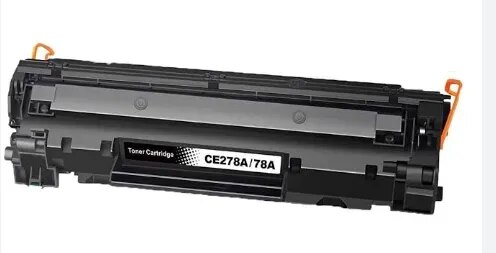
"name": "HP 78A (CE278A) Compatible Toner Cartridge for LaserJet P1566, P1606dn, M1536dnf",
"description": "Compatible Toner Cartridge for HP 78A (CE278A) — Yield: 2100 Pages\n\nGet sharp, reliable printing at half the price with the PRM Compatible Toner Cartridge for HP 78A. Delivering up to 2100 pages at 5% coverage, this cartridge is built for consistent performance — ideal for offices, schools, hospitals, and everyday business use.\n\nLooking for an HP P1606dn toner cartridge or HP M1536dnf toner cartridge? The HP 78A (CE278A) is the right cartridge for all HP LaserJet P1566, P1606, and M1536 series printers listed below.\n\n1. High Page Yield: 2100 pages per cartridge — reliable, long-lasting output for daily printing of documents, invoices, reports, and records.\n\n2. Dark Print Quality: Advanced toner formulation delivers crisp black text, sharp graphics, and smudge-free output — matching the quality of the original HP CE278A cartridge.\n\n3. Same Quality, Half the Price: PRM compatible cartridges are factory-tested and 100% safe for your HP laser printer. Save up to 50% compared to original HP pricing.\n\n4. Easy Installation: Slide out the old cartridge, slide in the new one. No tools, no mess, ready to print.\n\nCompatible Printers:\nHP: LaserJet Pro P1566, P1606, P1606dn, MFP M1536, M1536dnf\n\nAlso known as: HP 78A, CE278A, HP CE278A, Canon 728, Canon 326\n\n",
"price": 650.0,
"discountamount": 300.0,
"currencycode": "INR",
"priority": 1000000,
"isfreeshipmentavailable": false,
"shipmentduration": 1,
"_keywords": null,
"isarchived": false,
"isavailable": true,
"applicationid": null,
"productindex": 21,
"imageuri": "https://productimages.withfloats.com/actual/6a7d7090550aaddf026d6603.png",
"tileimageuri": "https://productimages.withfloats.com/tile/6a7d7090550aaddf026d6603.png",
"images": null,
"totalqueries": 0,
"gpid": null,
"groupproductid": null,
"createdon": "2026-08-13T07:21:50.492Z",
"updatedon": "2026-08-13T07:21:50.492Z",
"buyonlinelink": null,
"producturl": "https://WWW.CIRCUITSYSTEMS.CO.IN//hp-78a-ce278a-compatible-toner-cartridge-for-laserjet-p1566-p1606dn-m1536dnf/21",
"availableunits": -1.0,
"iscodavailable": false,
"isprepaidonlineavailable": false,
"maxcodorders": 0,
"maxprepaidonlineorders": 0,
"uniquepaymenturl": null,
"brandname": "",
"category": "Toner Cartridges",
"tags": [],
"variants": false,
"keyspecification": null,
"otherspecifications": null,
"pickupaddressreferenceid": null,
"paymenttype": "None",
"producttype": "products",
"hsncode": null,
"gstslab": 0.0,
"isnotforsale": false
},
{
"_id": "6a7d63024b73aa4e76b135db",
"fptag": "CIRCUITSYSTEMS",
"merchantname": null,
"customwidgets": null,
"externalsourceid": null,
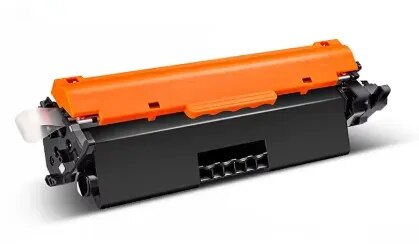
"name": "HP 30A (CF230A) Compatible Toner Cartridge for LaserJet Pro M203dn, MFP M227fdn, M227fdw",
"description": "Compatible Toner Cartridge for HP 30A (CF230A) — Yield: 1600 Pages\n\nGet professional-quality prints at half the price with the PRM Compatible Toner Cartridge for HP 30A. Delivering up to 1600 pages at 5% coverage, this cartridge is designed for HP's LaserJet Pro M203 and MFP M227 series — perfect for offices, small businesses, and everyday high-quality printing.\n\nLooking for an HP M203dn toner cartridge or HP M227fdn toner cartridge? The HP 30A (CF230A) is the right cartridge for all HP LaserJet Pro M203 and MFP M227 series printers listed below.\n\n1. High Page Yield: 1600 pages per cartridge — reliable output for daily office documents, reports, invoices, and business printing.\n\n2. Dark Print Quality: Advanced toner formulation delivers sharp black text, crisp graphics, and smudge-free output — matching the quality of the original HP CF230A cartridge.\n\n3. Same Quality, Half the Price: PRM compatible cartridges are factory-tested and 100% safe for your HP laser printer. Save up to 50% compared to original HP pricing.\n\n4. Separate Drum Architecture: HP M203/M227 printers use a separate imaging drum (HP 32A / CF232A) and toner cartridge — so you only replace the toner, not the drum each time. This means lower running costs overall.\n\n5. Easy Installation: Slide out the old toner, slide in the new one. No tools required.\n\nCompatible Printers:\nHP: LaserJet M203d, LaserJet Pro M203dn, M203dw, LaserJet Ultra M206dn, LaserJet Pro MFP M227d, M227fdn, M227fdw, M227sdn, LaserJet Ultra MFP M230fdw, M230sdn\n\nAlso known as: HP 30A, CF230A, HP CF230A, Canon 051",
"price": 699.0,
"discountamount": 374.0,
"currencycode": "INR",
"priority": 1000000,
"isfreeshipmentavailable": false,
"shipmentduration": 1,
"_keywords": null,
"isarchived": false,
"isavailable": true,
"applicationid": null,
"productindex": 15,
"imageuri": "https://productimages.withfloats.com/actual/6a7d63051c113f568006203a.png",
"tileimageuri": "https://productimages.withfloats.com/tile/6a7d63051c113f568006203a.png",
"images": null,
"totalqueries": 0,
"gpid": null,
"groupproductid": null,
"createdon": "2026-08-13T06:24:02.885Z",
"updatedon": "2026-08-13T06:24:02.885Z",
"buyonlinelink": null,
"producturl": "https://WWW.CIRCUITSYSTEMS.CO.IN//hp-30a-cf230a-compatible-toner-cartridge-for-laserjet-pro-m203dn-mfp-m227fdn-m227fdw/15",
"availableunits": -1.0,
"iscodavailable": false,
"isprepaidonlineavailable": false,
"maxcodorders": 0,
"maxprepaidonlineorders": 0,
"uniquepaymenturl": null,
"brandname": "",
"category": "Toner Cartridges",
"tags": [],
"variants": false,
"keyspecification": null,
"otherspecifications": null,
"pickupaddressreferenceid": null,
"paymenttype": "None",
"producttype": "products",
"hsncode": null,
"gstslab": 0.0,
"isnotforsale": false
},
{
"_id": "6a7d623b1961bbb7163abf46",
"fptag": "CIRCUITSYSTEMS",
"merchantname": null,
"customwidgets": null,
"externalsourceid": null,
"name": "HP 05A / 80A (CE505A / CF280A) Compatible Toner for P2035, P2055dn, M401dn, M425d",
"description": "Compatible Toner Cartridge for HP 05A / 80A (CE505A / CF280A) — Yield: 2700 Pages\n\nGet reliable, high-volume printing at half the price with the PRM Compatible Toner Cartridge for HP 05A and HP 80A. Delivering up to 2700 pages at 5% coverage, this cartridge is built for busy offices, businesses, and workgroups that need consistent output day after day.\n\nLooking for an HP P2035 toner cartridge or HP M401dn toner cartridge? The HP 05A (CE505A) and HP 80A (CF280A) use the same cartridge — one product that fits both the LaserJet P2035/P2055 series and the LaserJet Pro 400 M401/M425 series.\n\n1. High Page Yield: 2700 pages per cartridge — designed for high-volume office printing, reports, invoices, and everyday business documents.\n\n2. Dark Print Quality: Advanced toner formulation delivers sharp black text, crisp graphics, and smudge-free output — matching the quality of original HP CE505A and CF280A cartridges.\n\n3. Same Quality, Half the Price: PRM compatible cartridges are factory-tested and 100% safe for your HP laser printer. Save up to 50% compared to original HP pricing.\n\n4. Easy Installation: Slide out the old cartridge, slide in the new one. No tools, no mess, ready to print.\n\nCompatible Printers:\nHP (05A / CE505A): LaserJet P2035, P2035n, P2055, P2055d, P2055dn, P2055x\nHP (80A / CF280A): LaserJet Pro 400 M401a, M401d, M401n, M401dn, M401dw, MFP M425dn, M425dw\n\nAlso known as: HP 05A, HP 80A, CE505A, CF280A, HP CE505A, HP CF280A, Canon 719\n\n",
"price": 850.0,
"discountamount": 400.0,
"currencycode": "INR",
"priority": 1000000,
"isfreeshipmentavailable": false,
"shipmentduration": 1,
"_keywords": null,
"isarchived": false,
"isavailable": true,
"applicationid": null,
"productindex": 14,
"imageuri": "https://productimages.withfloats.com/actual/6a7d623cf620a3e29bff70f8.png",
"tileimageuri": "https://productimages.withfloats.com/tile/6a7d623cf620a3e29bff70f8.png",
"images": null,
"totalqueries": 0,
"gpid": null,
"groupproductid": null,
"createdon": "2026-08-13T06:20:43.412Z",
"updatedon": "2026-08-13T06:27:33.729Z",
"buyonlinelink": null,
"producturl": "https://WWW.CIRCUITSYSTEMS.CO.IN//hp-05a-80a-ce505a-cf280a-compatible-toner-for-p2035-p2055dn-m401dn-m425d/14",
"availableunits": -1.0,
"iscodavailable": false,
"isprepaidonlineavailable": false,
"maxcodorders": 0,
"maxprepaidonlineorders": 0,
"uniquepaymenturl": null,
"brandname": "",
"category": "Toner Cartridges",
"tags": [],
"variants": false,
"keyspecification": null,
"otherspecifications": null,
"pickupaddressreferenceid": null,
"paymenttype": "None",
"producttype": "products",
"hsncode": null,
"gstslab": 0.0,
"isnotforsale": false
},
{
"_id": "6a7d5df49f5c3c77899f1b58",
"fptag": "CIRCUITSYSTEMS",
"merchantname": null,
"customwidgets": null,
"externalsourceid": null,
"name": "HP 137A (W1370A) Compatible Toner Cartridge for LaserJet M208dw, M233dw, M236dw",
"description": "Compatible Toner Cartridge for HP 137A (W1370A) — Yield: 1100 Pages\n\nGet professional prints at half the price with the PRM Compatible Toner Cartridge for HP 137A. Delivering up to 1100 pages at 5% coverage, this cartridge is designed for HP's latest LaserJet series — perfect for home offices, small businesses, and everyday printing needs.\n\nLooking for an HP M208dw toner cartridge or HP M233dw toner cartridge? The HP 137A (W1370A) is the right cartridge for all HP LaserJet M208, M209, M211, M232, M233, M234, and M236 series printers listed below.\n\n1. High Page Yield: 1100 pages per cartridge — reliable output for daily office printing, school assignments, and business documents.\n\n2. Dark Print Quality: Advanced toner formulation delivers sharp black text, clean graphics, and smudge-free output — matching the quality of the original HP W1370A cartridge.\n\n3. Same Quality, Half the Price: PRM compatible cartridges are factory-tested and 100% safe for your HP laser printer. Save up to 50% compared to OEM pricing.\n\n4. Easy Installation: Slide out the old cartridge, slide in the new one. Plug-and-print with no setup required.\n\nCompatible Printers:\nHP: LaserJet M208dw, M209dw, M209dwe, M211d, M211dw, M232dwc, M233dw, M233sdn, M233sdw, M234dw, M234dwe, M234sdn, M234sdne, M234sdw, M234sdwe, M236d, M236dw, M236sdn, M236sdw\n\nAlso known as: HP 137A, HP W1370A, W137A",
"price": 1000.0,
"discountamount": 500.0,
"currencycode": "INR",
"priority": 1000000,
"isfreeshipmentavailable": false,
"shipmentduration": 1,
"_keywords": null,
"isarchived": false,
"isavailable": true,
"applicationid": null,
"productindex": 10,
"imageuri": "https://productimages.withfloats.com/actual/6a7d5df5a451b1bb9316b691.png",
"tileimageuri": "https://productimages.withfloats.com/tile/6a7d5df5a451b1bb9316b691.png",
"images": null,
"totalqueries": 0,
"gpid": null,
"groupproductid": null,
"createdon": "2026-08-13T06:02:28.295Z",
"updatedon": "2026-08-13T06:02:28.295Z",
"buyonlinelink": null,
"producturl": "https://WWW.CIRCUITSYSTEMS.CO.IN//hp-137a-w1370a-compatible-toner-cartridge-for-laserjet-m208dw-m233dw-m236dw/10",
"availableunits": -1.0,
"iscodavailable": false,
"isprepaidonlineavailable": false,
"maxcodorders": 0,
"maxprepaidonlineorders": 0,
"uniquepaymenturl": null,
"brandname": "",
"category": "Toner Cartridges",
"tags": [],
"variants": false,
"keyspecification": null,
"otherspecifications": null,
"pickupaddressreferenceid": null,
"paymenttype": "None",
"producttype": "products",
"hsncode": null,
"gstslab": 0.0,
"isnotforsale": false
},
{
"_id": "6a7d5d32a81f0a94d41b5cea",
"fptag": "CIRCUITSYSTEMS",
"merchantname": null,
"customwidgets": null,
"externalsourceid": null,
"name": "HP 18A (CF218A) Compatible Toner Cartridge for LaserJet Pro M104a, M132nw, M132fw",
"description": "Compatible Toner Cartridge for HP 18A (CF218A) — Yield: 1400 Pages\n\nGet sharp, professional prints at half the price with the PRM Compatible Toner Cartridge for HP 18A. Delivering up to 1400 pages at 5% coverage, this cartridge is designed for HP's LaserJet Pro M104 and M132 series — ideal for home offices, small businesses, and everyday printing.\n\nLooking for an HP M104a toner cartridge or HP M132nw toner cartridge? The HP 18A (CF218A) is the right cartridge for all HP LaserJet Pro M104 and MFP M132 series printers listed below.\n\n1. High Page Yield: 1400 pages per cartridge — reliable output for daily documents, invoices, reports, and school assignments.\n\n2. Dark Print Quality: Advanced toner formulation delivers crisp black text, sharp graphics, and smudge-free output — matching the quality of the original HP CF218A cartridge.\n\n3. Same Quality, Half the Price: PRM compatible cartridges are factory-tested and 100% safe for your HP laser printer. Save up to 50% compared to original HP pricing.\n\n4. Easy Installation: Slide out the old cartridge, slide in the new one. No tools, no mess, no downtime.\n\nCompatible Printers:\nHP: LaserJet Pro M104a, M104w, MFP M132a, MFP M132fn, MFP M132fw, MFP M132nw\n\nAlso known as: HP 18A, HP CF218A, CF 218A",
"price": 500.0,
"discountamount": 175.0,
"currencycode": "INR",
"priority": 1000000,
"isfreeshipmentavailable": false,
"shipmentduration": 1,
"_keywords": null,
"isarchived": false,
"isavailable": true,
"applicationid": null,
"productindex": 9,
"imageuri": "https://productimages.withfloats.com/actual/6a7d5d345a37cbc219338506.png",
"tileimageuri": "https://productimages.withfloats.com/tile/6a7d5d345a37cbc219338506.png",
"images": null,
"totalqueries": 0,
"gpid": null,
"groupproductid": null,
"createdon": "2026-08-13T05:59:14.146Z",
"updatedon": "2026-08-13T05:59:14.146Z",
"buyonlinelink": null,
"producturl": "https://WWW.CIRCUITSYSTEMS.CO.IN//hp-18a-cf218a-compatible-toner-cartridge-for-laserjet-pro-m104a-m132nw-m132fw/9",
"availableunits": -1.0,
"iscodavailable": false,
"isprepaidonlineavailable": false,
"maxcodorders": 0,
"maxprepaidonlineorders": 0,
"uniquepaymenturl": null,
"brandname": "",
"category": "Toner Cartridges",
"tags": [],
"variants": false,
"keyspecification": null,
"otherspecifications": null,
"pickupaddressreferenceid": null,
"paymenttype": "None",
"producttype": "products",
"hsncode": null,
"gstslab": 0.0,
"isnotforsale": false
},
{
"_id": "6a6d8186be36d36d6b09498c",
"fptag": "CIRCUITSYSTEMS",
"merchantname": null,
"customwidgets": null,
"externalsourceid": null,
"name": "Canon 071 / CRG-071 Compatible Toner Cartridge for imageCLASS LBP122dw, MF273dw, MF275dw",
"description": "Compatible Toner Cartridge for Canon 071 / CRG-071 — Yield: 1200 Pages\n\nGet crisp, professional prints at half the price with the PRM Compatible Toner Cartridge for Canon 071. Delivering up to 1200 pages at 5% coverage, this cartridge is designed for Canon's latest imageCLASS laser printers — perfect for home offices, small businesses, and everyday printing.\n\nLooking for a Canon LBP122dw toner cartridge or Canon MF275dw toner cartridge? The Canon 071 (CRG-071) is the right cartridge for all Canon imageCLASS LBP122 and MF270 series printers listed below.\n\n1. High Page Yield: 1200 pages per cartridge — reliable output for daily documents, invoices, reports, and everyday office printing.\n\n2. Dark Print Quality: Advanced toner formulation delivers sharp black text, clean graphics, and smudge-free output — matching the quality of the original Canon CRG-071 cartridge.\n\n3. Same Quality, Half the Price: PRM compatible cartridges are factory-tested and 100% safe for your Canon laser printer. Save up to 50% compared to original Canon pricing.\n\n4. Easy Installation: Slide out the old cartridge, slide in the new one. No tools required.\n\nNote: If your printer shows “Non-Canon cartridge detected”, go to Menu → Management Settings → Device Management → Canon Genuine Mode → Off, then press OK. The cartridge will work perfectly.\n\nCompatible Printers:\nCanon: imageCLASS LBP121dn, LBP122dw, MF271dn, MF272dw, MF273dw, MF274dn, MF275dw\n\nAlso known as: Canon 071, CRG-071, CRG071, Canon Cartridge 071, 5645C001",
"price": 1000.0,
"discountamount": 500.0,
"currencycode": "INR",
"priority": 1000000,
"isfreeshipmentavailable": false,
"shipmentduration": 1,
"_keywords": null,
"isarchived": false,
"isavailable": true,
"applicationid": null,
"productindex": 8,
"imageuri": "https://productimages.withfloats.com/actual/6a7d5c9cd736663c8091d827.png",
"tileimageuri": "https://productimages.withfloats.com/tile/6a7d5c9cd736663c8091d827.png",
"images": null,
"totalqueries": 0,
"gpid": null,
"groupproductid": null,
"createdon": "2026-08-01T05:17:58.948Z",
"updatedon": "2026-08-13T05:56:43.122Z",
"buyonlinelink": null,
"producturl": "https://WWW.CIRCUITSYSTEMS.CO.IN//canon-071-crg-071-compatible-toner-cartridge-for-imageclass-lbp122dw-mf273dw-mf275dw/8",
"availableunits": -1.0,
"iscodavailable": false,
"isprepaidonlineavailable": false,
"maxcodorders": 0,
"maxprepaidonlineorders": 0,
"uniquepaymenturl": null,
"brandname": "",
"category": "Toner Cartridges",
"tags": [],
"variants": false,
"keyspecification": null,
"otherspecifications": null,
"pickupaddressreferenceid": null,
"paymenttype": "None",
"producttype": "products",
"hsncode": null,
"gstslab": 0.0,
"isnotforsale": false
},
{
"_id": "6a9e36550f7939c8561c7059",
"fptag": "CIRCUITSYSTEMS",
"merchantname": null,
"customwidgets": null,
"externalsourceid": null,
"name": "Epson C9387 Maintenance Box Compatible for M1050 / M2050 / XP-4100 / PXMB11 / WF-2850",
"description": "Compatible Maintenance Box for Epson C9387\n\nGet your Epson printer back to printing with the PRM Compatible Maintenance Box. This is a direct replacement for the original Epson C9387 — clearing the “Maintenance Box Full” error and restoring normal printing immediately.\n\nLooking for an Epson M1050 maintenance box, Epson M2050 maintenance box, or Epson WF-2830 maintenance box? The C9387 is the correct maintenance box for all Epson EcoTank, Expression Home, and WorkForce printers listed below.\n\nC9387 vs C9344 — What's the Difference?\nThe C9387 and C9344 are used across overlapping printer families but are different parts. Check your printer model below and order the correct one. If you're unsure, WhatsApp us on 9004403030 with your printer model — we'll confirm the right maintenance box for you.\n\nWhat is a Maintenance Box?\nThe maintenance box is a small absorbent pad container that collects excess ink during printing, head cleaning, and borderless printing. Over time, this pad fills up with waste ink. When it's full, your printer displays a “Maintenance Box Full” or “Maintenance Box End of Service Life” error and stops printing completely — even if your ink tanks are full.\n\nThis is not a malfunction. It's a routine consumable replacement, just like replacing ink. The maintenance box is designed to be swapped out when full.\n\nWhen Do You Need a New Maintenance Box?\nReplace your maintenance box when you see:\n- “Maintenance Box is Full” error on the printer display\n- “Maintenance Box End of Service Life” message\n- Printer stops printing completely and refuses all print jobs\n- Warning message that the maintenance box is “nearly full”\n- Ink pad counter reached 100% in the printer utility software\n\nDon't wait for the box to reach 100% — once the error appears, the printer will not print a single page until the maintenance box is replaced. If you see a “nearly full” warning, order a replacement now so you have it ready.\n\n1. Instant Fix — Clear the Error, Start Printing: Remove the full maintenance box, insert the new one, and the error clears automatically. Your printer resets the ink pad counter and is ready to print immediately. The entire swap takes under 2 minutes.\n\n2. Fits Across EcoTank, Expression Home, and WorkForce: The C9387 is used across three Epson printer families — the EcoTank M-series mono printers, Expression Home XP-series, and WorkForce WF-series MFPs. One maintenance box covers all of them.\n\n3. Supports Epson's Mono EcoTank Printers: The M1050 and M2050 are Epson's popular monochrome EcoTank printers designed for high-volume, low-cost black and white printing. These printers are workhorses in offices, schools, and shops across India — and they consume maintenance box capacity steadily with regular use.\n\n4. Compatible Quality, Same Function: The maintenance box is an absorbent pad in a plastic housing — there is no electronic component or print quality difference between original and compatible. It collects waste ink. A compatible box does this identically to the original at a fraction of the price.\n\n5. No Chip Issues: This compatible maintenance box comes with the chip pre-installed. Your printer will recognise it immediately — no error messages, no workarounds needed.\n\n6. Easy Installation: Open the maintenance box cover (usually on the right side or rear of the printer), slide out the old box, slide in the new one, and close. Under 2 minutes. No tools needed. Handle the old box carefully — it's full of waste ink.\n\n7. Tested Before Shipping: Every PRM maintenance box is checked for proper fit and chip function before dispatch. Backed by our testing warranty.\n\nCompatible Printers:\nEpson: EcoTank M1050, M1058, M2050, M2058, PXMB11, PX-M161T, PX-S161T, Expression Home XP-3100, XP-4100, XP-4101, XP-4105, WorkForce WF-2810DWF, WF-2830DWF, WF-2850DWF, WF-2830, WF-2850, WF-2851, EW-452A\n\nAlso known as: Epson C9387 Maintenance Box, Epson M1050 Maintenance Box, Epson M2050 Maintenance Box, Epson M1058 Waste Ink Box, Epson M2058 Maintenance Tank, Epson XP-4100 Maintenance Box, Epson WF-2830 Waste Ink Pad, Epson WF-2850 Maintenance Box, Epson C9387 Waste Ink Pad",
"price": 300.0,
"discountamount": 100.0,
"currencycode": "INR",
"priority": 1000000,
"isfreeshipmentavailable": false,
"shipmentduration": 1,
"_keywords": null,
"isarchived": false,
"isavailable": true,
"applicationid": null,
"productindex": 183,
"imageuri": "https://productimages.withfloats.com/actual/6a9e365a9a262a0c7af8553c.png",
"tileimageuri": "https://productimages.withfloats.com/tile/6a9e365a9a262a0c7af8553c.png",
"images": null,
"totalqueries": 0,
"gpid": null,
"groupproductid": null,
"createdon": "2026-09-07T03:58:13.006Z",
"updatedon": "2026-09-07T03:58:13.006Z",
"buyonlinelink": null,
"producturl": "https://WWW.CIRCUITSYSTEMS.CO.IN//epson-c9387-maintenance-box-compatible-for-m1050-m2050-xp-4100-pxmb11-wf-2850/183",
"availableunits": -1.0,
"iscodavailable": false,
"isprepaidonlineavailable": false,
"maxcodorders": 0,
"maxprepaidonlineorders": 0,
"uniquepaymenturl": null,
"brandname": "",
"category": "Ink Tank Spares",
"tags": [],
"variants": false,
"keyspecification": null,
"otherspecifications": null,
"pickupaddressreferenceid": null,
"paymenttype": "None",
"producttype": "products",
"hsncode": null,
"gstslab": 0.0,
"isnotforsale": false
}
],
"hasmoreitems": false,
"isapirequest": false,
"totalresults": 27,
"query": null,
"floatingpoint": null
}